Create a Grocery List
Create a grocery list for a week's meals, categorize items, estimate amounts, and plan healthy choices to practice budgeting and organization.




Step-by-step guide to create a grocery list
Step 1
Pick seven meals you want to eat this week and write their names at the top of your paper.
Step 2
For each meal write down the ingredients you need on a separate line.
Step 3
Look over all ingredient lists and copy each ingredient once onto a new master list.
Step 4
Draw category headings on the page like Produce Dairy Grains Protein and Pantry.
Step 5
Move each master list item under the correct category so similar items are grouped together.
Step 6
Next to each item write how much you will need for the week using numbers or simple measures.
Step 7
Put a star beside items that are healthy whole foods like fruits vegetables whole grains and lean proteins.
Step 8
For any unstarred processed items choose a healthier alternative and write the swap next to the original item.
Step 9
Use a grocery flyer your memory or a calculator to write an estimated price next to each item.
Step 10
Add all the item prices to find the total estimated cost for the week.
Step 11
If the total is more than you want to spend remove or swap items until the cost fits your budget.
Step 12
Rewrite a neat final grocery list organized by category with quantities prices and healthy swaps included.
Step 13
Share a photo or description of your finished grocery list on DIY.org
Help!?
What can we use if we don't have a printed grocery flyer or a calculator?
Use a store's website or app or photos of price tags for the 'use a grocery flyer your memory or a calculator to write an estimated price' step and your phone's calculator or simple paper-and-pencil math to total costs.
I'm getting duplicate ingredients and messy categories—how can we fix that when making the master list and grouping items?
Write each ingredient from your meal lists on a sticky note or index card, then drag the notes under your drawn headings like Produce and Dairy so you can spot and remove duplicates before copying items once onto the master list.
How can I adapt this activity for younger kids or older kids?
For younger children, pick three simple meals and have them draw ingredients while an adult helps estimate prices, and for older kids increase to seven meals, ask them to calculate unit prices and adjust quantities during the 'add all the item prices' and 'remove or swap items until the cost fits your budget' steps.
How can we extend or personalize the finished grocery list beyond rewriting and sharing on DIY.org?
Turn the neat final grocery list into a color-coded spreadsheet that tracks quantities, estimated prices and starred healthy swaps, and refine costs with a barcode-scanning app or store coupons before sharing a photo on DIY.org.
Watch videos on how to create a grocery list
📲 How to Create a Smart Shareable Grocery List on iPhone & Mac
3 Videos
📲 How to Create a Smart Shareable Grocery List on iPhone & Mac
Ultimate Shopping List in Google Keep (so easy to use!)
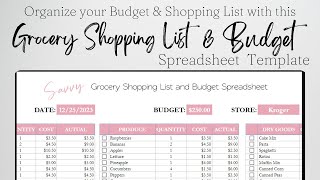
Grocery Shopping List Excel Spreadsheet, Grocery Shopping List Google Sheets Grocery Budget Template
Facts about meal planning and grocery budgeting for kids
📝 Writing a shopping list before you shop can cut impulse buys and often saves families money.
🥗 Planning meals for the week makes it easier to add vegetables and balance nutrients in every meal.
🧮 A handy rule for estimating: plan 1 cup cooked grains or 1 medium potato per person per meal.
💸 Checking unit prices (like price per ounce) helps you find the best deals and stretch your budget.
♻️ Weekly meal planning reduces food waste because you buy and use what you actually need.
How do I help my child create a grocery list for a week's meals?
What materials do I need to create a grocery list activity for kids?
What ages is creating a weekly grocery list suitable for?
What are the benefits of teaching kids to plan a week's grocery list?
