Minecraft Command
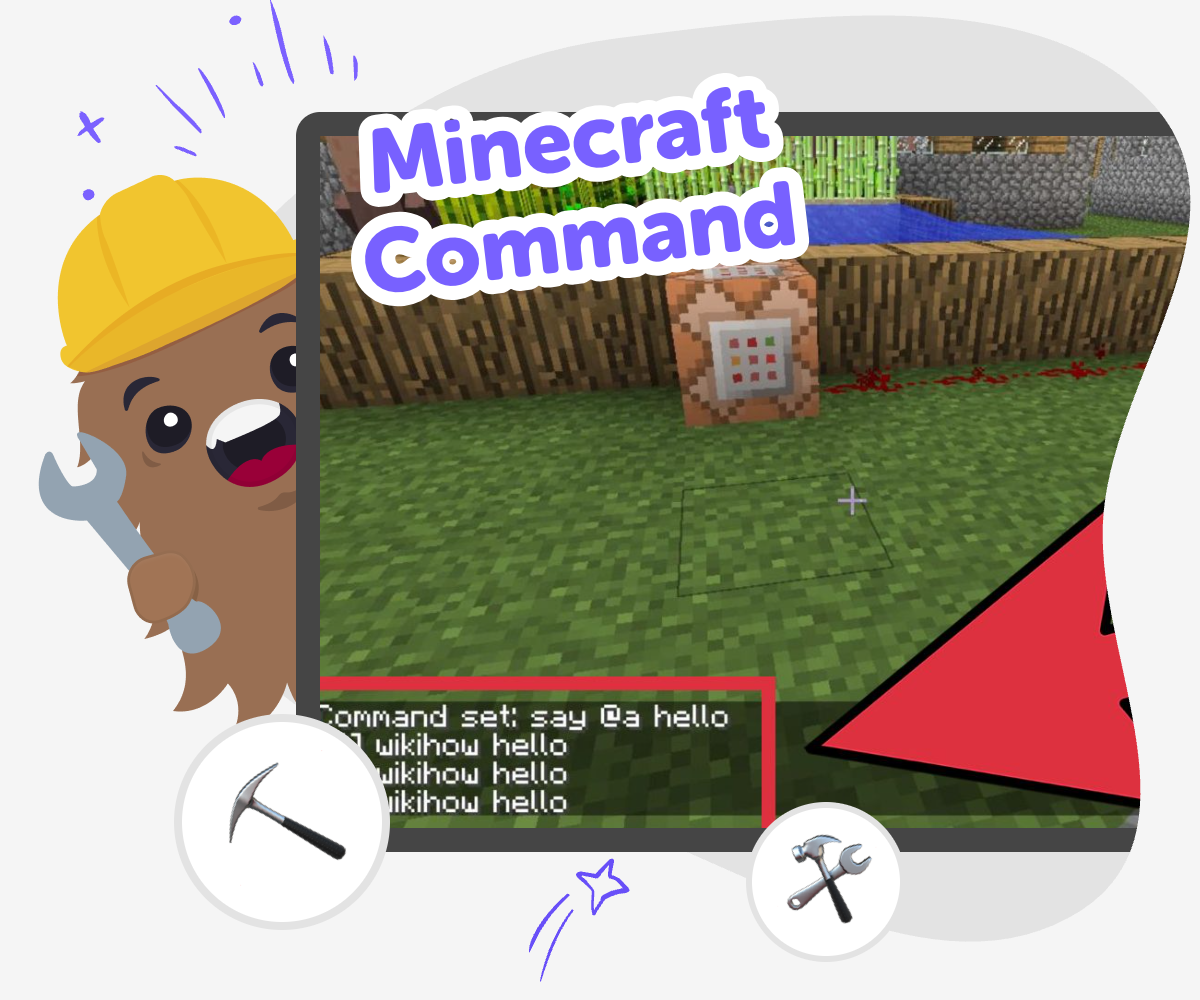
Minecraft command is a fun way to shape what happens in a world by writing clear instructions that make blocks, mobs, and events do something new. Kids can learn how command ideas work, why precise words matter, and how small changes can create big surprises. On DIY.org, Vibe Coding helps kids explore Minecraft command ideas through guided making, testing, and improving so they can build confidence while they learn.
Learn Minecraft Commands
Minecraft command is a way to give clear instructions inside a Minecraft world so things happen on purpose. Kids can use commands to change the weather, move a player, spawn a creature, or start a fun effect. It matters because it teaches careful language, logical order, and how small changes can create very different results. Learning this topic also helps kids practice patience and problem-solving. If something does not work, they can check each part, make one change, and try again until the result matches their idea.
On DIY.org, Vibe Coding helps kids explore Minecraft command ideas through guided making, testing, and improving. Kids describe what they want to happen, then build step by step with support that keeps the process clear, creative, and age-appropriate. That makes it easier to experiment safely and learn from each try. The focus stays on understanding how commands work, so kids can gain confidence as they shape their own game ideas.
What does a Minecraft command do?
A Minecraft command is a special set of words that tells the game to do something. It can change the weather, move a player, give an item, or create an effect in the world. That makes commands a bridge between imagination and action. Instead of only building with blocks you place by hand, you can also shape what the game does behind the scenes. For kids, this is a powerful first step into coding because it shows that language can control behavior when it is used carefully. Commands also reward patience. If a command does not work at first, you can read it again, change one part, and try another test until the result matches your idea.
Why is Minecraft command good for learning?
Minecraft command is useful for learning because it teaches coding habits in a playful setting. Kids practice being specific, following steps, and checking results. Those are the same habits that help with real coding, science experiments, and problem-solving in everyday life. A command also gives instant feedback, which helps children see cause and effect quickly. If they change one number or word, the world responds. That makes it easier to understand how small edits can create different results. It also supports confidence, because kids can start with a tiny goal and build up to more complex ideas as they improve. Learning feels less like memorizing and more like discovering how things work.
How can kids stay safe while exploring commands?
Safety matters when kids explore Minecraft command because the best learning happens when the game stays calm, clear, and age-appropriate. A good approach is to start with simple goals, test one idea at a time, and use worlds or projects that are meant for experimenting. That way, mistakes become part of learning instead of a problem. Kids should also feel comfortable asking a parent, teacher, or trusted helper to review a command if something seems confusing. On DIY.org, Vibe Coding supports this kind of gentle exploration by helping kids break ideas into smaller steps. That keeps the focus on understanding, not rushing, and helps kids build confidence while they learn at their own pace.
How does Vibe Coding support Minecraft command ideas?
Vibe Coding helps kids turn a Minecraft command idea into something they can build, test, and improve with guidance. Instead of trying to figure everything out at once, kids can describe the effect they want, then work through the details in smaller steps. That makes the process feel more like making a project than solving a puzzle alone. The tool supports experimentation, which is important because commands often improve through revision. Kids can try one version, notice what happened, and make it better. This process builds creative technology skills, problem-solving, and coding confidence. It also keeps the topic in focus: the goal is to understand Minecraft command and use it creatively, not to rush to a finished answer.
How to build with commands
Pick one idea
Choose a simple Minecraft command goal, like changing the time, moving a character, or making something appear.
Write the command
Turn the idea into a clear command with the right words in the right order so the world knows what to do.
Test what happens
Run the command and watch carefully to see if it works the way you expected or needs a change.
Make the most of testing
Try a smaller change Adjust one part of the command, then test again to see how the result changes. Look for patterns Notice which words, numbers, or symbols matter most so you can spot mistakes faster next time. Keep it safe and playful Choose ideas that are fun to explore and easy to explain to a parent, teacher, or friend. Build a better version Save your best result, try a new twist, and keep improving your command idea with each round.
Frequently asked questions
What is a Minecraft command?
A Minecraft command is a written instruction that tells the game to do something specific, like change the weather or move a character.
Why do kids learn Minecraft commands?
Kids learn Minecraft commands to practice clear thinking, problem-solving, and basic coding skills in a creative game world.
Is Minecraft command hard to learn?
It can feel tricky at first, but simple commands are a good place to start, and small tests make learning much easier.
Can kids make their own command ideas?
Yes. Kids can start with a simple goal, like making something appear or changing the time, and then build from there.
What skills do commands teach?
Commands can teach logic, reading carefully, testing ideas, and improving work step by step.
How do I know if a command worked?
You check what happens in the game and compare it to your goal. If the result is different, you can edit and test again.
Can Minecraft command projects be creative?
Yes. Kids can use commands to make games, surprises, challenges, and playful effects that feel original and fun.
How can Vibe Coding help with command projects?
Vibe Coding gives kids guided support so they can explore Minecraft command ideas safely, test them, and improve them with confidence.
More tools
Alternatives to Bloked
Alternatives to Bloked is a kid-first page about finding other ways to play, make, and explore when a block or limit gets in the way. Kids can learn what the topic means, why safe choices matter, and how to keep building confidence with creative tools like Vibe Coding.
Alternatives to Boblox
Alternatives to boblox are kid-friendly ways to make games, stories, and interactive projects when you want a fresh place to create. This page helps kids understand the idea, compare what matters, and try it through hands-on making with Vibe Coding.
Alternatives to Code.org
Alternatives to code.org help kids learn coding in ways that feel creative, gentle, and hands-on. This page explains the topic for families and shows how kids can explore it by making interactive projects with guided support.
Alternatives to CodeCombat
Explore alternatives to CodeCombat and find a kid-friendly way to start coding with creativity, safety, and hands-on practice using Vibe Coding.
Ready to start creating?
Join hundreds of thousands of kids already building cool stuff on DIY.ORG.
Your first game is on us.
Describe a game below - no sign-up needed to try.
Powered by AstroSafe
Make real games - not just chat