Minecraft Build Ideas
Minecraft build ideas help kids turn blocks, shapes, and stories into creative worlds they can design, test, and improve. This page shows how to think up builds with imagination and use Vibe Coding to explore them through guided, hands-on making.
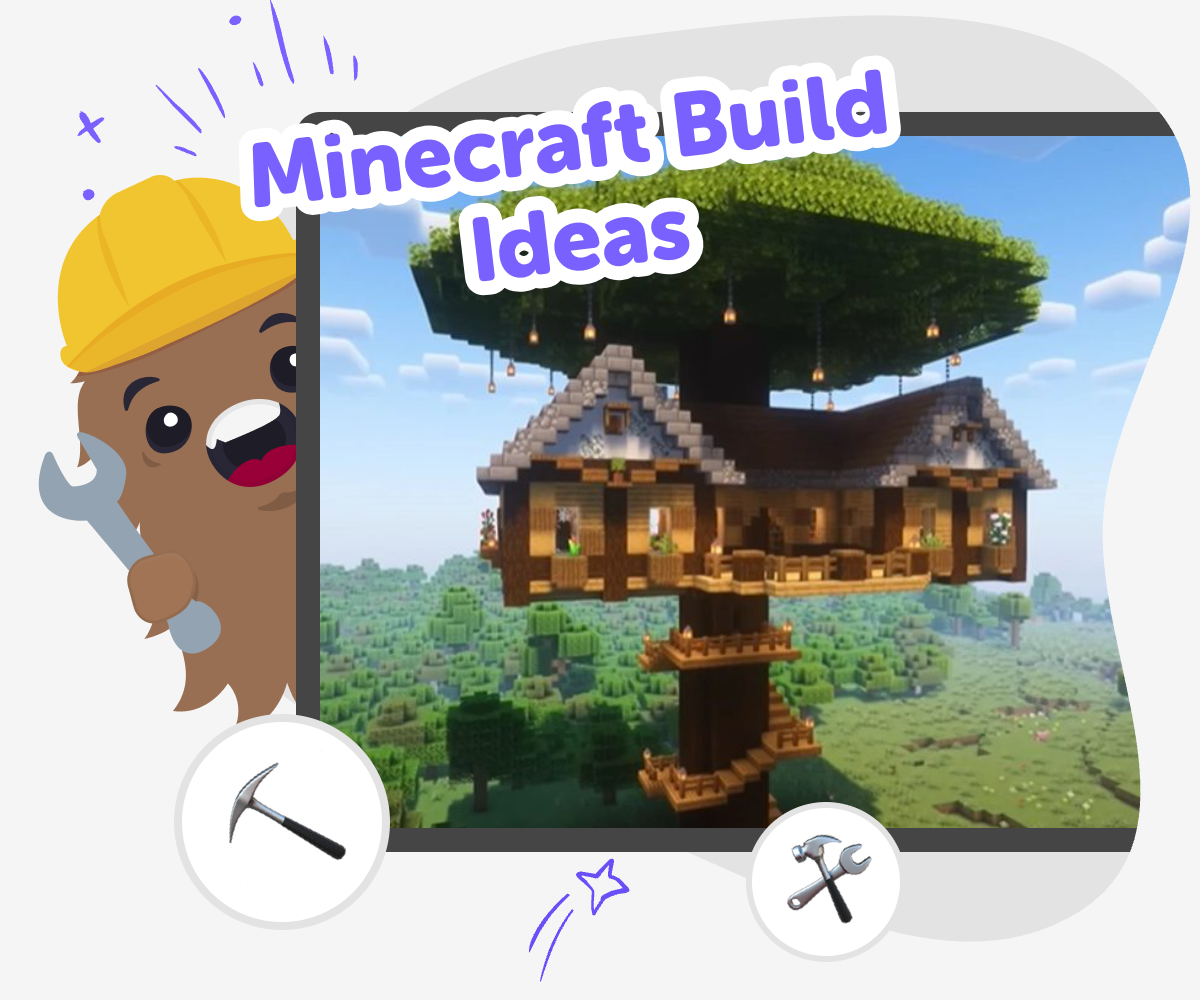
Build Your Minecraft Idea
Minecraft build ideas are ways to imagine what you could make in a blocky world, from simple homes to secret bases, farms, cities, and fantasy places. They matter because they help kids practice planning, creativity, and problem-solving while turning a picture in their mind into something real piece by piece. Good build ideas are not just about making something big. They can start small, change as you go, and grow stronger when you test, adjust, and try again.
Vibe Coding gives kids a guided place to explore minecraft build ideas by turning an idea into a project they can build step by step. Kids can describe what they want, shape the details, and improve it as they go, which keeps the process playful, safe, and creative. Instead of rushing to a finished result, kids learn to experiment, notice what works, and make changes with confidence. That helps them explore coding ideas in a way that feels hands-on and fun.
What makes a Minecraft build idea work?
A strong Minecraft build idea gives you a clear starting point, but it also leaves room for your own imagination. It might begin with something simple, like a treehouse, a bakery, or a mountain hideout, and then grow into a bigger world with paths, rooms, and secret details. The best ideas are easy to picture, easy to start, and fun to keep changing as you build. That is important because kids learn more when they can try a plan, see what happens, and make it better. A good idea does not have to be huge or perfect. It only needs a shape, a purpose, and enough creativity to keep you moving forward.
Why do kids learn from building?
Building in Minecraft helps kids practice planning, patience, and problem-solving in a way that feels playful. They have to think about where things go, how parts connect, and what to do when a design does not look the way they imagined. That kind of thinking is useful in school and in everyday life because it teaches kids to notice mistakes without giving up. It also supports creative confidence. When a child makes something with their own hands, even in a digital world, they see that ideas can become real through effort and practice. Each new build can teach a different lesson, from balance and shape to storytelling and design.
How can build ideas stay safe and age-appropriate?
Safe build ideas are ones that match the builder’s age, attention span, and comfort level. Younger kids may enjoy simple homes, gardens, or friendly animals, while older kids may like redstone puzzles, obstacle courses, or city designs. It helps to choose ideas that are calm, creative, and easy to explain to another person. Kids should also build in spaces where a parent, teacher, or trusted helper can support them if needed. That way the project stays focused on making, learning, and sharing. Safety in creative building is not just about rules. It is also about choosing projects that feel fun, clear, and manageable, so kids stay confident while they explore.
How does Vibe Coding support build ideas?
Vibe Coding supports minecraft build ideas by giving kids a guided way to turn imagination into an interactive project. Instead of wondering where to begin, kids can describe a game, tool, story, or invention inspired by their idea and then shape it step by step. They can test changes, compare versions, and improve the result as they go. That process matters because learning happens in the middle of making, not only at the end. Vibe Coding keeps the experience creative and approachable, so kids can focus on experimenting, noticing patterns, and building confidence. It helps them move from a loose idea to something they can understand, adjust, and proudly call their own.
How to explore build ideas
Choose a build
Pick one Minecraft build idea to start with, such as a house, castle, farm, park, or hidden room.
Add your details
Describe the look, purpose, and special features you want so the idea becomes clearer and more exciting.
Build and test
Use guided help to shape the project, try it out, and notice what needs fixing or changing.
Make the most of testing
Try a new version Change one part of the build, like the shape, size, or feature, to see how it changes the whole idea. Play it through Check whether the project still feels fun, clear, and easy to understand when someone else uses it. Improve with care Keep the parts that work, adjust the parts that feel confusing, and save the version you like best. Share your favourite Show the build to a parent, teacher, or friend so they can try it and give you kind feedback.
Frequently asked questions
What are Minecraft build ideas?
Minecraft build ideas are plans for things you could make in a Minecraft world. They can be simple, like a house or farm, or more creative, like a castle, secret lab, or floating island. A good idea helps you start building with a purpose instead of guessing what to make next.
How do I come up with a good build idea?
Start with something you like, such as animals, adventure, sports, food, or fantasy. Then think about what kind of place or object would match that theme. You can also ask, what should the build do, and who is it for?
What is a good first build for kids?
A small house, garden, treehouse, or cozy room is a good first build. These projects are easy to understand and help kids practice shapes, spaces, and details without feeling too big. Simple builds are great for learning because they can be changed later.
Can kids make their own Minecraft builds?
Yes. Kids can make their own builds by starting with a clear idea and adding one part at a time. They do not need to copy someone else’s project to learn. Making something personal helps kids practice creativity and feel proud of what they created.
How can a build idea become a bigger project?
A small idea can grow by adding more rooms, paths, features, or challenges. For example, a house can become a village, and a garden can become a whole park. The key is to keep testing the build and adding only what makes it better.
What skills do kids practice with Minecraft building?
Kids practice planning, spatial thinking, problem-solving, and creative design. They also learn how to try something, notice what needs improving, and keep going. Those skills are useful for coding, art, and everyday learning.
Is it okay to change a build idea while making it?
Yes, changing your idea is part of the process. Many good builds start one way and become better after a few experiments. Kids learn a lot when they adjust a project instead of trying to make it perfect right away.
How does Vibe Coding help with Minecraft-style ideas?
Vibe Coding gives kids a guided place to build, test, and improve interactive projects inspired by their ideas. It helps turn a thought into something they can shape step by step, which makes creative technology feel more manageable and fun.
More tools
Create a Minecraft Survival Game
Create a Minecraft Survival Game is a kid-friendly way to explore game ideas, survival challenges, and creative problem-solving. Kids can imagine a simple world, think about goals and rules, and use Vibe Coding to build and improve an interactive project step by step.
Create a Minecraft Sword
Create a Minecraft sword and turn a game idea into a hands-on creative project. Kids can imagine the look, shape, and purpose of their sword, then use Vibe Coding to build, test, and improve an interactive version step by step. It’s a fun way to practice problem-solving, creativity, and coding confidence while making something inspired by the world of Minecraft.
Create a Minecraft Villager Skin
Create a Minecraft Villager Skin by imagining a character, shaping its look, and testing ideas until it feels just right. This hands-on topic helps kids explore style, creativity, and simple design thinking while making something personal for their game world.
Create a Minecraft Warden Skin
Learn how to create a Minecraft Warden Skin with a kid-friendly creative workflow that helps you plan, make, and improve a bold in-game look step by step. Explore colours, shapes, and details while building confidence through hands-on making.
Ready to start creating?
Join hundreds of thousands of kids already building cool stuff on DIY.ORG.
Your first game is on us.
Describe a game below - no sign-up needed to try.
KidsGPT has moved!
Log into ChatDino to access your chats
Powered by AstroSafe
Make real games - not just chat