Create a Minecraft Villager Skin
Create a Minecraft Villager Skin by imagining a character, shaping its look, and testing ideas until it feels just right. This hands-on topic helps kids explore style, creativity, and simple design thinking while making something personal for their game world.
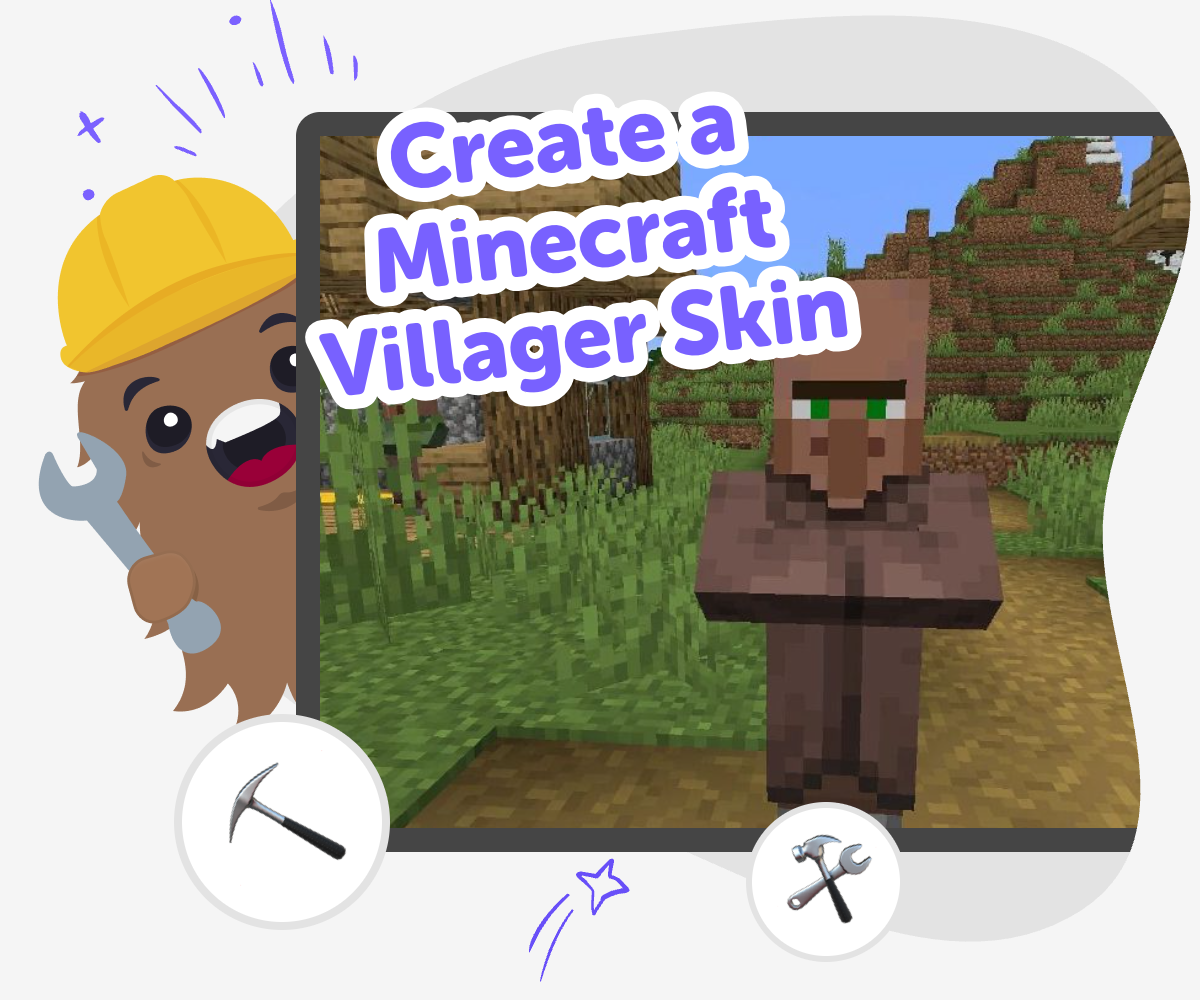
Design a Villager Skin
Create a minecraft villager skin by starting with a simple idea for a character and turning it into a look that fits your world. Kids can choose colours, clothes, and small details to make a villager skin feel friendly, funny, clever, or totally new. This kind of making matters because it teaches creative choices, patience, and how tiny changes can make a big difference in a design. It also helps kids learn that creative work gets better through trying, changing, and testing. That makes the process feel playful and confident instead of perfect right away.
Vibe Coding gives kids a guided place to explore the idea step by step. They can describe the villager skin they imagine, build it, test how it looks, and keep improving it with support that keeps the process clear and safe. The tool stays focused on making and learning, so kids can experiment with creative technology without needing to know everything at once. That makes the topic feel approachable for new makers and still interesting for kids who want to keep refining their design.
What makes a villager skin special?
A villager skin is special because it changes how a character looks in your Minecraft world. Instead of using a plain or common design, kids can make a villager that feels like it belongs to a story they invented. That might mean giving the character a job, a mood, a favourite colour, or a costume that hints at what the villager does. The best designs are usually easy to read from far away, with a clear shape and a few details that stand out. This is a good chance to practice visual thinking, because even small choices like a belt, apron, or hat can help other players understand the character right away. It is also a friendly way to learn that design is about showing ideas, not just decorating. When kids make a villager skin, they are building a tiny character with personality.
Why do kids learn from making one?
Making a villager skin helps kids practice more than art. They learn to plan an idea, try it, notice what works, and improve it. That is a big part of coding and creative technology, because building digital things often means making a first version and then changing it. A villager skin gives kids a simple project where they can see their choices clearly. If a colour feels too dark, they can try a brighter one. If a design looks busy, they can simplify it. This teaches problem-solving in a gentle way. It also builds confidence, because kids can see that their ideas do not have to be perfect to be useful. They just need to be testable. Over time, that practice helps kids feel more comfortable making games, characters, and other interactive projects of their own.
How can a skin show a story?
A good villager skin can tell a story before anyone says a word. Kids can use clothes, colours, and tiny details to suggest who the character is. For example, a villager with patchwork sleeves might feel like a maker, while one with neat robes might seem like a teacher or helper. A bright scarf could suggest a cheerful explorer, and a tool belt might hint at work in a village market. Story details help the skin feel alive, even though it is built from simple shapes. This is a useful creative skill because it teaches kids how to show meaning visually. It also helps them think about audience: what will another player notice first? When kids make choices with a story in mind, the design becomes more memorable and personal. That makes the project feel like both art and storytelling at the same time.
How does Vibe Coding help safely?
Vibe Coding gives kids a guided, hands-on way to explore the topic without treating it like a shortcut. Kids can describe the kind of villager skin they want, build a first version, and then keep editing it with support. That means they are still the makers, making choices and learning from each change. The tool is helpful for kids who are new to creative coding because it keeps the process simple and calm. Instead of feeling stuck, they can test ideas one step at a time and see how small edits change the result. This kind of support is also useful for parents and educators, because it encourages safe experimentation, clear thinking, and steady progress. The goal is not instant perfection. The goal is to help kids build confidence as they create, reflect, and improve their own work.
How to make it
Pick a villager style
Choose a clear idea for your villager, such as baker, farmer, explorer, or a made-up helper from your own Minecraft world.
Plan the details
Pick a small set of colours, clothes, and marks that will make the skin easy to spot and simple to remember.
Build the first version
Use guided coding help to shape the skin, then look at the result and notice what feels strong or needs changing.
Make the most of testing
Try one change at a time Change a colour, sleeve, or accessory and see how it changes the whole character. Check what stands out Look for the parts that are easiest to recognise from far away and keep those clear. Compare versions Place two ideas next to each other so you can tell which one matches your villager best. Save and remix Keep your favourite version, then come back later to make a new villager with a different look.
Frequently asked questions
What is a Minecraft villager skin?
A Minecraft villager skin is a custom look for a villager character in the game. It can change the clothes, colours, and details so the character feels more like your own idea. Kids often use skins to make a villager look like a baker, explorer, helper, or someone from a story they invented.
Why would someone want to make one?
People make villager skins to add personality to their Minecraft world. A custom skin can help a village feel more playful, more story-like, or more connected to a theme. It is also a fun way for kids to practice design choices and make something that feels original.
Is this a good project for beginners?
Yes. A villager skin can be a beginner-friendly project because it starts with a simple character idea and small design choices. Kids do not need to make something complicated right away. They can begin with one theme, test it, and improve it step by step.
What should kids think about first?
It helps to think about the character’s job, mood, or style. Kids can ask themselves whether the villager is cheerful, wise, busy, funny, or adventurous. Once that idea is clear, it becomes easier to choose colours and details that match the character.
Can kids make their own version instead of copying one?
Yes, and that is the best part. Kids can use a theme as a starting point, then change the colours, clothes, and details to make the skin feel personal. Making their own version helps them learn creativity, not just follow a pattern.
How do you make a villager skin easy to recognize?
Use clear colours, simple shapes, and one or two details that stand out. A hat, apron, scarf, or special pattern can help the design read well in the game. If too many details crowd the skin, simplifying it can make the character stronger.
Is it okay if the first version looks different from the final one?
Yes. That is normal for creative projects. The first version is a starting point, and kids can change it after they see how it looks. Testing and improving is part of making something good, especially when learning a new skill.
How does Vibe Coding fit into this project?
Vibe Coding gives kids a guided place to build, test, and improve their villager skin ideas. It supports the process without doing the thinking for them, so kids stay in control of the creative choices. That makes the project feel more like making and learning, and less like guessing.
More tools
Build a Would You Rather Game
Learn how to build a would you rather game by choosing fun questions, making simple choices, and testing how the game feels to play. Kids can turn ideas into a playful interactive project with guided support from Vibe Coding.
Build a Yoshi Game
Build a Yoshi Game is a kid-friendly way to imagine, make, and improve an interactive project inspired by a favourite character. Kids can design the game idea, try out simple choices, test how it plays, and keep changing it until it feels fun and clear. With guided support from Vibe Coding, children can turn a playful idea into a real project while building confidence, problem-solving skills, and creative technology habits.
Build a Zombie Games Game
Build a zombie games game with kid-friendly creative coding, where you can imagine the rules, shape the gameplay, and make a spooky project that feels fun and safe to play.
Build Alex from Minecraft
Build Alex from Minecraft is a creative way for kids to explore a familiar character by making something of their own. It turns a simple idea into a hands-on project that supports imagination, problem-solving, and confidence as kids design, test, and improve what they create.
Ready to start creating?
Join hundreds of thousands of kids already building cool stuff on DIY.ORG.
Your first game is on us.
Describe a game below - no sign-up needed to try.
KidsGPT has moved!
Log into ChatDino to access your chats
Powered by AstroSafe
Make real games - not just chat