Minecraft Addons
Minecraft addons let kids change parts of the game and make it feel more personal, creative, and fun. This page explains what minecraft addons are and shows how kids can explore them with guided, hands-on making in Vibe Coding.
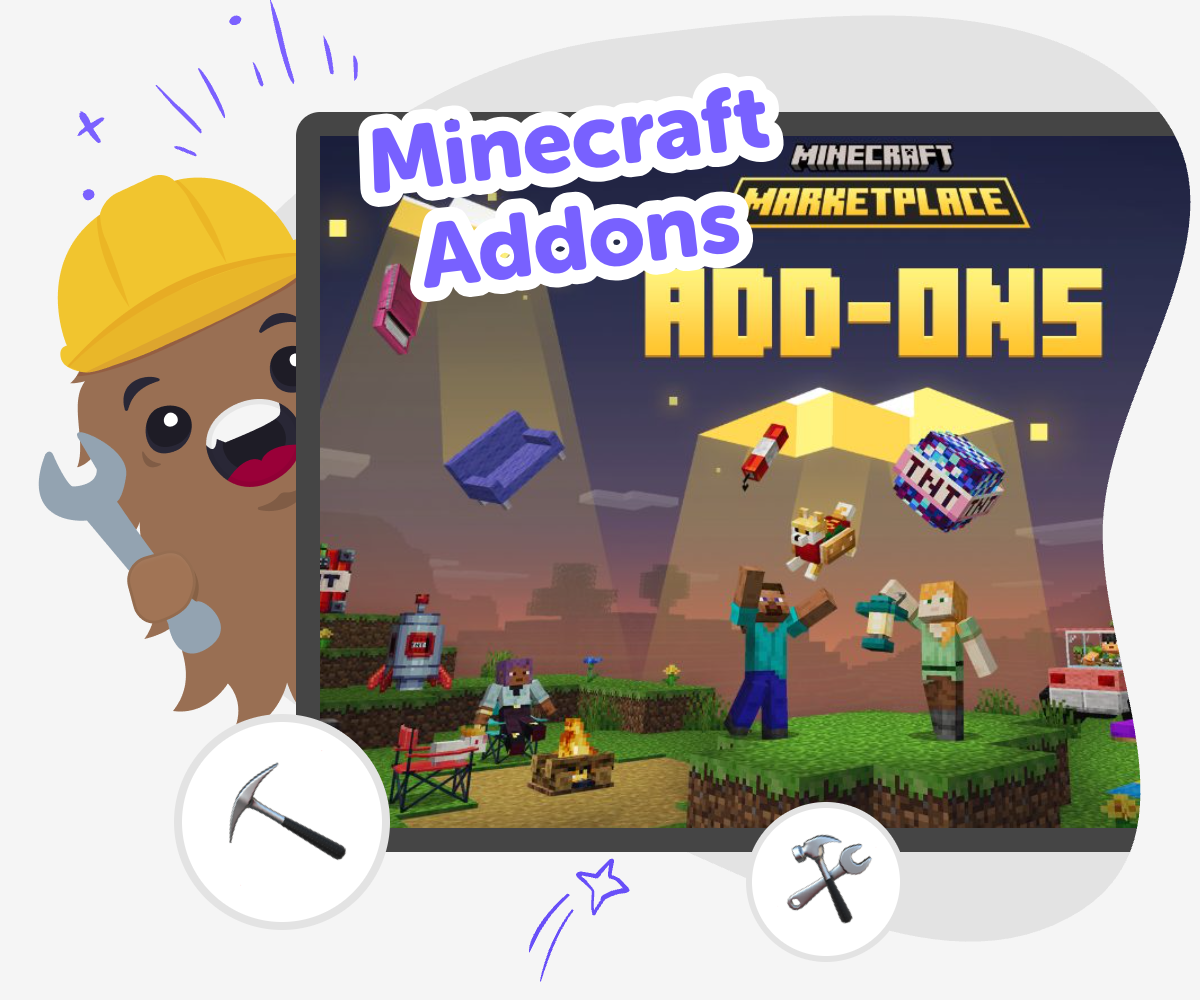
Make Minecraft More Yours
minecraft addons are small changes that help kids make the game feel more creative, personal, and fun. They can add a new creature, item, rule, or behavior, and that gives kids a simple way to explore how one idea can change play in a big way. This topic matters because it turns game time into maker time. Kids practice planning, testing, and improving while they see their choices affect the world around them.
Vibe Coding gives kids a guided place to explore minecraft addons by building one step at a time. They can describe a game idea they want to make, then try changes, test what happens, and improve their project with clear support. That keeps the focus on creativity and learning. Kids stay active in the process, and the tool helps them work safely, experiment with confidence, and understand how addons grow through small edits.
What are Minecraft addons?
Minecraft addons are changes that add new features to the game or adjust how parts of it behave. They can make a world feel more playful, surprising, or personal because kids are not only exploring the game, they are shaping it too. An addon might add a new character, a special item, or a rule that changes how the game works. For kids, that makes Minecraft a place to practice creative thinking. Instead of just following what is already there, they learn to imagine a change, test it, and see how it affects play. That is a useful maker skill because many creative projects start with small ideas that grow through experimentation. Addons can also help kids notice how design choices affect the way a game feels, which is a good first step into coding and game building.
Why do kids enjoy making addons?
Kids often enjoy addons because they get to turn an ordinary game into something that feels like theirs. When they make a change, they can see the result right away, which makes learning feel active and rewarding. Addons are also a nice way to practice patience and problem-solving. A first idea might be fun, but it may need changes to work well in the game. That gives kids a chance to test, compare, and improve without needing everything to be perfect at the start. This kind of making helps build confidence because children learn that mistakes are part of the process, not a sign they failed. It also supports creativity because there is room to invent new stories, new tools, and new ways to play. For many kids, that mix of imagination and real results is what makes the topic exciting.
How can addons support safe, creative learning?
Minecraft addons can be a safe way to learn because kids work on small, clear ideas instead of trying to build something huge all at once. That makes the process easier to understand and easier to manage. When kids focus on one change at a time, they can pay attention to how the game reacts and learn from what they see. This helps them build good habits like planning, testing, and improving. It also gives parents and educators a friendly way to support creative technology learning because the project stays structured and practical. A well-guided addon project can encourage children to think carefully about what they want to make and why it matters. That kind of reflection is useful far beyond games. It helps kids become more confident makers who can approach new digital tools with curiosity instead of worry.
How does Vibe Coding help with this topic?
Vibe Coding gives kids a guided place to explore minecraft addons without feeling stuck. A child can begin with a simple idea, like a new character or a special effect, and then shape it step by step with help that makes the process easier to follow. The tool is designed for making, not just imagining, so kids can build, test, and improve as they go. That matters because creative coding works best when children can try something, notice what happens, and adjust it. Vibe Coding supports that kind of learning by keeping the process playful and practical. It does not replace the child's thinking; it helps them use it. As kids experiment, they build coding confidence, problem-solving skills, and a better sense of how creative technology projects come together over time.
How to Explore Addons
Pick an idea
Choose one thing you want to change in Minecraft, like a new creature, a helpful item, or a different game rule.
Plan the change
Describe what the addon should do, then list the main parts you want players to notice when they use it.
Build and test
Use guided coding help to shape the idea, try it out, and see what works well or needs fixing.
Make the most of testing
Try a remix Change one part of the addon, like a texture, rule, or effect, so you can see how small edits change the game. Check what happens Play through your addon and notice whether it is clear, fun, and easy to understand. If something feels confusing, adjust it and test again. Improve with care Keep the parts that work and fix the parts that do not. Small changes help kids learn how creative coding improves with each round. Share the version you like Save your favorite build and show it to someone who can enjoy the idea with you, while keeping sharing safe and age-appropriate.
Frequently asked questions
What are Minecraft addons used for?
Minecraft addons are used to change parts of the game so it feels new or more personal. Kids can use them to add characters, items, effects, or rules that make play more creative. They are a good way to explore how small design choices can change the whole experience.
Can kids make their own Minecraft addons?
Yes, kids can make their own Minecraft addons with the right guidance. The best projects start small, with one clear idea that can be tested and improved. Tools like Vibe Coding help kids shape their ideas step by step so the process feels approachable.
Are Minecraft addons the same as mods?
Not always. Addons and mods both change a game, but they can work in different ways depending on the version and platform. For kids, the most important idea is that both are ways to be creative with the game instead of only playing it as-is.
What should a first addon idea be?
A first addon idea should be simple and fun. A new animal, a small rule change, or a special item are all good starting points. Simple ideas are easier to test, which helps kids learn how making and improving work together.
Do Minecraft addons teach coding?
They can help kids practice early coding thinking. When children plan a change, test it, and fix it, they are learning skills that are important in coding, like logic, sequencing, and problem-solving. The project feels playful, but the thinking behind it is real.
How can kids test an addon safely?
Kids can test an addon by trying one change at a time and checking what happens in the game. It helps to keep the first version small so it is easier to see what worked and what did not. Adult support is useful when children are new to the process.
What makes a good addon idea?
A good addon idea is clear, playful, and easy to notice in the game. It should do one interesting thing well instead of many things at once. That gives kids a better chance to learn from the result and keep improving it.
Can Vibe Coding help with Minecraft addon ideas?
Yes. Vibe Coding can help kids turn a Minecraft addon idea into a project they can build, test, and improve step by step. It is a guided creative space, so kids stay active in the process while getting support that makes the work feel manageable.
More tools
Create a Minecraft Villager Skin
Create a Minecraft Villager Skin by imagining a character, shaping its look, and testing ideas until it feels just right. This hands-on topic helps kids explore style, creativity, and simple design thinking while making something personal for their game world.
Create a Minecraft Warden Skin
Learn how to create a Minecraft Warden Skin with a kid-friendly creative workflow that helps you plan, make, and improve a bold in-game look step by step. Explore colours, shapes, and details while building confidence through hands-on making.
Create a Minecraft Wolf Skin
Create a Minecraft wolf skin with a kid-friendly maker mindset. Learn what makes a wolf skin stand out, try simple design choices, and use Vibe Coding to explore, test, and improve your idea step by step.
Create a Minecraft Zombie Skin
Create a Minecraft zombie skin with a kid-friendly creative tool and learn how to turn a spooky character idea into something personal, playful, and ready to test. This page helps kids understand the topic, try ideas step by step, and build confidence while they make and improve their own Minecraft character style.
Ready to start creating?
Join hundreds of thousands of kids already building cool stuff on DIY.ORG.
Your first game is on us.
Describe a game below - no sign-up needed to try.
KidsGPT has moved!
Log into ChatDino to access your chats
Powered by AstroSafe
Make real games - not just chat