Create a Random Shape Generator
Create a random shape generator to explore how shapes, patterns, and simple rules can make art feel surprising and fun. Kids can use creative coding to build, test, and change their own shape-making project while learning how randomness can spark new ideas.
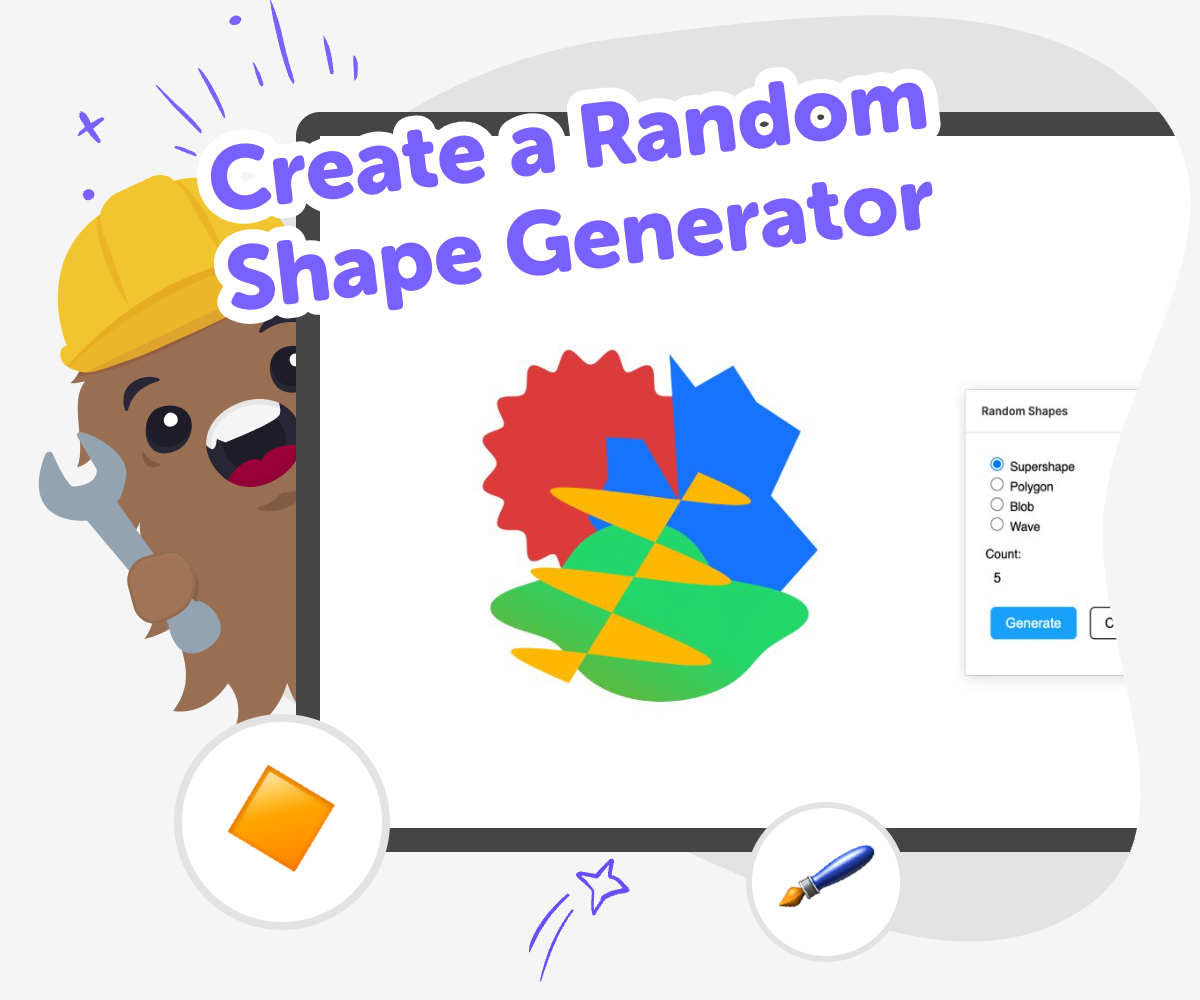
Random Shape Ideas
Create a random shape generator to see how simple rules can make art feel fresh every time. Kids can explore circles, squares, triangles, and other shapes while learning that randomness can be a creative tool, not just a surprise. This kind of project helps children practice making choices, noticing patterns, and changing one idea at a time. It is a small way to learn how coding can turn imagination into something visible and interactive.
Vibe Coding gives kids a safe, guided place to build a random shape generator step by step. They can try ideas, see what happens, and adjust their project as they go, which makes experimentation feel playful and manageable. Instead of aiming for a finished product right away, kids get to test, improve, and make the project their own while building confidence with creative technology.
What is a random shape generator?
A random shape generator is a simple creative tool that makes a new shape choice each time you use it. Instead of picking only one circle, square, or star, the project can surprise you with different shapes, colours, or sizes. That makes it useful for art, games, design practice, and learning about coding rules. For kids, it is a friendly way to see how computers can follow instructions and still create results that feel playful. The fun part is that the result is not fixed, so every try can look a little different. This helps children understand randomness in a hands-on way. It also shows that coding is not only for serious programs; it can be used to make something visual, creative, and full of surprises while still being easy to test and improve.
Why do kids like making one?
Kids often enjoy random shape generators because they turn a simple idea into a game of discovery. Each new shape can feel like a tiny reveal, which keeps the project exciting without needing lots of rules. This is helpful for younger makers because they can focus on one clear action: make a choice, see what appears, and try again. It also supports creativity, since children can change the colours, borders, or sizes to make the results feel more like their own. When kids build the generator themselves, they learn that a project can be both structured and playful. That balance helps them feel confident. They are not just watching shapes appear; they are making the system that creates them, which is a strong first step into coding and design.
How does randomness help learning?
Randomness teaches kids that not every project has to work the same way every time. In a shape generator, a random rule can choose from several options, and that makes it easier to learn about choices, probability, and patterns. Children can compare results and notice which shapes appear more often or which colours look best together. This kind of experimentation builds problem-solving skills because kids have to think about what happens when they change one part of the project. It also encourages patience, since they can test, observe, and adjust instead of expecting the first version to be perfect. Learning through randomness is useful because it gives kids a low-pressure way to explore cause and effect. They can see that even small changes in code can create a very different creative result.
How can Vibe Coding support the project?
Vibe Coding helps kids build a random shape generator in a guided, creative way. A child can describe the kind of project they want, then shape it step by step with help that keeps the process clear and approachable. That makes it easier to try ideas without feeling stuck. Kids can adjust the shapes, test what happens, and improve the project as they go, which supports coding confidence and creative thinking. Because the tool is designed for making and learning, it keeps the focus on hands-on experimentation instead of instant results. That matters for kids, since they learn more when they can see how a project changes over time. With support from Vibe Coding, the generator becomes more than a toy idea. It becomes a small creative studio project that children can understand, build, and proudly share.
How to build it
Choose your shapes
Pick the shapes you want your generator to use, such as circles, stars, triangles, or hearts, and think about what makes each one different.
Set the random rule
Decide how the project will choose a shape at random so each click, tap, or turn gives a new result.
Add simple style choices
Give each shape colour, size, or rotation options so the generator feels playful and easy to explore.
Make the most of testing
Try a remix Swap one shape, colour, or size rule so the project feels fresh while still being easy to understand. Check the flow Tap through the generator several times and make sure each result appears clearly, quickly, and in a way kids can follow. Share kindly Let someone else try it and notice which shapes feel fun, surprising, or easy to read so you can improve the experience. Keep improving Save a version you like, then change one part at a time and test again until the random shape generator feels balanced and creative.
Frequently asked questions
What does a random shape generator do?
It creates shapes by using a rule that chooses from several options, so each result can look different. Kids can use it to make art, games, or simple interactive projects.
Is it hard for kids to make one?
It can start very simply. A kid can begin with just a few shapes and one random choice, then add more details later as they get comfortable.
What shapes work best?
Simple shapes like circles, squares, triangles, stars, and hearts are a good place to start. They are easy to see, easy to compare, and fun to remix.
Can random shapes be used for art?
Yes. Random shapes can make posters, patterns, backgrounds, and playful digital art. The surprise element can help kids discover new design ideas.
How does this help with coding?
It teaches kids to follow steps, test results, and change one thing at a time. Those are important coding habits that also help with problem-solving.
Can kids make their own version?
Yes. They can choose their own shapes, colours, and rules so the project feels personal. Vibe Coding can help them build and adjust it in a guided way.
Is it safe for younger children?
A simple shape project is a friendly way for younger kids to explore coding concepts. Adult guidance is still helpful, especially when children are learning how to make and test new ideas.
What can kids try after the first version?
They can add more shapes, change the colours, add movement, or make the generator respond to clicks. Small changes are a good way to keep experimenting and learning.
More tools
Create a Pokemon Character
Create a Pokemon Character by imagining a new creature with its own look, powers, and personality. Kids can turn a simple idea into a character that feels fun, original, and ready for stories, games, or drawings.
Create a Princess Character
Create a princess character by imagining her look, personality, and world, then shaping those ideas into something original and fun. This kid-friendly page helps children explore character design and storytelling through hands-on making with Vibe Coding.
Create a Roblox Avatar
Create a Roblox avatar by choosing clothes, colors, faces, and accessories that show off your style. This kids-first page explains what an avatar is, why it matters in play, and how creative tools can help kids explore ideas with confidence.
Create a Spacebarclicker
Create a spacebarclicker by designing a simple click game that reacts when you press the spacebar. Kids can plan the rules, choose what happens on each click, and build a playful project that helps them practice coding, testing, and improving ideas step by step.
Ready to start creating?
Join hundreds of thousands of kids already building cool stuff on DIY.ORG.
Your first game is on us.
Describe a game below - no sign-up needed to try.
Powered by AstroSafe
Make real games - not just chat