Create a Princess Character
Create a princess character by imagining her look, personality, and world, then shaping those ideas into something original and fun. This kid-friendly page helps children explore character design and storytelling through hands-on making with Vibe Coding.
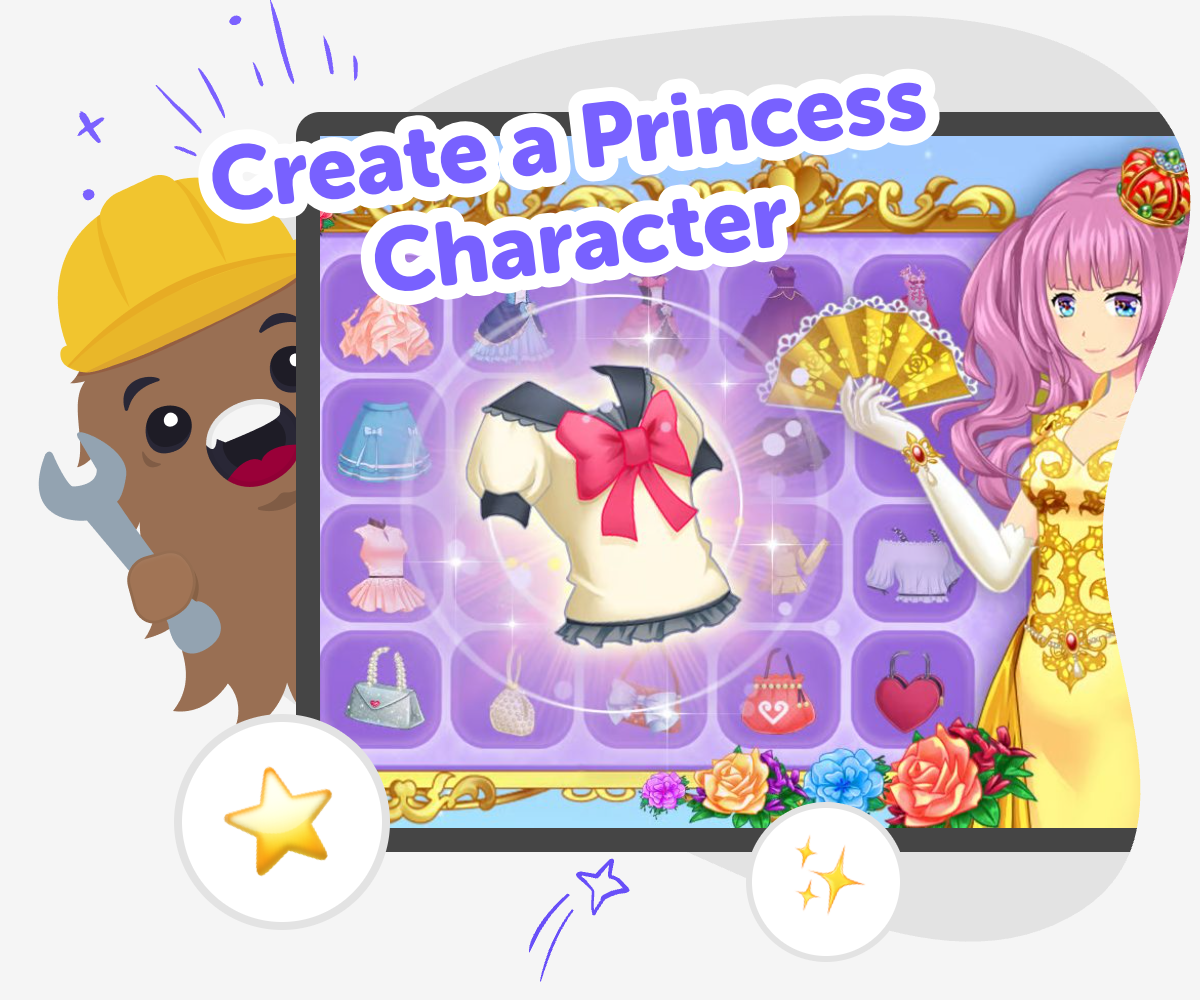
Build a Princess Character
To create a princess character is to design a fictional person with her own look, personality, and place in a story. Kids can choose what she wears, how she acts, and what makes her special, which turns simple ideas into a character that feels memorable. This matters because character making helps children practice imagination, storytelling, and decision-making. It also gives them a safe way to try creative choices and see how small details can change the whole story.
Vibe Coding gives kids a guided place to explore a princess character step by step. They can describe what they imagine, test different details, and keep improving the idea as they go, so the process stays playful and easy to understand. The tool supports safe, creative experimentation without pretending the work is finished in one try. Kids stay in charge of the character they are making while building confidence through small changes, clear choices, and thoughtful practice.
What makes a princess character feel real?
A princess character feels real when she has more than just a pretty outfit. Kids can give her a name, a personality, a goal, and a reason for being in the story. Maybe she wants to solve a puzzle, help her kingdom, learn a new skill, or protect something important. Those details matter because they help the character act in ways people can remember. A good character also has choices that fit together. Her look, her words, and her actions should point to the same idea. When children practice this kind of making, they learn that strong characters are built from small, thoughtful details. That is useful in stories, games, comics, and creative coding projects, because it helps ideas feel clear and complete instead of random.
How can kids make a princess character original?
Kids can make a princess character original by mixing familiar ideas with personal choices. Instead of using the same castle-and-crown idea every time, they can imagine a special talent, a surprising hobby, or a new kind of world. A princess might be a gardener, a map maker, a star watcher, or a builder who likes inventing helpful tools. Originality often comes from one strong idea that grows into a bigger character. Children can ask themselves what makes this princess different from others and what details would help people remember her. With Vibe Coding, kids can try a version, look at it, and change one thing at a time. That way, the character becomes more personal through exploration instead of guesswork.
Can a princess character be brave and imperfect?
Yes. A princess character often becomes more interesting when she has strengths and weaknesses. She might be brave enough to face danger, but still feel nervous when speaking in front of a crowd. She might be kind, clever, or helpful, but also make mistakes or need time to learn. These details make stories feel more believable because real people are not perfect either. Kids learn something important when they build characters this way: a good story can include growth. A princess can start with a problem, try different solutions, and become stronger through practice. That makes the character easier to care about and gives the story more room for change. Imperfect characters can be gentle, funny, serious, or bold, as long as they feel honest to the idea the child wants to create.
How does Vibe Coding help kids explore the idea safely?
Vibe Coding helps kids turn a princess idea into something they can actively shape, not just imagine once and stop. They can describe what they want, test different details, and improve the result step by step with guided support. That makes the process feel safe and manageable because kids are not expected to know everything at the start. They learn by trying, noticing what works, and making small changes. This supports coding confidence, problem-solving, and creative technology skills in a friendly space. The princess character stays the main focus, while the tool helps children build with care and curiosity. It also encourages thoughtful choices, so the finished idea feels like something they made themselves through practice and revision.
How to make it
Start with a character idea
Choose the kind of princess character you want to make. Think about her mood, her role in the story, and one thing that makes her interesting.
Add her features
Pick details like her name, hair, outfit, colors, and special skill. Try to make the choices match the kind of princess you imagined.
Check what works
Look over your character and notice which parts feel clear and which parts need more work. Change one detail at a time until the character feels right.
Make the most of experimenting
Try a remix Change one part of the princess character, such as her outfit, name, or special skill, and notice how the story changes. Small edits can help you find a version that feels more like your idea. Check the flow See whether the details fit together in a way that is easy to follow. If something feels mixed up, simplify it and make the character easier to understand. Share kindly Keep the character friendly, age-appropriate, and fun to talk about. If you show it to someone, choose the version that best shows your creative choices. Keep improving Save your favorite version, then come back later with new ideas. Each new test can help you learn more about character design and creative technology.
Frequently asked questions
What is a princess character?
A princess character is a made-up person in a story, game, or creative project. She has her own look, personality, and role, and she can live anywhere the story needs her to be.
How do I start to create a princess character?
Start with one simple idea, like her name, her personality, or the kind of world she lives in. Then add a few details, such as clothes, colors, and a special skill.
Does a princess character need a castle?
No. A princess character can live in a castle, a city, a forest, a space station, or any other place you imagine. The setting should fit the story you want to tell.
Can my princess character be funny or brave?
Yes. A princess character can have any personality you want. Funny, brave, kind, curious, clever, and determined are all great choices.
How can I make my princess character look different?
Try changing the hairstyle, colors, outfit, or accessories. You can also give her a special object, like a book, a map, a pet, or a tool.
Why do character details matter?
Details help other people understand who the character is. A few strong choices can make the princess feel memorable and help the story feel clear.
Can kids use Vibe Coding to make a princess character?
Yes. Kids can use Vibe Coding to describe their princess idea, shape it, test it, and improve it with guided support while they learn by doing.
Is it okay to change the character after I start?
Absolutely. Changing the character is part of making. Many good ideas get better after a few tests and small improvements.
More tools
Build a Pokemon Clicker Game
Build a pokemon clicker game by designing a simple tap-to-play project where each click earns points, unlocks surprises, and helps kids learn the basics of game logic and creative coding.
Build a Pokemon Game
Build a Pokemon Game by turning your idea into a playful, interactive project where kids can design characters, set rules, and test how the game works. It is a creative way to explore game making, storytelling, and problem-solving with hands-on support.
Build a Pony Clicker Game
Build a pony clicker game and learn how simple choices can turn a small idea into an interactive project. Kids can imagine a pony, add a clicking action, and shape rewards, sounds, and visuals as they test and improve their game step by step.
Build a Popcorn Clicker Game
Build a popcorn clicker game and turn a simple snack idea into a playful coding project. Kids can imagine popping popcorn, tapping to score points, and adding fun sounds, pictures, and upgrades while they learn by making.
Ready to start creating?
Join hundreds of thousands of kids already building cool stuff on DIY.ORG.
Your first game is on us.
Describe a game below - no sign-up needed to try.
Powered by AstroSafe
Make real games - not just chat