Code Combat | Vibe Coder: Play-to-Code Adventures

Play Code Combat-style levels with Vibe Coder. Kids learn real JavaScript and Python concepts through playful, safe, guided game-based coding.
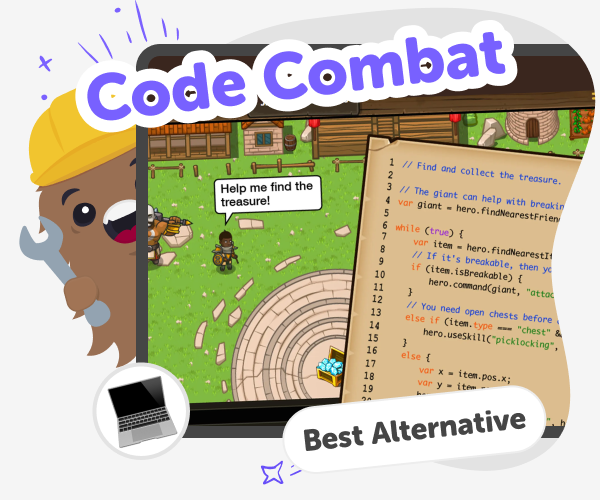
Code Combat | Vibe Coder: Play-to-Code Adventures hero

What is Code Combat?

Code Combat makes coding feel like a level-based adventure. Kids solve puzzles and move characters using real code ideas like movement, loops, and conditionals. Each level teaches one concept and gives instant feedback through game outcomes, turning abstract programming into a playful, hands-on experience. Code Combat for kids helps beginners build skills with short challenges that encourage trying, fixing, and improving. The levels introduce concepts gradually so children experience success quickly and learn debugging habits. Parents and teachers like the clear progression, hands-on projects, and the emphasis on making things, not just memorising syntax.

Vibe Coder on DIY.org turns play-to-code into a kid-friendly, conversational tool. Pick Game Viber for playable levels, Java Coder or Py Coder for real JavaScript and Python, or Ardu Coder to simulate simple electronics. Templates or a blank canvas help kids start, while the Preview shows a live, clickable prototype they can play immediately. Toggle to the Code window to see and export the actual code, helping kids connect actions to syntax. Vibe Coder explains ideas in clear, kid-safe language, and sharing is optional and moderated so parents and teachers can feel confident while learners experiment.

Play-to-Code Adventure with Vibe Coder

Step 1 - Pick a Game Template

Open Vibe Coder, choose Game Viber, or pick a template like a platformer. Templates give ready-made starting levels to edit.

Step 2 - Define Movement & Controls

Use the prompt to ask for basic movement code. Test walking, jumping, and camera behaviour in Preview until it feels right.

Step 3 - Add Logic: Loops and Ifs

Ask Vibe Coder to add a loop for repeating actions and an if statement for obstacles. Play the level to see changes.

Step 4 - Make the most of Vibe Coder

Try different templates Explore platformer, puzzle, and arcade templates to see diverse mechanics and starter code. Iterate with small edits Change one loop or condition, test in Preview, and learn debugging by observing how behaviour updates. Build focused projects Make short projects that highlight one skill like movement, events, or collisions and save versions to track progress. Share safely Post finished games using DIY.org’s moderated sharing tools when you want, and keep sharing optional.

What is Code Combat?

Code Combat refers to learning programming through level-based, game-like challenges where players use code to control characters, solve puzzles, and progress. It teaches real coding concepts—movement, variables, loops, conditionals—within playful scenes so kids see immediate outcomes from their code. On DIY.org, Vibe Coder brings this idea to life: kids choose environments like Game Viber for playable levels, Java Coder and Py Coder for learning real syntax, or Ardu Coder for electronics simulation. Rather than copying answers, children iterate: they change code, run the Preview, and observe how behaviour updates. This approach helps learners understand both logic and creative design.

How does game-based coding teach real skills?

Game-based coding teaches real skills by connecting actions in a game to programming concepts children can grasp. When a sprite moves because of a function, or an enemy appears due to an if statement, kids see cause and effect instantly. Vibe Coder uses playable previews and toggleable code so learners experiment with JavaScript or Python snippets, observe results, and refine solutions. Over levels, complexity grows from simple movement to loops, event handling, and state management. This gradual progression builds problem-solving, computational thinking, and resilience—skills that transfer to more advanced projects and real-world coding tasks.

Is Vibe Coder safe for kids?

Yes. Vibe Coder is designed specifically for kids and built around safe, educational interactions. The interface uses a conversational prompt window and preview sandbox so children can experiment without exposure to unsafe content. Sharing finished projects is optional and goes through DIY.org’s moderated, kid-friendly posting system. Vibe Coder explains coding ideas in simple language and encourages iteration instead of copying, helping kids learn responsibly. Parents and teachers can supervise sessions, review saved projects, and guide learning goals. The tool emphasises hands-on making and learning-by-doing, rather than open, unsupervised internet searching.

How do kids progress with Vibe Coder?

Kids progress in Vibe Coder by completing short, focused projects that each introduce one or two concepts. A typical skills map starts with movement and basic commands, then adds loops to repeat actions, then conditionals to react to game events. Next come functions and simple variables, followed by events, collision handling, and state management. Later projects introduce arrays, user input, and debugging strategies. For learners interested in hardware, Ardu Coder adds circuits and schematics. Along the way, kids toggle between Preview and Code, compare behaviour, and export finished code—building confidence and a clear path from simple games to real JavaScript or Python projects.

Frequently Asked Questions

What age is Code Combat for?

Do kids need coding skills to start?

How do kids learn JavaScript or Python?

Can kids build real games with Vibe Coder?

Is sharing required?

Can teachers track student progress?

What hardware can kids learn with Ardu Coder?

Do kids need an account to save projects?

Why 500,000 families trust DIY

User Avatar

Martin

Dad to 2 DIYers

My son loves DIY! He always finds fun projects to do, and we enjoy making things together. It’s a great way to learn, create, and have fun at the same time!

User Avatar

Pearl

DIYer from USA

DIY is such a great app with really sweet people and moderators who always make sure this app is super safe. You can learn to create things or learn drawing techniques - honestly there is so much to do.

User Avatar

Elaine W.

Middle school teacher

I love logging onto DIY every day - not just for projects but to also look at the comments my kids share about each other's work. It's a brilliant way to foster healthy support systems!

User Avatar

Jenn L.

Mom to 3 DIYers

We absolutely love the DIY platform and its endless river of creative adventures and projects! We always have the best time together participating, learning and creating!

Ready to create?

Drop Files here
Make

To create a safe space for kid creators worldwide!

Create

Vibe Coding

ChatDino

All Tools

Kibu

Resources

Worksheets

SafeTube

Blog

FAQ

Account

Pricing

Log-in

Sign-up

Data Deletion

Company

About

Community Guidelines

Privacy Policy

Terms of Service

2025, URSOR LIMITED. All rights reserved. DIY is in no way affiliated with Minecraft™, Mojang, Microsoft, Roblox™ or YouTube. LEGO® is a trademark of the LEGO® Group which does not sponsor, endorse or authorize this website or event. Made with love in San Francisco.
