Middle School Trivia Questions | Create a Quiz with KidsGPT
Use KidsGPT to build fun, kid-safe middle school trivia questions. Create quizzes that teach, entertain, and spark curiosity for ages 11–14.
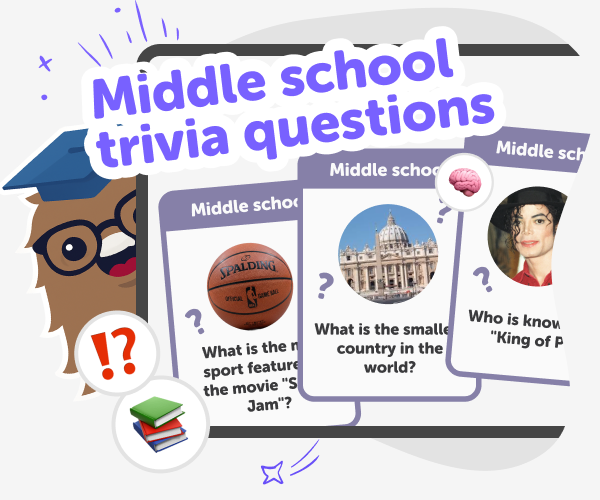
What are middle-school trivia?
Middle school trivia questions are short, age-appropriate quiz prompts that test general knowledge and spark curiosity in students aged roughly 11–14. They cover topics like science, history, geography, pop culture, and language in bite-sized formats that fit classroom lessons, clubs, or friendly games. With a kid-friendly approach, middle school trivia questions help students practise facts, start conversations, and learn to ask better questions. They’re simple to use in class warm-ups, family game nights, or study groups, and work best when they invite exploration rather than only testing memorised facts.
KidsGPT on DIY.org is a kid-safe text assistant built to help children and adults make learning activities together. It responds at an appropriate reading level and guides users to create middle school trivia questions step-by-step, offering topic ideas, age-appropriate phrasing, and distractor answer choices that make quizzes fair and interesting. Parents can ask KidsGPT for printable question sets, ideas for a quiz for middle school kids, or hints that encourage thinking rather than giving answers. Educators can adapt prompts for classroom themes, while kids can draft and test questions themselves.
What are middle school trivia questions?
Middle school trivia questions are short, age-appropriate prompts designed to test general knowledge and spark curiosity in students roughly aged 11–14. They can cover science, history, geography, literature, math, and pop culture in simple formats that fit classroom activities or home quizzes. Good questions are clear, fair, and focused on facts or ideas kids can research or discuss. Used as learning tools, these questions encourage quick recall, group discussion, and the habit of asking follow-up questions. On DIY.org, kids and educators can use tools like KidsGPT to create and refine questions together.
How does KidsGPT help create quizzes?
KidsGPT helps kids, parents, and teachers design middle school trivia questions by offering guided, age-appropriate suggestions. Instead of giving answers or doing the work for a child, it provides step-by-step help: suggesting topics, phrasing questions clearly, proposing correct answers, and offering two to three plausible distractors for multiple-choice items. It can also write gentle hints that nudge thinking without revealing solutions. Because KidsGPT is text-only and tailored for children, it keeps language simple and safe, making it easy to iterate on questions until they’re classroom-ready or fun for at-home quizzes.
Is KidsGPT safe for middle schoolers?
Yes. KidsGPT is designed for children and operates within DIY.org’s kid-safe environment. It’s a text-only assistant that responds at an appropriate reading level, avoids harmful or unsuitable content, and frames answers as helpful guidance rather than absolute fact. When creating middle school trivia questions, KidsGPT suggests age-appropriate wording, balanced distractors, and hints that encourage learning without giving away answers. Parents and teachers can review and edit every question. Sharing quizzes is optional and uses DIY.org’s moderated, kid-friendly tools. It’s designed to help, not replace, adult guidance.
Can kids make their own quizzes?
Absolutely. Kids can use KidsGPT to draft their own middle school trivia quizzes from idea to finished set. Start by asking for topic suggestions, then have KidsGPT write questions with answers and distractors. Kids can test questions with friends, ask KidsGPT to adjust wording, and create printable versions for classroom use. With a DIY.org account, quizzes can be saved and shared through kid-safe, moderated tools, or kept private for family practice. This hands-on approach helps kids learn how to write clear questions, consider fair answer choices, and build confidence through making.
Create a middle school trivia quiz with KidsGPT
Start a KidsGPT session
Open KidsGPT on DIY.org and start a new conversation. Tell KidsGPT you want to create middle school trivia questions.
Pick topics and difficulty
Ask KidsGPT to suggest topics and set difficulty for ages 11–14. Request question types like multiple-choice or short answer.
Write questions and answers
Use KidsGPT’s prompts to draft clear questions, correct answers, and two to three plausible distractors. Ask for optional hints per question.
Make the most of trivia questions
Vary question types Mix multiple-choice, short answer, and true/false questions to keep quizzes lively and test different skills. Iterate with feedback Try questions with a friend or class, note unclear prompts, and ask KidsGPT to reword or adjust difficulty. Create rounds and themes Group questions into rounds like science, history, or pop culture for structured games and lesson-friendly pacing. Share and review safely Use DIY.org’s kid-safe sharing to post quizzes, collect responses, and review results together.
Frequently asked questions
What age is this quiz for?
Quizzes are best for middle school students, generally ages 11–14, but you can adjust difficulty for younger or older kids.
Do I need an account to use KidsGPT?
No. Kids can try KidsGPT without signing up, though creating an account lets you save quizzes and manage projects.
Can KidsGPT write multiple-choice questions?
Yes. Ask KidsGPT for multiple-choice questions with one correct answer and two or three plausible distractors.
Will KidsGPT give away answers?
No. KidsGPT provides answers for quiz creation but can also suggest hints instead of revealing solutions during practice.
How do I make questions age-appropriate?
Tell KidsGPT the target grade or age and ask for simpler wording, clear facts, and fair distractors.
Can kids share quizzes with friends?
Yes. Sharing is optional and uses DIY.org’s moderated system so kids can post quizzes safely for feedback.
Can teachers use KidsGPT for class activities?
Absolutely. Teachers can generate question sets, printable quizzes, and discussion prompts tailored to lessons and learning goals.
How do I keep quizzes fair and accurate?
Review every question, check facts using reliable sources, and ask KidsGPT to clarify wording or suggest corrections.
More tools
Build a Scary Games Game
Build a scary games game with creative coding, and turn spooky ideas into a playable project kids can shape, test, and improve step by step. This page helps kids understand the basics of making a game that feels eerie, fun, and age-appropriate while building confidence with hands-on creation.
Build a Shark Clicker Game
Build a shark clicker game and turn a simple idea into a playful interactive project. Kids can design the game, test how it feels, and improve it step by step with guided creative coding support.
Build a Simulation Clicker Game
Build a simulation clicker game by making a simple world where every tap helps something grow, change, or earn rewards. Kids can explore ideas like progress, upgrades, and balancing choices while creating a game that is fun to play and easy to improve.
Build a Skibidi Toilet Game
Build a skibidi toilet game with playful, guided coding so kids can turn a silly idea into a real interactive project. Make, test, and improve a game step by step while building creativity, confidence, and problem-solving skills.
Ready to start creating?
Join hundreds of thousands of kids already building cool stuff on DIY.ORG.
Your first game is on us.
Describe a game below - no sign-up needed to try.
Powered by AstroSafe
Make real games - not just chat