Meme Soundbar
Meme soundbar is a playful topic about matching sounds with a joke, reaction, or moment so the whole idea feels funnier and easier to share. Kids can explore how sound choices change the feeling of a meme, then build their own interactive version with creative, guided making.
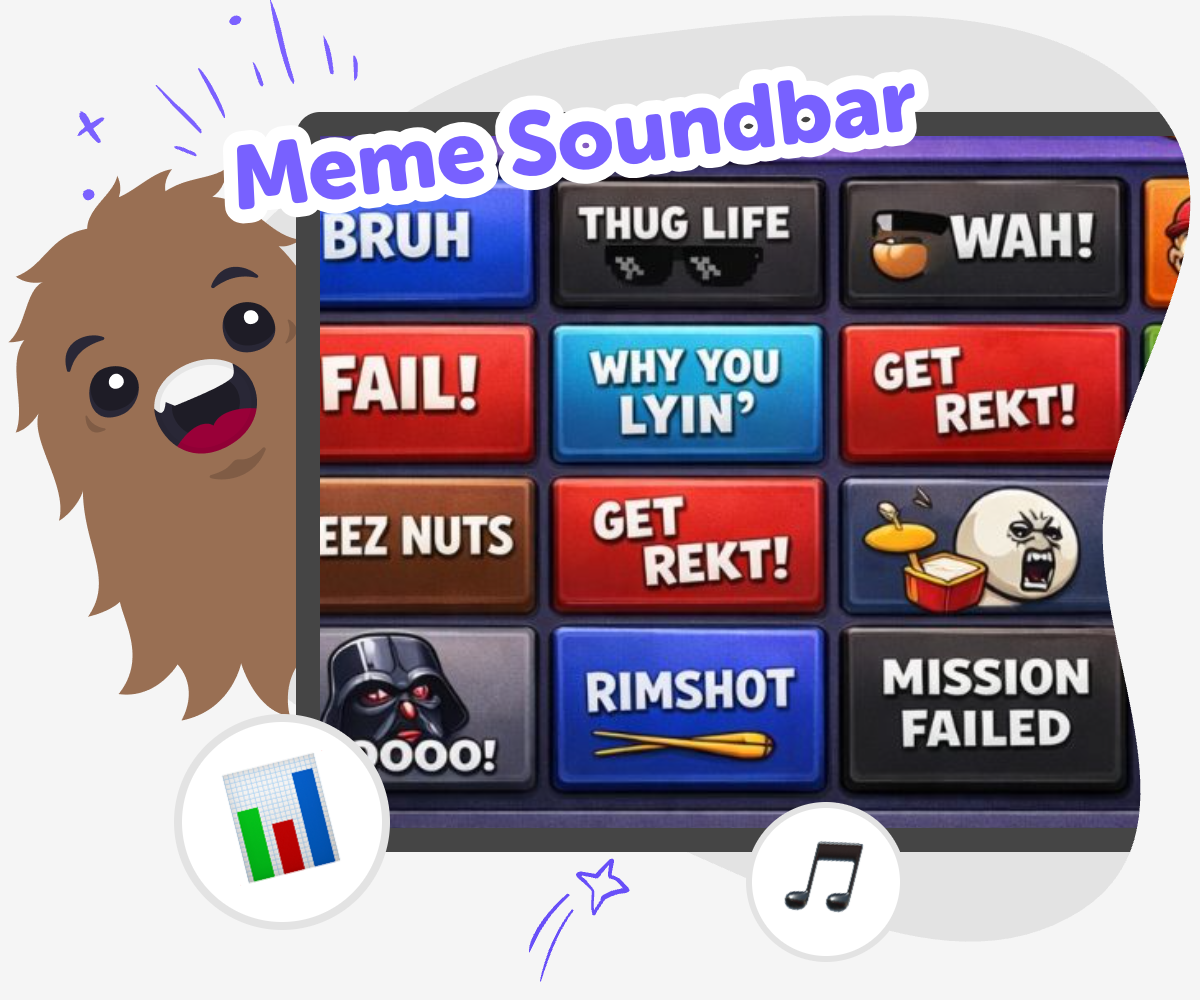
Make a Funny Sound Board
A meme soundbar is a playful way to match sounds with a joke, reaction, or quick moment so the whole idea feels funnier, clearer, or more surprising. It helps kids think about timing, mood, and how a small sound choice can change what people notice first. This topic matters because it shows that sound can shape humor and meaning. Kids learn that simple creative choices can make an idea easier to understand and more fun to share.
With Vibe Coding, kids can explore a meme soundbar by describing the kind of sound project they want, then building it step by step with guided help. They can choose sounds, test how each one feels, and improve the project as they go. That hands-on process keeps the learning active and safe. It helps kids experiment with confidence, make thoughtful choices, and create something playful without needing to know everything at once.
What makes a meme soundbar funny?
A meme soundbar is funny when the sound matches the moment in a surprising way. A tiny beep, a drum hit, or a silly pop can make a simple joke feel bigger because our brains notice the timing. The sound does not have to be loud or complicated. In fact, short sounds often work best because they are easy to understand right away. Kids can think about what feeling they want to create first: surprise, silliness, suspense, or celebration. Then they can choose sounds that match that feeling. This helps children learn that humor is not only about words or pictures. It is also about rhythm, timing, and making a choice that the listener can feel quickly.
Why do sound choices matter?
Sound choices matter because every sound gives a project a different mood. A fast sound can feel exciting. A soft sound can feel calm. A squeaky sound can feel playful. When kids build a meme soundbar, they learn that creative projects are shaped by small decisions, not just big ideas. That is useful for coding, too. Good projects often come from testing and changing one part at a time. If a sound feels too sharp, too long, or too similar to another sound, kids can try a new option and listen again. This practice builds problem-solving skills and confidence. It shows that making something better is a normal part of creating, not a mistake.
How can kids keep it safe and kind?
A meme soundbar should stay friendly, clear, and age-appropriate. The best jokes are usually the ones that make people smile without confusing or upsetting them. Kids can choose sounds that are silly, surprising, or playful instead of mean. It also helps to test the project with someone else and listen to their reaction. If a sound is too loud, too annoying, or connected to a joke that does not feel kind, it can be changed. This is a good chance to learn about digital citizenship in a simple way. Creative tools are more fun when everyone feels comfortable using them. A thoughtful soundbar can still be funny while also being respectful and easy to enjoy.
What can kids learn while making one?
Making a meme soundbar teaches more than one skill at once. Kids practice creative thinking by choosing sounds that fit a joke or reaction. They practice coding confidence by building something step by step instead of all at once. They practice problem-solving when they notice a sound does not work and decide how to improve it. They also practice iteration, which means trying, testing, and changing ideas until they feel right. That is a powerful learning habit for art, science, games, and technology. With guided support from Vibe Coding, kids can explore these ideas in a way that feels playful and manageable. The result is not just a fun project, but also a stronger sense that they can make technology their own.
How to Build It
Choose the joke
Pick a meme idea, reaction, or funny moment that you want the soundbar to support. Keep it simple so the sound choices are easy to understand.
Plan the sounds
Decide what each button or sound should mean, such as a surprise noise, a calm sound, or a silly effect. Match each one to the feeling you want.
Build and test
Use Vibe Coding to create a first version, then press the sounds and check whether they fit the joke. Change anything that feels confusing or too loud.
Make the most of remixing
Try a remix Swap one sound or colour so the project feels fresh and playful while still matching the joke you want people to notice. Check the flow Tap every button in order and rename anything confusing so the board stays quick, readable, and easy for younger users to follow. Share kindly Keep the humour light, age-appropriate, and friendly so the reaction sounds stay fun instead of teasing or upsetting anyone nearby. Keep improving Save your favourite version, test a new layout, and keep adjusting timing until the board feels smoother, funnier, and easier to use.
Frequently asked questions
What is a meme soundbar?
A meme soundbar is a fun way to pair short sounds with a joke, reaction, or silly moment. The sounds help set the mood and make the idea feel more playful.
How do kids make one?
Kids start with a simple idea, choose a few sounds, and build a small interactive project. Then they test it, change it, and keep improving it until it feels right.
Do meme soundbars need lots of sounds?
No. A few well-chosen sounds are often better than many extra ones. Simple projects are easier to test, understand, and enjoy.
Can a meme soundbar be calm instead of loud?
Yes. A meme soundbar can use soft, funny, or tiny sounds instead of big noisy ones. The best choice depends on the feeling you want the project to have.
Why does timing matter?
Timing matters because a sound feels funnier or clearer when it happens at the right moment. Testing and adjusting timing can make the project much better.
Is making one safe for younger kids?
It can be safe when the sounds are age-appropriate, kind, and easy to understand. Adult support is helpful for younger makers, especially when they are testing volume and sharing.
Can kids build their own version with Vibe Coding?
Yes. Kids can use Vibe Coding to explore the idea, build a first version, and improve it step by step with guided support.
What else can kids make after this?
After a meme soundbar, kids can try a quiz, a reaction game, a story with sound effects, or another small interactive project that uses the same creative thinking.
More tools
Build a Guessing Game
Build a guessing game by choosing a hidden answer, adding clues, and testing how players solve it. This kids-first project helps you practice creativity, logic, and friendly game design while you make something fun to play and improve.
Build a Hacker Simulator Game
Learn how to build a hacker simulator game with playful, kid-friendly coding ideas that turn curiosity into a safe interactive project. Kids can imagine screens, challenges, and choices, then use guided tools to make, test, and improve a game step by step.
Build a Hamster Clicker Game
Build a hamster clicker game and learn how a simple idea can become a playful interactive project. Kids can design the hamster, shape the click action, test rewards, and improve the game step by step while building coding confidence.
Build a Hangman Game
Build a hangman game and turn a classic word puzzle into a hands-on coding project. Kids can explore guessing, letters, and game rules while making something interactive, testable, and fun to play.
Ready to start creating?
Join hundreds of thousands of kids already building cool stuff on DIY.ORG.
Your first game is on us.
Describe a game below - no sign-up needed to try.
Powered by AstroSafe
Make real games - not just chat