Among Us Character Maker
The Among Us Character Maker is a creative way for kids to design their own crewmate or impostor style character, choose colors and details, and imagine a new role for play and storytelling. It turns a popular game idea into a hands-on making activity that supports creativity, confidence, and problem-solving.
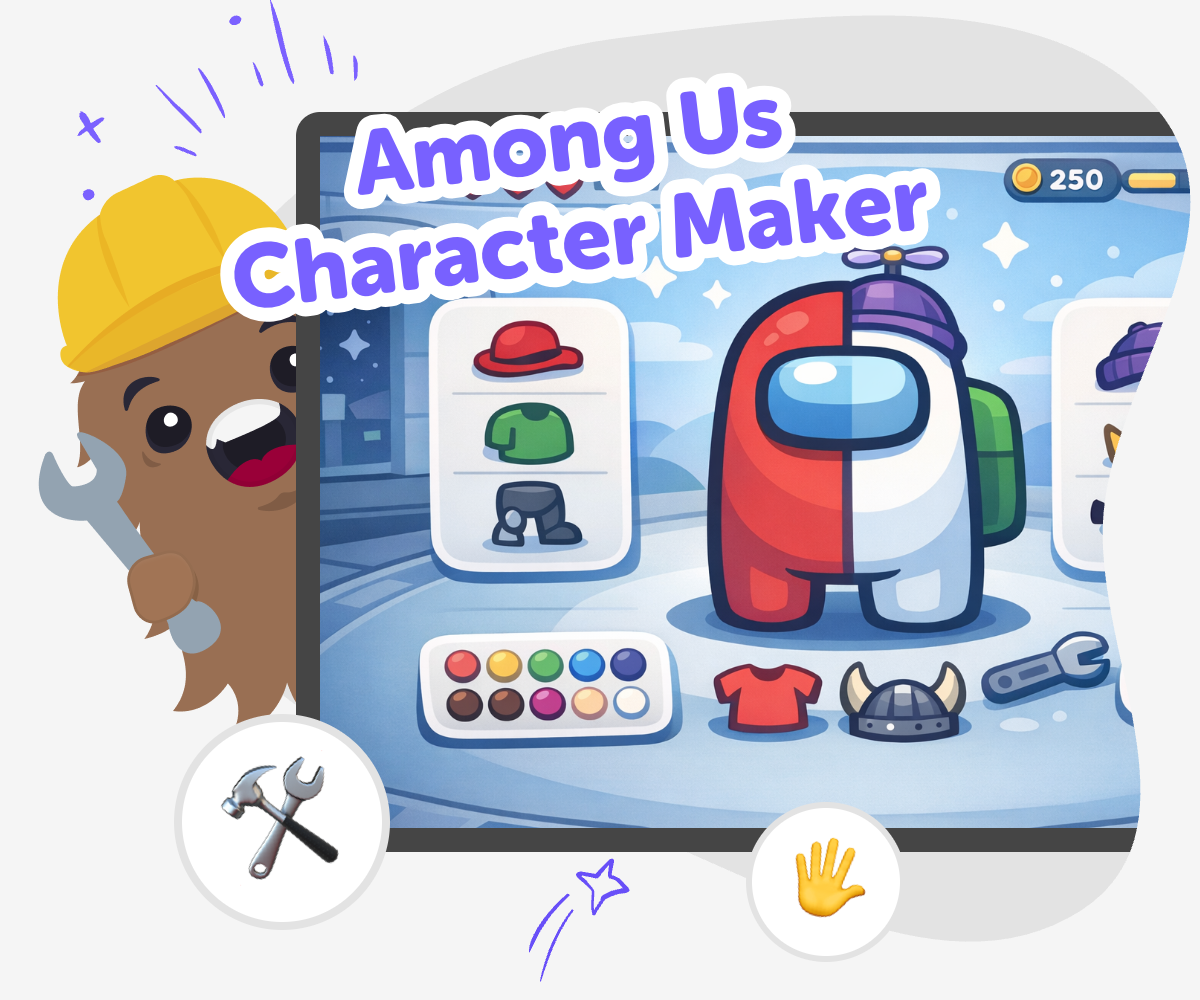
Make an Among Us Character
An among us character maker helps kids turn a simple idea into a custom crewmate or impostor style character. Kids can choose colors, shapes, names, and small details to create something that feels personal, playful, and easy to share with friends or family. This kind of making matters because it blends imagination with choices. Kids practice designing, comparing options, and explaining why they picked certain features, which builds creativity and confidence while keeping the experience fun and age-appropriate.
Vibe Coding gives kids a guided place to explore the among us character maker idea step by step. They can describe the character they want, build it, test how it looks, and change details until the result feels right. Instead of getting a finished answer right away, kids stay active in the process. That makes the tool a safe creative studio for experimenting, learning by doing, and growing real coding confidence through a project they helped shape.
What makes an Among Us character fun to design?
An Among Us character is fun to design because it starts with a simple shape and leaves room for lots of personality. Kids can change the colour, add accessories, invent a name, and imagine what role their character might play in a story or game. That mix of simple and creative makes it easy to begin, even for younger makers, while still giving older kids room to experiment. Designing a character also helps kids think about choices. They learn that small details can change how a character looks and feels. A hat, a pet, or a colour swap can make the same basic idea feel playful, mysterious, brave, or funny. That kind of careful decision-making is a strong creative skill, and it helps kids see themselves as makers, not just players.
Why do kids enjoy making their own version?
Kids enjoy making their own version because it lets them take something familiar and make it theirs. Instead of copying a character exactly, they can invent a new one with their own colours, style, and story idea. That sense of ownership is important because it gives kids confidence and helps them understand that creativity is about making choices, not getting everything perfect on the first try. A custom version also invites pretend play. A kid might imagine a character who is a helpful engineer, a sneaky impostor, or a funny spaceship helper with a silly backstory. Those ideas turn the character into more than a picture. They become part of a story the child can talk about, draw, build, or code. That is a great way to connect imagination with practical making.
How does creative coding help with character ideas?
Creative coding helps because it gives kids a way to turn character ideas into something interactive. Instead of just drawing a character, they can build a project that responds to clicks, changes appearance, or tells a little story. That makes the idea feel more alive and helps kids understand how digital creations are made in small steps. This process also supports problem-solving. Kids learn to try something, see what happens, and make a change if needed. They may notice that a colour is too hard to see or that a feature needs to be moved. Those small fixes teach iteration, which means improving a project bit by bit. With guided support from Vibe Coding, kids can explore those ideas safely while building confidence in creative technology.
How can families keep it safe and age-appropriate?
Families can keep the activity safe and age-appropriate by focusing on playful design, friendly names, and positive stories. Since the goal is creative making, kids can stay with simple themes like space explorer, helper, scientist, or mystery character. That keeps the experience light and fun while avoiding anything upsetting or too intense for younger children. It also helps to review the project together and talk about what the character is for. Is it part of a story, a game idea, or a simple art project? That kind of conversation gives kids a chance to explain their choices and practice clear thinking. When adults support the process without taking over, kids get to enjoy the fun of making while building good habits around digital creativity.
How to make one
Choose a look
Start by picking a crewmate or impostor style and deciding on a simple theme, like bright, spooky, sporty, or silly.
Add your details
Choose colors, accessories, names, and small features that make the character feel unique and easy to recognise.
Build and test
Use Vibe Coding to turn your idea into a simple interactive character project, then check how it looks and feels on screen.
Make the most of testing
Try a remix Change one colour, accessory, or name so the character feels different while staying easy to recognise. Check the design Look at the character from top to bottom and notice anything that feels too busy, unclear, or unfinished. Improve the idea Make small changes, test again, and compare versions so you can choose the one that feels most fun. Share with care Keep your final version friendly and age-appropriate, then save it as a project you can revisit and improve later.
Frequently asked questions
What is an Among Us character maker?
It is a creative activity or tool that helps kids design their own crewmate or impostor style character with colours, names, and small details.
Can kids make their own Among Us character?
Yes. Kids can make a custom character by choosing a style, adding features, and changing details until it feels like their own creation.
Is this activity good for younger kids?
Yes, if it stays simple. Younger kids can focus on colours, shapes, and a fun name, while older kids can add more story or interactive features.
How does Vibe Coding help with character making?
Vibe Coding gives kids guided support so they can turn a character idea into a small interactive project, then test and improve it step by step.
Do kids need coding experience first?
No. Kids can start with an idea and learn as they go. The guided process is designed to build confidence through practice.
Can this become a story or game idea?
Yes. A custom character can be the start of a story, a pretend game, or a simple interactive project that kids build and improve.
How can kids make their character look unique?
They can change the colour, pick different accessories, invent a name, and think about what job or personality the character has.
Is it okay to try different versions?
Yes. Trying new versions is a big part of making. Kids can compare ideas, make small changes, and choose the version they like best.
More tools
Build a Sus Soundboard
Build a sus soundboard with kid-friendly creative coding and turn a funny idea into an interactive project you can make, test, and improve. Kids can explore sound choice, timing, and button design while building something playful and easy to try.
Build a Swerve Game
Build a swerve game by designing a fast, playful challenge where players move, dodge, and react. This page explains the idea in kid-friendly terms and shows how kids can use Vibe Coding to make, test, and improve their own game step by step.
Build a Taco Clicker Game
Build a taco clicker game and learn how simple game ideas turn into interactive projects. Kids can explore clicking, scoring, and playful design while building confidence through step-by-step making.
Build a Talking Ben Soundboard
Build a talking ben soundboard with a kid-friendly creative coding studio that helps kids turn a fun idea into an interactive project they can test, change, and improve step by step.
Ready to start creating?
Join hundreds of thousands of kids already building cool stuff on DIY.ORG.
Your first game is on us.
Describe a game below - no sign-up needed to try.
Powered by AstroSafe
Make real games - not just chat