Which Is Better, the Book or the Movie?
Read a short children's book and watch its movie or clip, then create a poster comparing scenes, characters, and your personal preference.


Step-by-step guide to compare a children's book and its movie (Which Is Better, the Book or the Movie?)
Step 1
Choose a short children's book you want to read.
Step 2
Find the movie or a short movie clip of the same story and ask an adult for help if you need it.
Step 3
Read the whole book slowly and imagine how each scene looks.
Step 4
Write down three scenes or events from the book that you remember best.
Step 5
Watch the movie or clip all the way through and pay attention to the same scenes and characters.
Step 6
Write down how each of the three scenes looks in the movie.
Step 7
Gather your poster paper colouring materials glue scissors and ruler.
Step 8
Use the ruler to divide the poster into three sections.
Step 9
Label the three sections Scenes Characters and My Favorite.
Step 10
In the Scenes section draw or paste the book version and the movie version side by side for each of the three scenes.
Step 11
In the Characters section write each character name and one short note about how they look or act in the book and in the movie.
Step 12
In the My Favorite section write whether you liked the book or the movie better and one clear reason why.
Step 13
Decorate your poster with colors borders and stickers to make it bright and easy to read.
Step 14
Share your finished poster on DIY.org with the help of an adult.
Help!?
What can I use if I can't find poster paper, a printer, or glue?
Use a large piece of cardboard or tape several printer sheets together for the poster, display the movie on a tablet or phone instead of printing screenshots, and use tape or a stapler in place of glue while still using the ruler to divide the three sections.
I'm having trouble remembering three scenes to compare—what should I do?
Re-read the book slowly and write brief notes for the Read step, then pause the movie as you watch to match each note so you can accurately draw or paste the book and movie versions side by side in the Scenes section.
How can I change the activity for younger or older kids?
For younger children, have an adult read the book and print or screenshot movie images for them to glue into the Scenes section while they point and choose their favorite, and for older kids, require written comparisons in the Characters section and a clear evidence-based reason in My Favorite.
How can we extend or personalize the poster project beyond the basic instructions?
Decorate the poster with extra stickers and borders, add printed screenshots or QR codes next to each Scene, include a small star-rating under My Favorite, and record a short explanation with an adult to upload when you share on DIY.org.
Watch videos on how to compare a children's book and its movie
Holes Book vs Movie
4 Videos
Holes Book vs Movie
DUNE PART 2 - Biggest Differences Between The Movie And Book
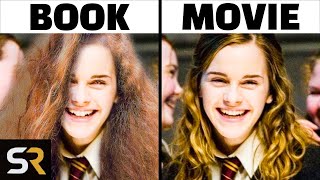
Harry Potter: Biggest Differences Between The Books & Films
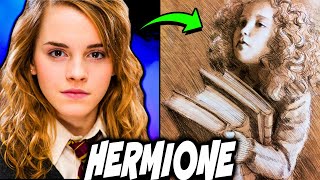
3 MAJOR Differences Between BOOK and MOVIE Hermione - Harry Potter Explained
Facts about reading and media literacy for kids
📚 Many children's picture books are written with fewer than 1,000 words — perfect for a quick read-and-watch activity!
🎬 Lots of famous family films started as children's books, like Matilda, Where the Wild Things Are, and The Cat in the Hat.
🖼️ Movie posters use big images and short phrases to show the story's mood — your comparison poster can do the same!
🔄 Filmmakers often change or combine scenes and characters so a long book fits into a shorter movie runtime.
🧠 Comparing a book and its movie helps kids practice observation, reading comprehension, and explaining opinions with examples.
How do I run the "Book or Movie" comparison activity?
What materials are needed for the activity?
What ages is the "Book or Movie" activity suitable for?
What are the benefits and safe variations of this activity?
