Use csTimer and Solve Your Cube
Use csTimer to time and track Rubik's Cube solves, learn solving methods, record progress, and practice improving speed and accuracy each session.


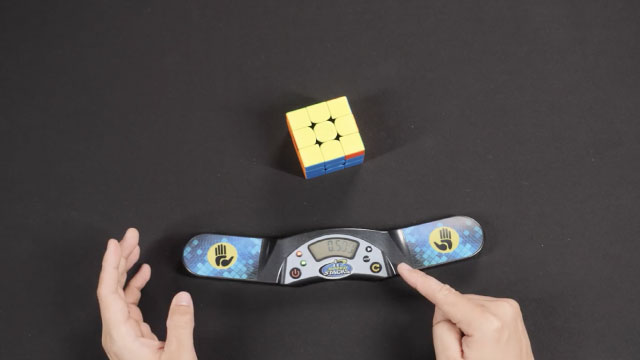

Step-by-step guide to use csTimer and solve your cube
Step 1
Gather your Rubik's Cube paper pencil and your beginner solving guide in one place.
Step 2
Open your web browser and go to cstimer.net.
Step 3
Set the scramble type on csTimer to 3x3.
Step 4
Set the inspection time on csTimer to 15 seconds.
Step 5
Do three warm-up timed solves on csTimer without trying to be fast.
Step 6
After each warm-up solve write the time on your paper.
Step 7
Choose one solving step to focus on for practice like the cross or the first two layers.
Step 8
Do five timed solves on csTimer where you focus only on that chosen step.
Step 9
Write down the fastest time you got during those five focused solves.
Step 10
Make one clear goal for your next session such as shaving off 2 or 3 seconds from your fastest time.
Step 11
Share a photo or short description of your practice log your best time and what you learned on DIY.org.
Help!?
What can we use if we don’t have a physical Rubik’s Cube or the beginner solving guide?
If you don't have a physical Rubik's Cube or the beginner solving guide, use a virtual 3x3 cube app or website and download/print a beginner guide PDF so you can still set the scramble to 3x3 on cstimer.net and follow the Solve Your Cube steps.
What should we do if csTimer won’t load scrambles or doesn’t record our times during the warm-up or focused solves?
If csTimer won't load scrambles or record times, refresh cstimer.net, confirm '3x3' scramble and '15s' inspection are selected, and if it still fails use a phone stopwatch and write your three warm-up and five focused solve times on paper.
How can we adapt this session for younger children or more advanced kids?
For younger children turn the three warm-up and five focused solves into untimed practice or increase inspection to 30 seconds, while advanced kids can do more focused solves (e.g., 10), lower inspection to 10 seconds, or concentrate on shaving specific seconds from the cross or first two layers.
How can we extend or personalize the practice beyond the single-session goal?
Extend the activity by video-recording solves to review your chosen step (like the cross or first two layers), keeping a running practice log of best times and what you learned, and personalizing your DIY.org post with photos and notes about your goal to shave off 2–3 seconds.
Watch videos on how to use csTimer and solve your cube
The BEST Way To Use CSTimer | CSTimer Setup Tutorial
4 Videos
The BEST Way To Use CSTimer | CSTimer Setup Tutorial
How to use the Cstimer virtual cube!
How to Connect your Smartcube to csTimer
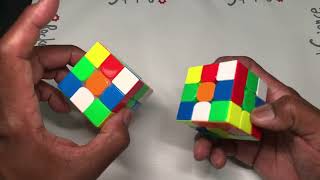
3x3 Rubik's Cube - How to get a scramble using CsTimer scramble 2
Facts about speedcubing for kids
⏱️ The fastest official 3×3 Rubik's Cube single solve is 3.13 seconds (Du Yusheng, 2018).
🧩 A standard 3×3 cube has about 43 quintillion (43,252,003,274,489,856,000) possible positions.
📊 csTimer can compute averages like Ao5 and Ao12, track bests/worsts, and graph your progress over sessions.
🧠 The Fridrich (CFOP) method breaks solving into steps (Cross, F2L, OLL, PLL) and is used by many top speedcubers.
🌍 The World Cube Association organizes official competitions worldwide and ratifies world records for cubing events.
How do I use csTimer and SolveYourCube to time, track, and improve Rubik's Cube solves?
What materials and tools do I need to use csTimer and SolveYourCube for cube practice?
What ages is timing Rubik's Cube practice with csTimer and SolveYourCube appropriate for?
What are the benefits, safety tips, and practice variations when using csTimer and SolveYourCube?
