Use an orbital mechanics simulator
Use a simple orbital mechanics simulator to design and launch virtual satellites, adjust speed and altitude, and observe how orbits change over time.


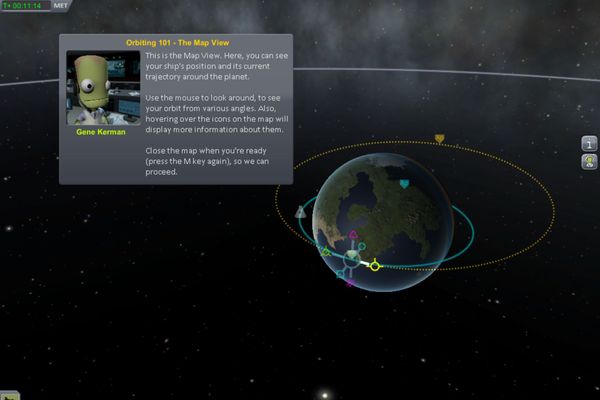

Step-by-step guide to use an orbital mechanics simulator to design and launch virtual satellites
Explore Orbital Mechanics with Orbital Simulator: Interactive Learning!
Step 1
Open your orbital mechanics simulator and start a new blank simulation.
Step 2
Select Earth as the central body for your simulation.
Step 3
Add a new satellite and give it the name "MySat".
Step 4
Set MySat's altitude to 300 km.
Step 5
Set MySat's speed to 7.7 km/s.
Step 6
Run the simulation and let MySat complete one full orbit.
Step 7
Pause the simulation and draw MySat's orbit on your paper and label the altitude and speed.
Step 8
Change MySat's altitude to 35,786 km for geostationary altitude.
Step 9
Change MySat's speed to 3.07 km/s.
Step 10
Run the simulation and watch MySat for several minutes to see if it stays over the same spot above Earth.
Step 11
Pause the simulation and increase MySat's speed by 20 percent.
Step 12
Run the simulation again and watch how the orbit shape or path changes.
Step 13
Add a second satellite at a different altitude so you can compare two orbits at once.
Step 14
Run the simulation and write two differences you notice between the two satellites on your paper.
Step 15
Share your finished simulation and sketch on DIY.org.
Help!?
What can we use instead if we don’t have the orbital mechanics simulator or an internet connection?
If you don't have the simulator, use free web tools like PhET or NASA's Eyes when online, or emulate the steps offline by drawing Earth on paper, plotting scaled orbits for 300 km and 35,786 km, and writing the speeds (7.7 km/s and 3.07 km/s) beside each sketch.
MySat didn't stay above the same spot after I set it to 35,786 km and 3.07 km/s—what should I check?
If MySat isn't geostationary, check that Earth is the central body, that MySat's inclination is set to 0 degrees (equatorial), and that the speed value is entered in km/s before re-running the simulation.
How can I change the activity to suit different ages or skill levels?
For younger kids, use a paper globe and sticker satellites to follow the draw-and-label steps and observe orbits, while older kids can calculate orbital period and the delta-v from increasing MySat's speed by 20 percent and compare those numbers to the simulator output.
What are simple ways to extend or personalize the simulation after finishing the basic steps?
Extend the activity by adding several satellites at different altitudes and inclinations, recording each orbital period and drawing color-coded comparison sketches before sharing the annotated simulation and sketches on DIY.org.
Watch videos on how to use an orbital mechanics simulator to design and launch virtual satellites
Orbital motion | Physics | Khan Academy
4 Videos
Orbital motion | Physics | Khan Academy
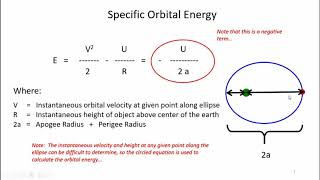
Introduction to Basic Orbital Mechanics
Intro to Orbital Motion & Orbital Mechanics
Orbital Mechanics by Nick Morgan
Facts about orbital mechanics and space science for kids
🚀 A Hohmann transfer uses two engine burns and is often the most fuel-efficient way to move a satellite between two circular orbits.
🌍 Low Earth Orbit (about 160–2,000 km up) is where the International Space Station orbits roughly every 90 minutes.
⏱️ The higher a satellite is, the longer its orbital period — geostationary orbit sits about 35,786 km up and takes 24 hours to circle Earth.
🔄 Changing a satellite's orbital plane (inclination) requires lots of fuel, which is why rockets often launch in the direction the satellite needs to go.
📡 Small speed changes (just a few meters per second) can dramatically alter an orbit — delta-v is the currency of space maneuvers.
How do I use a simple orbital mechanics simulator to design and launch virtual satellites?
What materials do I need for a child-friendly orbital simulator activity?
What ages is an orbital mechanics simulator suitable for?
What are the benefits of using an orbital simulator with kids?
