Take any kind of portrait
Take a portrait photograph of a family member or pet using a camera or phone, experimenting with lighting, angles, and expression to learn composition.




Step-by-step guide to take a portrait photograph of a family member or pet
Learn how to draw portraits - How to draw a face step-by-step - Easy tutorial for kids
Step 1
Pick one family member or pet to be your portrait subject and ask them if it’s okay to take their picture.
Step 2
Choose a simple background like a plain wall or a blanket and bring the chair or stool into place.
Step 3
Decide whether you will use window light or a lamp and make sure the light source is ready.
Step 4
Turn on your camera or open the camera app on the phone.
Step 5
Sit or place your subject a few feet away from the background so they stand out.
Step 6
Try different lighting directions by moving the light or the subject for front light side light and backlight and notice how the face looks.
Step 7
Take at least one photo after each lighting change so you can compare how the light changed the portrait.
Step 8
Shoot from different angles by taking one photo at eye level one photo slightly above and one photo slightly below.
Step 9
Ask your subject to show different expressions like a big smile a serious face and a silly face and capture each expression in a photo.
Step 10
Look through your photos on the camera or phone and pick three favorites.
Step 11
Crop or straighten your favorite photo and make small edits like brightness or contrast if you want.
Step 12
Share your finished portrait on DIY.org
Help!?
What can I use instead if I don't have a camera, a chair/stool, or a plain background?
Use a phone or tablet camera if you don't have a camera, a sturdy stack of books or a low table instead of a chair or stool, and a plain bedsheet or blanket hung on the wall for your background.
My photos come out dark, blurry, or with harsh shadows—what should I try when testing different lighting directions?
Move the lamp closer or switch to window light for softer illumination, prop the camera or phone on a stable surface to prevent blur, and use a piece of white paper as a reflector to fill shadows after each lighting change so you can compare results.
How can I adapt this portrait activity for younger children or older kids/teens?
For younger children, simplify to picking a subject, using one light source (window), shooting at eye level, and taking three expressions, while older kids can try front/side/backlight, above/below angles, and make small edits like brightness or contrast.
How can we extend or personalize the portrait after we pick favorites and edit?
Personalize by adding props or costumes and swapping the blanket background for a themed fabric, experiment with a reflector or colored lamp for creative light effects, and make a printed frame or collage of your three favorite cropped photos to share on DIY.org.
Watch videos on how to take a portrait photograph of a family member or pet
Self Portrait Drawing for 3rd- 5th Grade | How to Draw a Face Step-by-Step Tutorial for Kids
4 Videos
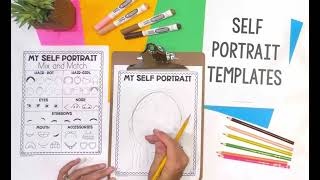
Self Portrait Drawing for 3rd- 5th Grade | How to Draw a Face Step-by-Step Tutorial for Kids

How to draw a SELF-PORTRAIT - Easy steps for kids.

Learn to Draw Portraits Using Simple Shapes (Beginner-Friendly Tutorial!)
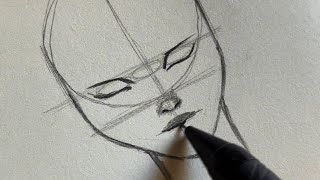
Step-by-Step Portrait Drawing Made Easy | Complete Guide for Beginners
Facts about photography for kids
📸 Many smartphones have multiple lenses (wide, ultra-wide, telephoto) so you can change framing without swapping equipment.
🌅 The "golden hour"—shortly after sunrise or before sunset—gives soft, warm light that makes portraits look magical.
🎯 Placing the subject's eyes near the top third of the frame (rule of thirds) often makes portraits more engaging than perfect centering.
🔦 A simple white sheet, poster board, or foil can act as a reflector to bounce light into shadows and brighten faces.
🐶 Pets often ignore the camera—holding a toy or treat near the lens helps capture cute attention and expressive looks.
How can my child take a great portrait photograph of a family member or pet?
What materials do I need to take a portrait photo with a camera or phone?
What ages is this portrait photography activity suitable for?
What safety tips should we follow when kids photograph family members or pets?
