Take a close-up photo in focus
Use a camera or smartphone to take a close-up photo with clear focus, adjusting distance, lighting, and steady hands to capture detail.


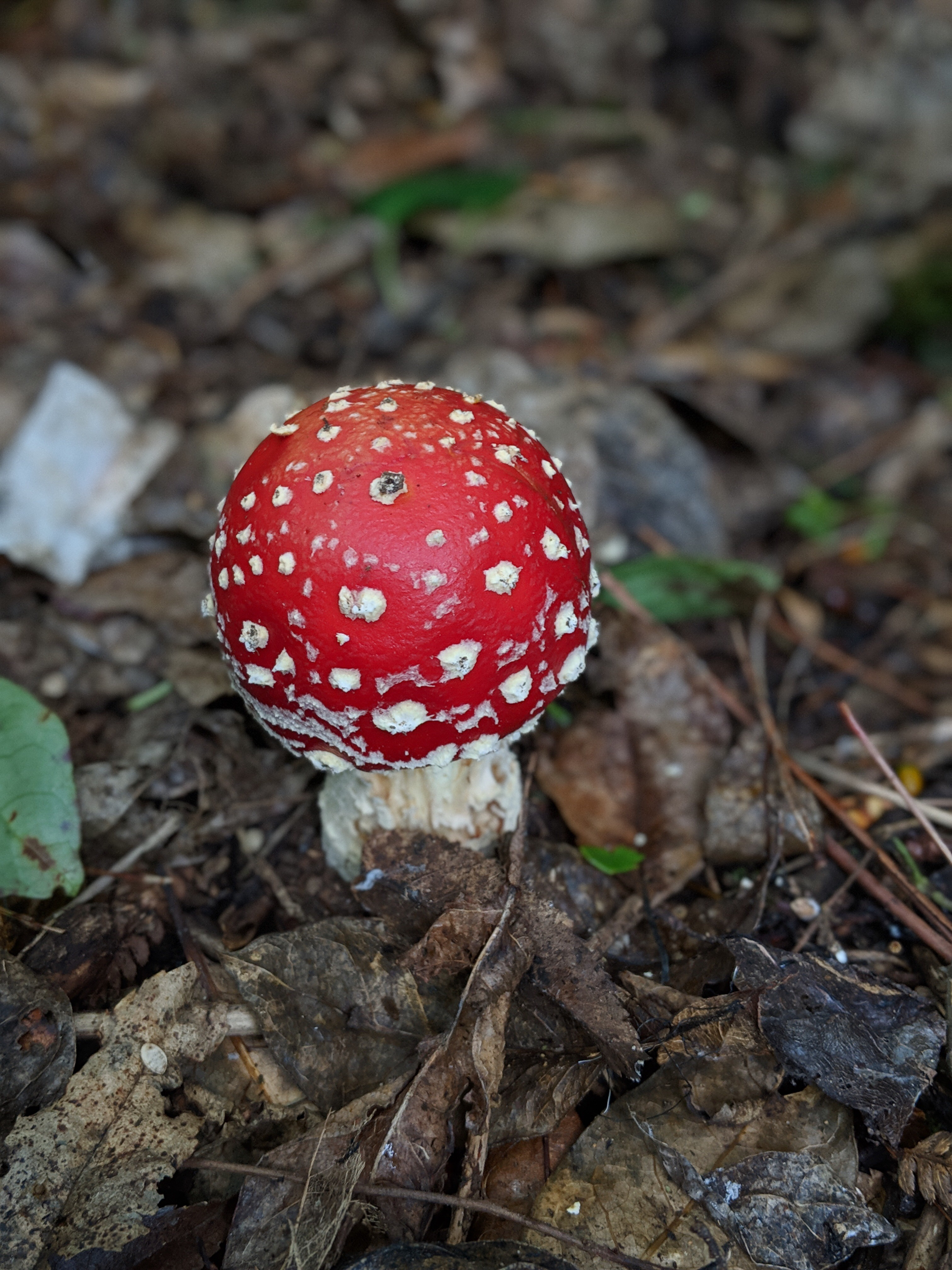

Step-by-step guide to take a focused close-up photo
Step 1
Choose one small object you want to photograph.
Step 2
Find a plain paper or cloth and put it flat or hang it as your background.
Step 3
Place your object on the background where you can reach it easily.
Step 4
Use the clean soft cloth to gently wipe the camera lens.
Step 5
Turn on the lamp or flashlight.
Step 6
Move the lamp to the side or above the object to make soft light.
Step 7
Put your camera or smartphone on the tripod or stack of books so the lens points at the object.
Step 8
Slowly move the camera closer until the object fills most of the screen.
Step 9
Tap the object on the screen or half-press the shutter button to focus on the detail you want.
Step 10
Set a 2–3 second timer on your camera or phone.
Step 11
Press the shutter to take your close-up photo while keeping the camera steady.
Step 12
Share your favorite close-up photo on DIY.org.
Help!?
What can we use if we don't have a tripod, plain paper, or a soft cloth?
Use a stable stack of books or a small box instead of a tripod, a clean poster board or pillowcase as the plain background, and a microfiber cloth or clean T-shirt to gently wipe the camera lens before shooting.
My close-up photo keeps coming out blurry—what should I check and fix?
Wipe the lens with the clean soft cloth, make sure the camera is steady on the tripod or stack of books, tap the object on the screen or half-press the shutter to lock focus, and use the 2–3 second timer so you don't move the camera when pressing the shutter.
How can I adapt this activity for younger children or older kids?
For younger children, have an adult arrange the lamp, background, and tripod/stack of books and pick larger simple objects, while older kids can experiment with moving the lamp to change soft light, getting closer for finer detail, or trying a clip-on macro lens and manual focus.
How can we extend or personalize the close-up photo activity?
Try different backgrounds like colored paper or textured cloth, change the lamp position for dramatic shadows, shoot a series of angles to make a collage, and edit or add a caption to your favorite close-up before sharing it on DIY.org.
Watch videos on how to take a focused close-up photo
Back to Basics: The Close Up and Wide Shots | Filmmaking Tips
4 Videos

Back to Basics: The Close Up and Wide Shots | Filmmaking Tips
MACRO PHOTOGRAPHY FOR BEGINNERS ON A BUDGET - How to take amazing close up macro photos.
How to take sharper photos with a digital camera - More photography tips for beginners

PHOTOGRAPHY BASICS in 10 MINUTES
Facts about photography for kids
📷 Many modern smartphones have multiple lenses — some include a dedicated macro mode or lens for super-close shots!
🔬 Macro photography can reveal details smaller than a grain of rice, showing tiny textures you might never notice with your eyes.
🤳 Tiny hand movements matter more in close-ups: even a millimeter of shake can make a sharply focused photo go blurry.
💡 Soft, even light (like on a bright cloudy day or from a desk lamp) helps close-up details stand out without harsh shadows.
🎯 For pinpoint focus on things like an insect eye or leaf vein, photographers often tap-to-focus on a phone or switch to manual focus.
How do I take a close-up photo in focus with a camera or smartphone?
What materials do I need to take a close-up photo?
What ages is close-up photography suitable for children?
What are some fun variations of close-up photography for kids?
