Stop Motion: Planet Life with Clay
Create a stop-motion short showing clay creatures and habitats evolving on a homemade model planet, learning animation timing, storytelling, and simple set design.


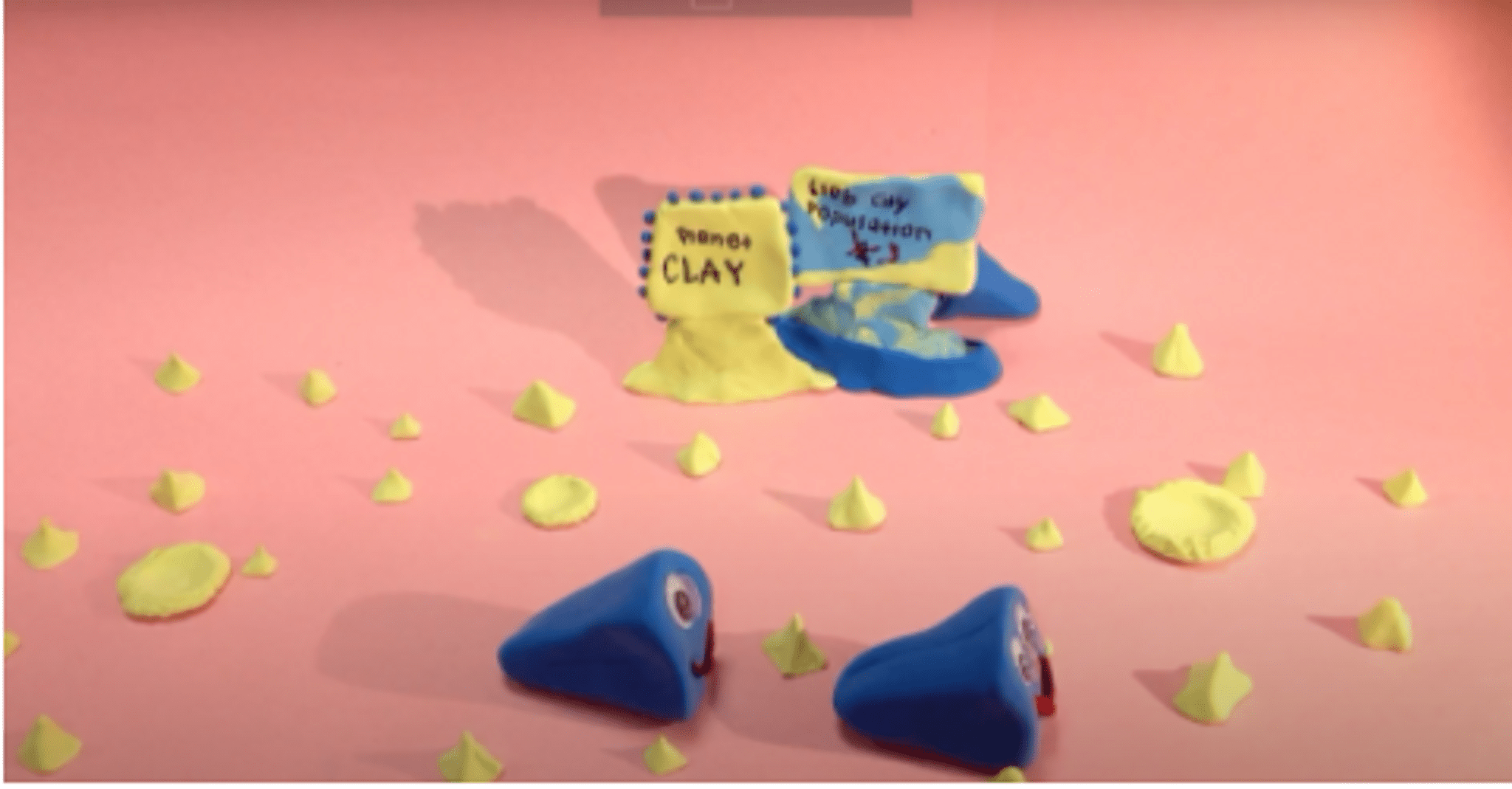

Step-by-step guide to Stop Motion: Planet Life with Clay
Saturn, the Ringed Planet - Solar System 3D Animation for Kids
Step 1
Gather all the materials listed and set them on a clear workspace.
Step 2
Draw a simple 3-panel storyboard showing the beginning middle and end of your planet life story.
Step 3
Form a round planet core by crumpling aluminum foil into a ball about the size of an orange.
Step 4
Cover the foil ball with modeling clay and press it gently onto the cardboard lid to make a stable planet platform.
Step 5
Use clay and coloring materials to add habitats like trees rocks water and tiny plants to your planet.
Step 6
Shape 2 to 4 small clay creatures and add simple face or body details with toothpicks or clay tools.
Step 7
Put the planet on the tray and secure it with tape or poster putty so it will not move while you animate.
Step 8
Place a plain paper backdrop behind the tray to make your planet stand out.
Step 9
Set a lamp to the side so your scene is bright and evenly lit.
Step 10
Mount your device on the tripod and frame the planet so it fills the screen nicely.
Step 11
Open a stop motion app and choose a frame rate or manual capture mode to record your animation.
Step 12
Take the first photo then move a creature a tiny bit and take another photo and repeat these small moves and photos until your story plays from start to finish.
Step 13
Export or save your finished movie from the stop motion app.
Step 14
Share your finished creation on DIY.org
Help!?
If I don't have modeling clay or aluminum foil, what can I use instead to make the planet core and surface?
Crumple newspaper or tissue into an orange-sized ball for the core and cover it with air-dry clay, play-dough, or layers of colored tape to replace modeling clay while still pressing it onto the cardboard lid to make a stable planet platform.
My planet moves or photos are blurry — what should I check while setting up and animating?
Make sure the planet is secured to the tray with tape or poster putty, the tripod is tightened and your device is mounted steadily, the lamp is positioned to give even light, and use the stop motion app's manual capture or a steadier frame rate so small moves photograph smoothly.
How can I adapt this stop-motion activity for different ages?
For younger children simplify the project to one creature and a single habitat with an adult operating the tripod and app, for elementary kids use the full 3-panel storyboard and 2–4 small clay creatures with toothpick details, and for older kids add more frames, complex habitats like tiny trees and water, and experiment with manual capture and different frame rates.
What are easy ways to enhance or personalize my planet life movie before exporting and sharing?
Personalize the plain paper backdrop by painting a space scene or adding colored paper, include LED fairy lights or a second tray planet for interaction, record voice-over or sound effects, and try a slight camera pan in the app before exporting and posting on DIY.org.
Watch videos on how to Stop Motion: Planet Life with Clay
The Planet Earth - The Solar System 3D animation for kids
4 Videos
The Planet Earth - The Solar System 3D animation for kids
Jupiter, the Giant Planet - Solar System 3D Animation for Kids
Mars, the Red Planet - Solar System 3D Animation for Kids

Planets Lesson for Children
Facts about stop-motion animation and clay modeling
🎬 Many stop-motion films are shot at 24 fps but often animate on "twos", using 12 unique frames per second to save work while staying smooth.
🏺 Plasticine, a popular modeling clay for animation, was invented by William Harbutt in 1897.
⏱️ A 1-minute stop-motion short at 12 fps requires 720 individual photos—each one is a tiny pose change you must make and capture.
🌍 Dioramas became popular in 19th-century museums to recreate habitats and teach about nature—great inspiration for model planets and sets.
🎭 Animation timing changes emotion: faster timing feels energetic, slower timing feels heavy or dramatic—use it to tell your creature's story.
How do I make a stop-motion short called "Planet Life with Clay"?
What materials do I need for a clay stop-motion planet project?
What ages is the "Planet Life with Clay" stop-motion activity suitable for?
What are the benefits of doing stop-motion clay animation with kids?
