Stop Motion: Create Magical Books
Make a miniature handmade book and animate its pages using stop-motion with a phone or tablet to create a short magical moving-book film.



Step-by-step guide to Stop Motion: Create Magical Books
How to Make a Stop-Motion Animation | Tate Kids
Step 1
Gather your materials and decide how big you want your tiny book to be.
Step 2
Cut two cardboard rectangles the size of your book covers using scissors.
Step 3
Cut 8 to 12 sheets of paper to match the cover size.
Step 4
Stack the paper sheets neatly one on top of another.
Step 5
Fold the stacked papers in half and press a sharp crease with the ruler.
Step 6
Place the folded pages between the cardboard covers and glue or tape the spine to attach them.
Step 7
Decorate the front cover with a magical title and sparkly drawings.
Step 8
Pick one simple magic trick (like a star appearing or a wing flapping) and plan how it will change a little on each page.
Step 9
Draw or place the first frame of your magic on the first page.
Step 10
On each following page make a tiny change to the drawing or move the prop a little so the action progresses to the last page.
Step 11
Lay the book flat on a steady surface and position your tablet or phone so the whole page fills the camera frame without moving it.
Step 12
Take a clear photo of each page in order making sure the camera and light stay the same.
Step 13
Import the photos into a stop-motion app or editor set a smooth frame rate and export your short moving-book film.
Step 14
Share your finished magical moving-book film on DIY.org
Help!?
Can I use other materials if I don't have cardboard or a ruler?
Yes — use a cereal box or shipping-box cardboard cut into the two cardboard rectangles for covers and use a credit card or the edge of a stiff piece of paper to press the sharp crease instead of the ruler.
My photos look blurry or the animation jitters; how do I fix it?
Keep your tablet or phone completely steady by using a tripod or stacking books, use consistent lighting, press a sharp crease with the ruler so pages lie flat, and glue or tape the spine firmly so each photographed page lines up.
How can I adapt this activity for different age groups?
For toddlers have an adult pre-cut the cardboard rectangles and paper and let them make one big change per page, for elementary kids have them fold, stack, and glue or tape the spine and draw 8–12 frames themselves, and for older kids encourage finer frame-by-frame changes, more pages, and using the stop-motion app to set a smooth frame rate and add sound.
How can we make the moving-book film more impressive or unique?
Decorate the front cover with sparkly drawings and a magical title, add tiny props or layered paper cutouts between pages for depth, use a small lamp for dramatic lighting while you take each clear photo, and import the photos into the stop-motion app to add music and export a polished film.
Watch videos on how to Stop Motion: Create Magical Books
Stop Motion Animation | Kid's Activities
4 Videos
Stop Motion Animation | Kid's Activities
How to start your first Stop Motion Animation | Beginners Guide To Stop Motion | Stop-Motion Fight
How to make Stop Motions for Beginners Part 1 (Stop Motion Tutorial)
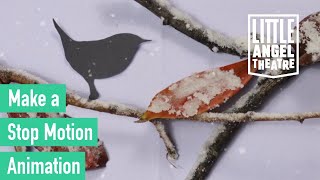
Make a Stop Motion Animation I Activities for Children
Facts about stop-motion animation and paper crafts for kids
🎞️ Stop-motion animation has been used in famous films like The Nightmare Before Christmas and Coraline to make puppets and objects seem alive.
📕 Some miniature books are made so tiny you need a magnifying glass to read them — there’s a whole community of tiny-book collectors!
📱 You can shoot a polished stop-motion short using just a phone or tablet and free apps — no fancy camera required.
✂️ A simple pamphlet stitch (a few staples or a few sewn stitches) makes a sturdy handmade miniature book perfect for tiny pages.
✨ Flipbooks are the great-grandparents of movies: flipping pages quickly makes still images appear to move — the same principle behind stop-motion.
How do I make a stop-motion magical miniature book film?
What materials do I need to make a miniature handmade book and animate it with stop-motion?
What ages is stop-motion miniature book animation suitable for?
What safety tips should I follow and what benefits does this activity offer?
