Show Us a Flickering Stop Motion Video
Make a short stop motion video showing a flickering light using paper cutouts, a steady phone, small position changes, and simple editing to loop.


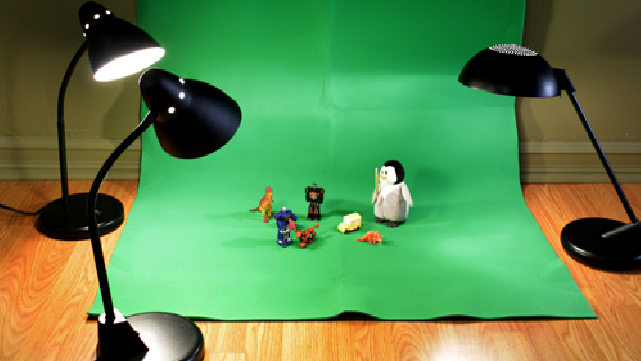

Step-by-step guide to make a flickering stop motion video
Step 1
Pick a simple scene where a light can flicker like a window lamp or a birthday candle and imagine how bright and dim it should look.
Step 2
Draw the background scene on colored paper including a window or lamp cutout where the light will go.
Step 3
Draw a round light shape on tracing paper or tissue and make 3 to 5 versions that will look brighter or dimmer.
Step 4
Cut out the background and all your light overlay circles carefully with scissors.
Step 5
Tape the background flat to a table or piece of cardboard so it won't move while you work.
Step 6
Place the lamp or window cutout in its spot on the background and secure its edges with a small piece of tape.
Step 7
Stick the brightest light overlay behind the window using tiny bits of reusable adhesive so you can remove and swap it later.
Step 8
Set your phone on a steady surface or tripod and frame the shot so the whole scene fits in the screen.
Step 9
Dim the room lights a bit so the paper light overlays show contrast but you can still see the background.
Step 10
Take the first photo of the scene with the brightest overlay in place.
Step 11
Swap to a slightly dimmer overlay and press the camera button to take the next photo.
Step 12
Repeat swapping overlays and taking photos until you have about 12 to 20 frames showing different light levels.
Step 13
Import the photos into a simple phone video editor or stop-motion app in the order you took them.
Step 14
Set each frame to a short duration like 0.1 to 0.2 seconds and play the clip to make sure the flicker looks natural then export the video file.
Step 15
Upload your finished flickering stop-motion video and share it on DIY.org
Help!?
What can I use if I don't have tracing paper, tissue, or reusable adhesive?
Use thin white printer paper or wax paper cut into circles instead of tracing paper or tissue, and replace reusable adhesive with tiny pieces of removable tape or a dab of Blu‑Tack when you "stick the brightest light overlay behind the window" so overlays can still be swapped.
My overlays keep moving or my phone shifts between shots — how can I fix that?
Keep the background flat with extra tape as the instructions say, add small adhesive dots to each overlay edge so they don't slip when you "swap to a slightly dimmer overlay," and secure your phone on a tripod or a heavy stack of books to maintain framing.
How can I adapt this activity for different ages?
For younger kids, pre‑draw and pre‑cut the background and light circles and let them place overlays while an adult takes and imports the photos, and for older kids have them design 3–5 graduated overlays, take 12–20 frames themselves, and set each frame to 0.1–0.2 seconds in the stop‑motion app.
How can we extend or personalize the flickering stop-motion to make it more interesting?
Personalize the scene by using colored tissue or translucent markers on overlays behind the lamp or window, add more frames for a smoother flicker, include extra lights in the background, or import a soft crackling candle sound into the video editor before exporting.
Watch videos on how to make a flickering stop motion video
How to Make an Easy Stop Motion Film | Beginner's Guide
4 Videos
How to Make an Easy Stop Motion Film | Beginner's Guide
How to start your first Stop Motion Animation | Beginners Guide To Stop Motion | Stop-Motion Fight
How to make Stop Motions for Beginners Part 1 (Stop Motion Tutorial)
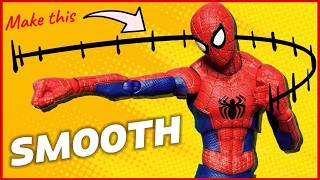
How to Make Stop Motion Videos SMOOTHER | A Beginner's Guide to Stop Motion | Episode 2
Facts about stop motion animation for kids
🎬 Stop-motion animation goes back to the late 1800s—early filmmakers used it to make toys and puppets 'move' on screen.
💡 Your eyes blend quick flashes into continuous motion around 16–24 frames per second, which is why stop-motion feels alive!
✂️ Paper cutout animation was popularized by Lotte Reiniger, who created feature-length silhouette animation in the 1920s.
📱 Keeping your phone steady (a tripod or stacked books) prevents the background from 'jumping' and makes your flicker effect clean.
🔁 To make a looped flicker, match the first and last frames or plan a return movement so the sequence repeats smoothly.
How do I make a short flickering stop motion video with paper cutouts?
What materials do I need to create a flickering stop motion loop?
What ages is a flickering stop motion activity suitable for?
What safety tips and fun variations can we try for flickering stop motion?
