Share a Selfie with Your Cube
Make and decorate a small paper cube, pose holding it, take a selfie, and share your photo with friends or family to show creativity.


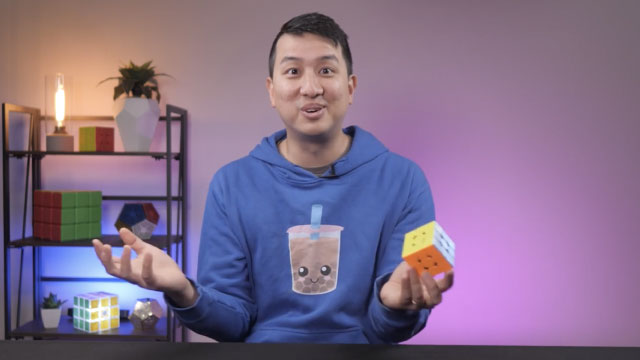

Step-by-step guide to Share a Selfie with Your Cube
Step 1
Use your ruler and pencil to draw a cube net: make a cross of six equal squares about 4–6 cm each and add small tabs on two outer edges for gluing.
Step 2
Cut out the net along the outer outline using scissors.
Step 3
Score along each fold line lightly with the dull side of the scissors or the back of the pencil to make folding easier.
Step 4
Fold each line so all the square faces and tabs have clean creases.
Step 5
Put glue or tape on the tabs you drew earlier.
Step 6
Assemble the cube by attaching the glued tabs to the inside edges and closing the shape.
Step 7
Hold the cube gently for a few moments so the glue or tape sets.
Step 8
Decorate each face of your cube using coloring materials and stickers to show your creativity.
Step 9
Choose a fun background or prop to make your selfie look awesome.
Step 10
Hold your decorated cube and practice a smile or silly face for the photo.
Step 11
Take a selfie while holding your cube so the cube and your expression are both visible.
Step 12
Share your finished creation on DIY.org
Help!?
What can I use if I don't have a ruler, scissors, or glue?
Use a straight-edged book or credit card to draw the 4–6 cm squares for the net, have an adult or safety scissors cut the outline, and attach the tabs with clear tape instead of glue when assembling the cube.
My cube won't fold or stay together — what should I check?
Re-score each fold line with the back of a pencil so the creases fold cleanly, trim or adjust any oversized tabs so they fit inside the edges, and use a small dab of glue or a strip of tape on each tab and hold the seam for a few seconds while it sets.
How can I adapt this activity for different ages?
For younger children, pre-cut a larger net on cardstock (about 6 cm squares), let them stick decorations and an adult handles cutting and gluing, while older kids can measure exact 4 cm squares, score fold lines themselves, and add detailed drawings or tiny photos to each face before assembling.
How can we enhance or personalize the finished cube and selfie?
Decorate each face with different selfies, drawings, or stickers, set up a themed background or prop as suggested in the instructions, and try a short stop-motion or multiple-expression photo series before sharing on DIY.org.
Watch videos on how to Share a Selfie with Your Cube
Our School students on... Selfies
4 Videos

Our School students on... Selfies

How To Take a Selfie with Andrew Zimmern - Eater SnapChat
How to make a homemade selfie stick || free ||selfie stick||
How To Create a Digital Selfie | Easy Digital Art | Procreate For Beginners
Facts about paper crafts for kids
🧊 A cube has 6 square faces, 8 corners (vertices), and 12 edges—perfect for folding into a paper cube!
✂️ Papercraft can turn plain paper into 3D models, decorations, and toys using just folding, cutting, and sometimes a little glue.
🎎 Origami, the Japanese art of paper folding, includes the famous paper crane which symbolizes peace and good luck.
🤳 The earliest known photographic 'selfie' was taken in 1839 by Robert Cornelius, so selfies have been around almost as long as photography!
📸 Today most photos are taken with smartphones, so your cube selfie joins billions of shared snaps around the world!
How do I make and share a selfie with a paper cube?
What materials do I need to make a small paper cube and take a selfie?
What ages is the 'Share a Selfie with Your Cube' activity suitable for?
What are the benefits of making and sharing a selfie with a paper cube?
