Share a Picture of Your Speed Cube
Take a clear photo of your speed cube, show both solved and scrambled sides, include your age and solve time, and then share it.


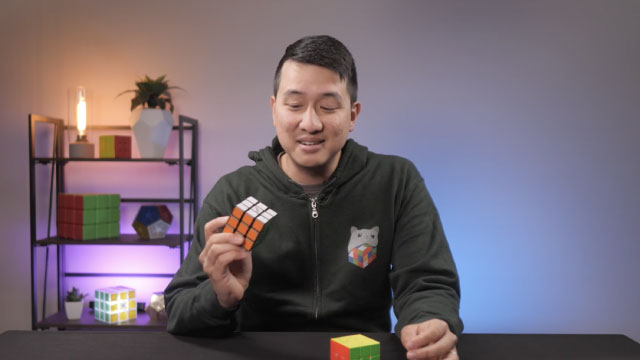

Step-by-step guide to share a picture of your speed cube
Step 1
Choose a bright spot and a clear flat area to work on
Step 2
Lay the plain sheet or poster down to make a tidy background
Step 3
Place your speed cube in the middle of the background
Step 4
Scramble the cube with many twists until it looks mixed up
Step 5
Write your age on a piece of paper in big letters
Step 6
Write the words "Solve time:" on a second piece of paper and leave a blank space
Step 7
Put both papers next to the scrambled cube so they are easy to see
Step 8
Take a clear photo of the scrambled cube with both papers visible
Step 9
Start your timer or clock now
Step 10
Solve the cube as fast as you can
Step 11
Stop the timer as soon as the cube is fully solved
Step 12
Write your solve time on the "Solve time:" paper
Step 13
Take a clear photo of the solved cube showing the solved side and both papers with your age and solve time
Step 14
Share your photos and details on DIY.org
Help!?
What can I use if I don't have a speed cube or a plain sheet/poster for the background?
Use a regular Rubik's cube in place of a speed cube and substitute the plain sheet or poster with a plain poster board, large sheet of printer paper, or a clean bedsheet laid flat to keep the tidy background.
My photo turned out blurry or the papers aren't visible—what should I check before taking the picture?
Move to a brighter spot, re-lay the poster flat, place the 'age' and 'Solve time:' papers clearly next to the scrambled cube, and tap to focus or use burst mode on your camera before you start the timer.
How can I adapt this activity for younger children or for more advanced kids?
For younger children have an adult scramble the cube and write the age and 'Solve time:' in big letters, while older kids can do multiple timed solves, record each 'Solve time:' on separate papers, and share their fastest attempt on DIY.org.
How can we make the photos and post more creative or professional-looking?
Decorate the plain sheet with your name or stickers, use a tripod or steady surface for clearer photos of both scrambled and solved cube, and optionally include a short video of the solve when sharing on DIY.org.
Watch videos on how to share a picture of your speed cube
The BEST tutorial HOW TO SOLVE A RUBIK'S CUBE 3 by 3 | FOR KIDS | PART 1
4 Videos
The BEST tutorial HOW TO SOLVE A RUBIK'S CUBE 3 by 3 | FOR KIDS | PART 1
Ultimate Guide to rubik's cube speed Solving
![How to Solve a Rubik's Cube [Best Method 2025]](https://img.youtube.com/vi/PW2J8IblczM/mqdefault.jpg)
How to Solve a Rubik's Cube [Best Method 2025]

Solve the Rubik's Cube UNDER 60 SECONDS! (Beginner Method)
Facts about speedcubing for kids
🧩 The Rubik's Cube has about 43 quintillion (43,252,003,274,489,856,000) possible positions — that’s a lot of scrambles!
⏱️ Speedcubers record both a single best time and an average of five solves to show consistency, not just one lucky solve.
🏆 The World Cube Association organizes official competitions all around the world where cubers post times and photos to verify results.
🤏 'Finger tricks' are tiny flicks that speedcubers practice to turn faces faster — mastering them shaves seconds off your time.
📷 Sharing a clear scrambled photo plus a solved photo (and your age/time) helps prove your solve and shows how you improved.
How to take and share a picture for the 'Share a Picture of Your Speed Cube' activity?
What materials do I need to take a good speed cube photo and share it?
What ages is the 'Share a Picture of Your Speed Cube' activity suitable for?
What are the benefits, safety tips, and fun variations for sharing speed cube pictures?
