Play any Major Scale on the Bandlab Keyboard
Play any major scale on the BandLab keyboard by choosing a root note and following the whole, whole, half, whole, whole, whole, half pattern slowly.
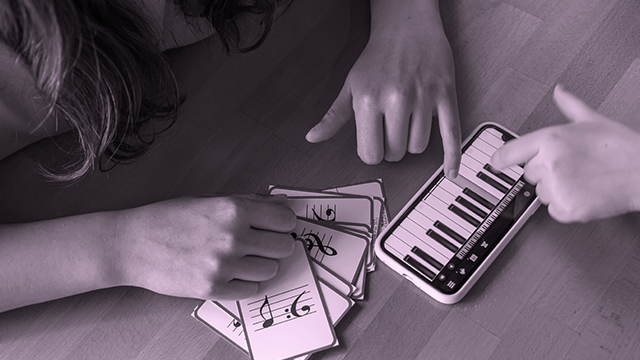
About this activity
Play any major scale on the BandLab keyboard by choosing a root note and following the whole, whole, half, whole, whole, whole, half pattern slowly.
What you need
Step by step
- 1
Step 1
Open BandLab and load the Keyboard instrument.
- 2
Step 2
Sit comfortably at the keyboard and put on your headphones if you are using them.
- 3
Step 3
Pick any root note on the keyboard and say its name out loud.
- 4
Step 4
Place your right-hand finger on the root note so you are ready to play.
- 5
Step 5
Learn the major scale pattern: whole whole half whole whole whole half and remember a whole step moves two keys to the right and a half step moves one key to the right.
- 6
Step 6
Move two keys to the right from the root and press that key slowly (first whole step).
- 7
Step 7
Move two more keys to the right and press that key slowly (second whole step).
- 8
Step 8
Move one key to the right and press that key slowly (first half step).
- 9
Step 9
Move two keys to the right and press that key slowly (third whole step).
- 10
Step 10
Move two keys to the right and press that key slowly (fourth whole step).
- 11
Step 11
Move two keys to the right and press that key slowly (fifth whole step).
- 12
Step 12
Move one key to the right and press that key slowly to reach the octave (final half step) and then play the whole scale from the root up to the octave slowly.
- 13
Step 13
Share your finished major scale performance on DIY.org.
Fun facts
How do I play a major scale on the BandLab keyboard?
Open the BandLab keyboard in the app or web DAW, choose a root note (like C), then play notes following the major scale pattern: whole step, whole step, half step, whole, whole, whole, half. On the keyboard, a whole step equals two keys (including black keys), a half step equals the very next key. Play slowly, count steps aloud, practice ascending and descending, and use the metronome or slower tempo until comfortable.
What materials do I need to play a major scale on BandLab keyboard?
You need a device (computer, tablet, or smartphone) with BandLab open, plus stable internet for the web version or the BandLab mobile app. Headphones or speakers help hear notes clearly. Optional: a small MIDI keyboard if you prefer tactile keys, a metronome or BandLab’s built-in click, and a quiet workspace. No special instruments or sheet music are required to start practicing major scales.
What ages is this activity suitable for?
Suitable for children aged five and up with adult supervision. Ages five to seven benefit from guided play, using one root note and very slow pacing; ages eight to twelve can follow the whole/half pattern independently and learn counting and basic theory. Teenagers and adults use it for practice or songwriting. Adjust tempo, number of notes, and session length to match attention span and motor skills.
What are the benefits of practicing major scales on the BandLab keyboard?
Practicing major scales on BandLab builds ear training, finger coordination, and an understanding of intervals and key centers. It creates muscle memory for note patterns, improves timing when used with a metronome, and supports sight-reading and songwriting on the app. Using BandLab’s playback and recording features lets kids hear progress and experiment with layering. Short, regular practice boosts confidence and musical fluency.
Watch & Learn
Need help?
What can we use if we don't have BandLab's Keyboard or headphones listed in the instructions?
If you don't have BandLab's Keyboard or headphones, use any free piano app or a real piano/keyboard to follow the 'Open BandLab and load the Keyboard instrument' step and use your device speakers or inexpensive earbuds instead of headphones.
I'm following the steps but the notes don't sound right or I can't hear them—what should I check?
If notes sound wrong or you can't hear them, make sure the Keyboard instrument is actually loaded in BandLab, the volume/headphones are connected, and carefully count keys as described (move two keys for a whole step, one key for a half step) while pressing each key slowly.
How can I adapt this major scale activity for different ages?
For younger children, use colored stickers on the root and next few keys and have them 'say its name out loud' and press keys slowly only up to the third, while older kids can do the full 'whole whole half...' pattern, add the left hand, and increase tempo or range.
How can we extend or personalize the activity after completing the scale and before sharing on DIY.org?
To extend the activity, record the slow scale in BandLab, add a simple chord or drum backing, try transposing the 'whole whole half...' pattern to other root notes, or change the instrument sound to personalize your DIY.org submission.