Manage your fuel
Plan and track your daily 'fuel' by creating a colorful energy chart, recording meals, snacks, and activities to learn balanced fueling and timing.



Step-by-step guide to manage your fuel
Understanding Active & Dynamic Fuel Management and The Problems They Cause (AFM vs DFM)
Step 1
Gather all your materials on a clear table so your workspace is ready.
Step 2
Use the ruler and pencil to draw a neat grid with four columns labeled Time Meal or Snack Activity Energy Level.
Step 3
Make a small legend and pick one color for meals one color for snacks and three colors for energy levels (high medium low).
Step 4
Write the times you want to track down the Time column like morning midmorning lunchtime afternoon evening and bedtime.
Step 5
Write the meals or planned snacks you expect to eat next to each time in the Meal or Snack column.
Step 6
Write the activity you plan for each time and circle if it will be low medium or high activity.
Step 7
Put a sticky note next to any time where you might change your plan or want to add a snack.
Step 8
After you eat or finish an activity record exactly what you ate or did in the chart next to the planned item.
Step 9
Right after you record it color the Energy Level box to show how you feel now using your legend colors.
Step 10
Use sticky notes during the day to jot quick feelings like hungry tired or energized and stick them next to the matching time.
Step 11
At the end of the day count how many high medium and low energy marks you have to see your balance.
Step 12
Choose one small change to try tomorrow based on your counts and write it in a "Tomorrow" box on the chart.
Step 13
Decorate your chart with stickers or drawings and write your name and the date on it.
Step 14
Share your finished creation on DIY.org
Help!?
What can we use instead of a ruler, colored markers, or sticky notes if we don't have them?
Use the straight edge of a hardcover book and a pencil to draw the grid from the 'Use the ruler and pencil' step, substitute colored pencils or highlighters for legend colors, and cut small squares of paper taped next to the times in place of sticky notes.
What should we do if sticky notes keep falling off or we forget to color the Energy Level box right after recording?
Keep one of the legend-colored markers or a roll of tape clipped to your workspace and set a phone alarm for 'color energy level' so you complete the 'Right after you record it color the Energy Level box' step immediately.
How can this activity be adapted for different ages?
For preschoolers have an adult draw the grid and let the child use stickers for the 'Meal or Snack' column and smiley-face stickers for the three energy levels, while older kids can add a 'duration' column and write detailed notes for each 'Activity' and the 'Tomorrow' change.
How can we extend or personalize the chart beyond decorating and sharing it on DIY.org?
Duplicate the chart to make a week-long tracker, attach a photo of each actual meal or a quick voice note for each time, and compare your weekly counts of high/medium/low energy to choose a bigger change than the single 'Tomorrow' box recommends.
Watch videos on how to manage your fuel
Solving High Fuel Consumption in Cars: Expert Solutions and Tips
4 Videos

Solving High Fuel Consumption in Cars: Expert Solutions and Tips

TIPS to SAVE FUEL & BEST Fuel Efficient Cars!
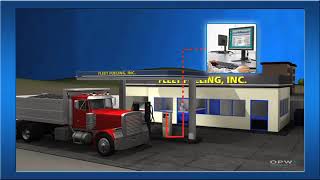
The Basics of Fuel Management Systems
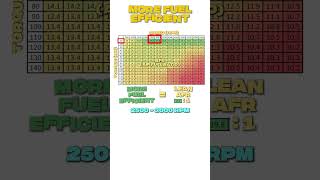
Fuel Efficient Driving Tips
Facts about nutrition and meal planning for kids
🍎 Kids who eat a regular breakfast often show better attention and memory in class than those who skip it.
⏰ Eating meals and snacks at consistent times helps keep energy levels steady throughout the day.
⚡️ Combining protein, healthy carbs, and a little fat in a snack can give longer-lasting energy than sugar alone.
🥤 Sugary drinks may give a quick energy spike but often cause a crash — water and milk are steadier choices.
📊 Keeping a simple food-and-activity chart for one week can reveal patterns and help plan balanced 'fuel' better.
How do I do the "Manage your fuel" activity with my child?
What materials do I need to make an energy chart for tracking meals and activities?
What ages is the "Plan and track your daily fuel" activity suitable for?
What are the benefits of planning and tracking daily 'fuel' with an energy chart?
