Make a Track with using Drum Loops and Bass Loops
Create a simple music track by arranging drum and bass loops on a tablet or computer, learning rhythm, structure, and basic mixing skills.


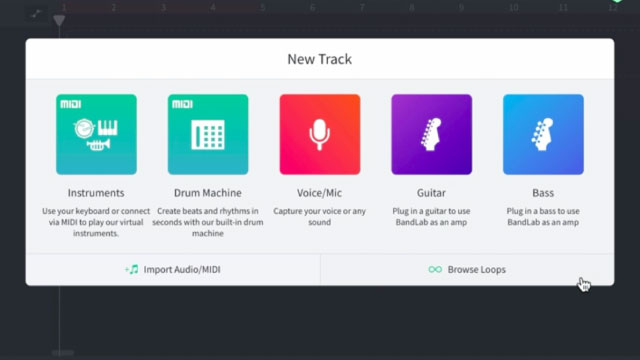
Step-by-step guide to make a track using drum and bass loops
Step 1
Open your music app and start a new project.
Step 2
Set the tempo to a comfortable speed like 90 to 120 BPM.
Step 3
Add two tracks and name one "Drums" and the other "Bass."
Step 4
Listen to the drum loop library and pick one you like.
Step 5
Drag the drum loop into the Drums track at the very start of the timeline.
Step 6
Loop or extend the drum region so it is eight bars long.
Step 7
Listen to the bass loop library and pick a bass loop that matches the drum feel.
Step 8
Drag the bass loop into the Bass track starting at bar 1.
Step 9
Decide a simple song structure to use like Intro 4 bars Verse 8 bars Chorus 8 bars.
Step 10
Place markers or labels on the timeline to show where each section (Intro Verse Chorus) starts.
Step 11
Copy the drum and bass regions to fill each section of your structure.
Step 12
Use the volume sliders to balance the tracks so the drums are clear and the bass supports them.
Step 13
Add one simple effect (like a little reverb or EQ) to a track to make the sound fuller.
Step 14
Export or bounce your finished song as an audio file (MP3 or WAV).
Step 15
Share your finished creation on DIY.org.
Help!?
What can we use if our music app doesn't include drum or bass loops?
Use the app's virtual drum or bass instrument to record a simple pattern or record body percussion or a phone metronome and import that audio into the Drums or Bass track starting at bar 1.
My loops don't stay in time or sound off when I loop them — what should I check?
Make sure the project tempo is set to 90–120 BPM to match the loops, enable snap-to-grid or use the app's time-stretch/warp feature, and align the loop region to start at bar 1 before extending it to eight bars.
How can I change the activity for younger kids or make it more challenging for older kids?
For younger kids, simplify by choosing one drum loop, copying it for a 4-bar Intro and an 8-bar Verse and only using the volume sliders and one reverb; for older kids, add extra tracks, program a melody, automate effects, and build a full Intro/Verse/Chorus structure before exporting.
What's a simple way to personalize or improve the track before sharing on DIY.org?
Rename tracks, add a short vocal or sampled sound on a new track, tweak EQ or add delay as your simple effect, and adjust your section markers to create a unique structure before exporting as MP3 or WAV.
Watch videos on how to make a track using drum and bass loops
How I Make Drum and Bass from Scratch!
4 Videos
How I Make Drum and Bass from Scratch!
Make a liquid drum & bass beat in BandLab's free web Studio (BandLab Tutorial)

Easiest Way to Make Liquid Drum and Bass (Soundtrap Tutorial)
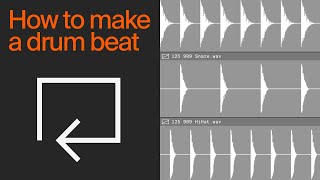
How to make a simple drum beat (with loops)
Facts about music production for kids
🥁 The Roland TR-808 (released in 1980) helped shape hip-hop and electronic music — its drum sounds still pop up in hits today!
🎧 Digital audio workstations (DAWs) let you drag-and-drop loops on a timeline, so making a song can feel like stacking colorful blocks.
🔁 A 'loop' is a short piece of music that repeats; some producers build entire tracks by arranging and layering just a few loops.
🎚️ Small mixing moves — like lowering a sound by 1–3 dB or nudging it left/right in the stereo field — can make a big difference to how clean a track sounds.
🎛️ Bass under about 60 Hz is often felt more than heard — that deep sub-bass is what gives a track its thump at concerts.
How do I help my child make a simple music track using drum and bass loops on a tablet or computer?
What materials and apps do I need to create a track with drum and bass loops?
What ages is making a music track with drum and bass loops suitable for?
What are the benefits of kids making tracks with drum and bass loops?
