Make a Stop Motion Swimming Scissors
Create a stop-motion animation of a swimming scissors character using paper cutouts, a phone camera, and frame-by-frame moves to tell a short story.
About this activity
Create a stop-motion animation of a swimming scissors character using paper cutouts, a phone camera, and frame-by-frame moves to tell a short story.
What you need
Step by step
- 1
Step 1
Clear a flat table and tape the blue paper or cloth flat to make your water background.
- 2
Step 2
Draw a big friendly scissors-shaped character on a sheet of paper with a pencil.
- 3
Step 3
Colour your scissors character with bright colours and add big eyes and a smile.
- 4
Step 4
Carefully cut out your scissors character using the scissors.
- 5
Step 5
Make two or three copies by tracing the cutout onto new paper and cutting those traced shapes out.
- 6
Step 6
Fold a small tab at the bottom of each cutout and tape the tab so each cutout can stand upright.
- 7
Step 7
Arrange the cutouts on the blue background to create a starting scene where your scissors look ready to swim.
- 8
Step 8
Set up your phone on a stack of books so the camera points straight down at the scene and will not wobble.
- 9
Step 9
Open the camera app and take a clear photo of your starting scene.
- 10
Step 10
Gently move the front cutout a tiny bit forward to show the scissors swimming stroke.
- 11
Step 11
Take another photo of the new position and repeat moving a tiny bit then taking a photo until you have about 12 photos showing the swimming motion.
- 12
Step 12
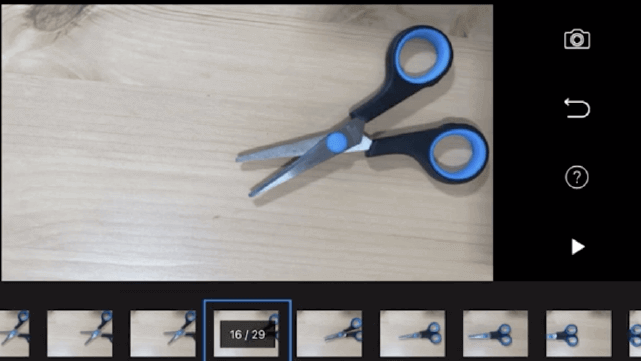
Use a stop-motion app or your phone’s photo editor to stitch your photos into a short animation and save the movie.
- 13
Step 13
Share your finished creation on DIY.org
Fun facts
How do you create a stop-motion animation of a swimming scissors character?
Design a scissors-shaped character on paper, cut out movable parts (blades, handles, eyes). Arrange a blue background and secure your phone on a tripod or steady surface. Use a stop-motion app or camera, take one photo per small movement, and slightly move pieces between frames. Aim for about 10–12 frames per second for smooth motion. Add simple props and a beginning/middle/end to tell a short swimming story, then export and add music.
What materials do I need to make a stop-motion swimming scissors?
You’ll need a phone or tablet with a camera, a stop-motion app (or manual camera), paper or cardstock, child-safe scissors and tape or glue, and a small tripod or phone stand. Add markers, stickers, and brads or split pins for movable joints. Use blue paper, cellophane, or fabric for water instead of real water to protect electronics. Optional: LED desk light for steady illumination and a simple editing app for music or titles.
What ages is the stop-motion swimming scissors activity suitable for?
This activity suits ages 5+ with adult help. Ages 5–7 need guidance cutting shapes, moving pieces, and using the camera. Ages 8–10 can plan scenes, operate apps, and animate with less help. Ages 11+ can handle editing, sound design, and more complex rigs. Always supervise younger children with scissors, small parts, and phone handling, and adapt complexity to each child’s fine-motor and attention skills.
What safety tips should I follow when kids make a stop-motion swimming scissors?
Use child-safe scissors and non-toxic glue, and keep small parts away from toddlers. Avoid real water near phones—use blue paper or cellophane to simulate water. Secure the phone on a tripod or heavy base, use cool LED lights to prevent burns, and supervise use of hot glue guns or sharp tools. Limit continuous screen time, encourage breaks, and store tiny pieces in a container to prevent loss or choking hazards.
Watch & Learn
Need help?
What can we use instead of blue paper or cloth if we don't have any?
If you don't have blue paper or cloth, tape a plain white sheet colored with blue crayons or markers or use a printed ocean photo or a blue bedsheet as the water background in step 1.
My photos are coming out blurry or the phone wobbles—how can I fix that?
To stop wobble and blur when following step 7, secure the stack of books with tape or use a small tripod, add more light, and use the camera timer or a remote so you don't touch the phone during each shot in step 8.
How can I adapt this activity for different ages?
For younger children (3–5) have an adult draw and pre-cut the scissors and limit to about 6 photos, while older kids (8+) can draw detailed characters, make 3–4 cutouts, and take ~20 photos for smoother motion in step 11.
What are some ways to enhance or personalize our stop-motion scissors movie?
Enhance the project by adding paper wave cutouts and extra swimmer characters to the blue background, varying cutout positions for a diving scene, and adding music or sound effects in the stop-motion app before sharing on DIY.org as in the final step.