Make a Meme!!
Create a funny, kind meme by taking or drawing a picture, adding a short caption, and learning about humor, expression, and respect.


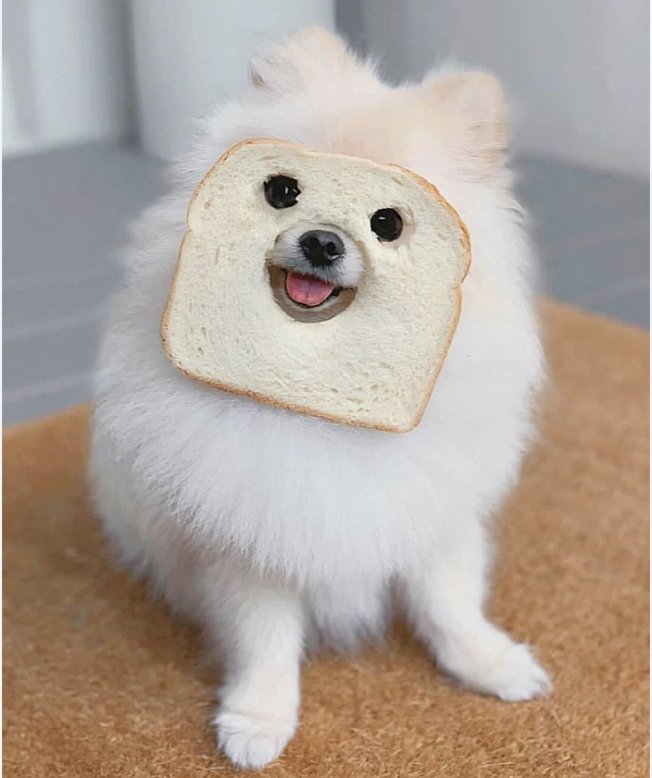
Step-by-step guide to make a meme
Step 1
Gather your materials and put them on a clear workspace.
Step 2
Decide if you will draw your picture or use a photo you already have.
Step 3
If you chose to draw, sketch a simple scene or character with a pencil that shows a big expression.
Step 4
If you chose to use a photo, pick one that shows a clear and friendly expression.
Step 5
Darken the main lines with a black pen or marker so the picture looks bold.
Step 6
Colour your drawing or add stickers so the image looks happy and expressive.
Step 7
Think of a short caption of 1 to 6 words that is funny and kind.
Step 8
Make sure your caption does not make fun of anyone or hurt anyone’s feelings.
Step 9
Write the caption in big clear letters above or below the picture using the black marker.
Step 10
Add one small drawing or detail that connects the caption to the picture.
Step 11
Show your meme to a friend or adult.
Step 12
Ask them if it makes them smile and if it feels kind.
Step 13
Make any small change based on the feedback you receive.
Step 14
With an adult's help, post your finished meme on DIY.org so others can see your kind and funny creation.
Help!?
What can we use if we don't have a black pen or camera for a photo?
If you don't have a black pen or marker, darken lines with a sharp dark pencil or black crayon, and if you lack a camera for a photo, choose to draw the picture instead or use a printed photo you already have.
My drawing looks faint or the caption is messy—how can I fix it?
Retrace the main lines with the black marker to make the picture bold, erase stray pencil marks before coloring, and rewrite the caption in big clear letters keeping it to 1–6 words so it reads easily.
How can I adapt this activity for younger or older kids?
For younger children, provide a simple face template and let an adult help write the 1–6 word caption and place stickers, while older kids can use a real photo, hand-letter their caption, or edit the meme digitally before posting on DIY.org with an adult.
What are fun ways to extend or personalize our meme after finishing it?
Make a mini series of memes using the same character with different expressions, add a colored border, include one small drawing that connects the caption to the picture, and with adult help post the set on DIY.org for friends to see.
Watch videos on how to make a meme
How to Create VIDEO Memes for FREE | QUICK & EASY CapCut Tutorial
4 Videos

How to Create VIDEO Memes for FREE | QUICK & EASY CapCut Tutorial
How to create funny memes with AI
Meme Generator | How To Create Memes With One Click.
Create Memes in a Few Clicks with FREE AI | Best AI Meme Generator Tools #ai #aitools #memetamplate
Facts about digital citizenship for kids
😂 The word "meme" was coined by biologist Richard Dawkins in 1976 to describe how ideas spread through culture.
🖼️ Image macros — photos with short top-and-bottom captions — became one of the most recognizable meme styles online.
📱 Anyone with a smartphone can snap or draw a picture, add a short caption, and turn it into a meme in minutes.
🎭 Memes use surprise, exaggeration, or timing for humor — kind memes use those tools to make people smile, not hurt them.
🤝 A thoughtful, friendly caption can make a meme a quick way to spread kindness and lift someone's day.
How do I make a kind, funny meme with my child?
What materials do I need to make a meme with kids?
What ages is making memes suitable for?
What safety and respect rules should we follow when making memes?
