Harvesting Crops with 'Loops'
Write and run simple loop-based programs to harvest crops on a grid, automating repeated actions and observing how loops save steps.



Step-by-step guide to Harvesting Crops with Loops
Step 1
Draw a clear 5 by 5 grid on your paper using the ruler so each square is the same size.
Step 2
Place one token on every square to act as a crop so the whole field is full.
Step 3
Pick the top left square as your starting spot and mark it with a colored dot showing the robot faces right.
Step 4
On the paper write the three commands you will use as single words on a list: HARVEST FORWARD TURN_RIGHT.
Step 5
Write out the long command sequence to harvest the first row without a loop as this exact list: HARVEST FORWARD HARVEST FORWARD HARVEST FORWARD HARVEST FORWARD HARVEST and count how many commands you wrote.
Step 6
Write a loop version on the paper that does the same row using fewer commands like this: HARVEST then repeat 4 times { FORWARD HARVEST }.
Step 7
Type or drag the row loop version into your coding tool exactly as you wrote it so the robot can run it.
Step 8
Run the program and watch the robot harvest the first row to check the loop worked.
Step 9
Now write a full field program in your coding tool using this precise pseudocode so it harvests all five rows:
Step 10
Run the full field program and watch the robot harvest every token on the 5 by 5 grid.
Step 11
Count how many individual commands you would have had to write without loops for the whole field then count how many commands your looped program used and write down the difference to see how many steps you saved.
Step 12
Share a photo or description of your finished harvesting program and what you learned about loops on DIY.org
Help!?
What can I use instead of the tokens, ruler, or coding tool if I don’t have them?
Use coins, buttons, or cereal pieces as tokens, use a book edge or straight object as a ruler, mark the top-left start with a sticker or colored pen, and if your usual coding tool is unavailable type the exact loop text into any simple text editor before copying it into the platform.
My robot didn’t harvest the first row when I ran the program — what should I check?
Verify the top-left square is marked with a colored dot showing the robot faces right and that you typed or dragged the row loop exactly as 'HARVEST then repeat 4 times { FORWARD HARVEST }' into your coding tool, correcting any misspelled command, wrong repeat number, or missing braces.
How can I change the activity for younger or older children?
For younger kids, shrink the task to a 3x3 grid and have an adult place tokens and enter 'HARVEST then repeat 2 times { FORWARD HARVEST }', while older kids can expand to a 7x7 grid, add TURN_RIGHT obstacles between rows, or create nested loops and compare command counts as in the counting step.
How can we extend or personalize the harvesting challenge after finishing the basic program?
Personalize the field with different colored tokens or stickers, alter the pseudocode to include TURN_RIGHT steps for row changes exactly as in the full-field program, time your looped run, and then write down and share the command-savings comparison and a photo on DIY.org.
Watch videos on how to Harvest Crops with Loops
How scientists are working with farmers to develop the crops of the future
4 Videos

How scientists are working with farmers to develop the crops of the future

Farmers use ropes to carry crops upward from low ground
Handheld Rice Harvester in Action: Efficient Small-Field Harvesting Technique
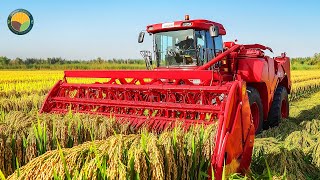
How American Farmers Harvest 9.97 Million Tons of Rice by Machine | Farming Documentary
Facts about introductory programming and loops
🌾 Loops can replace dozens (or hundreds) of repeated steps with just a few lines of code — saving time and preventing mistakes.
🤖 Karel the Robot, created in 1981 by Richard E. Pattis, is a classic educational robot used to teach loops and grid-based programming.
🐢 Logo’s turtle graphics helped generations of kids learn loops by drawing repeating patterns like spirals and grids.
🔁 Nested loops (a loop inside a loop) are perfect for walking every square of a grid — great for harvesting rows and columns automatically.
🚜 Real farms use repetitive patterns too: harvesters and agricultural robots often follow straight rows, just like looped programs do on a grid.
How do you run the Harvesting Crops with Loops activity?
What materials are needed for Harvesting Crops with Loops?
What ages is the Harvesting Crops with Loops activity suitable for?
What are the benefits of learning loops through the harvesting activity?
