Design a pictogram
Design a simple pictogram to represent an idea, using paper, pencils, and markers; test it with friends to improve clarity and meaning.


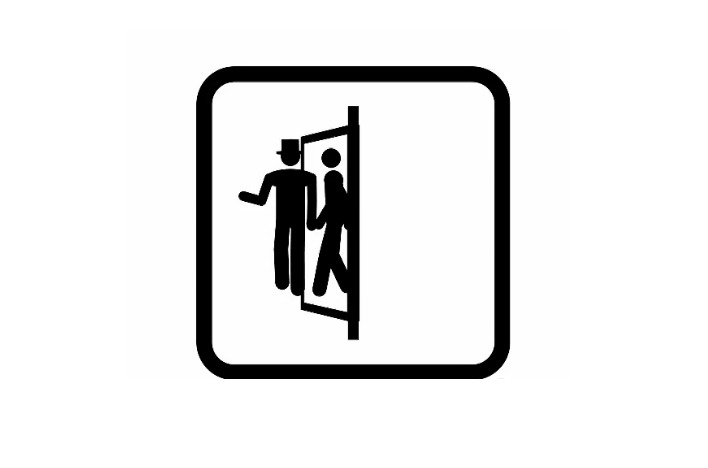

Step-by-step guide to design a pictogram
How To Create A Pictograph | Elementary Math
Step 1
Pick one idea you want to represent with a pictogram like "recycling" or "quiet."
Step 2
Write the idea word at the top of a sheet of paper.
Step 3
Draw three quick thumbnail sketches of different simple symbols for that idea.
Step 4
Circle the thumbnail you like best.
Step 5
On a clean sheet draw a larger clearer version of the circled thumbnail.
Step 6
Simplify your drawing by erasing extra details until only bold basic shapes remain.
Step 7
Add color to the most important parts of your pictogram using your coloring materials.
Step 8
Make a small copy of your pictogram about the size of a postage stamp to test readability.
Step 9
Write "What does this mean?" on a sticky note and place it next to your pictogram.
Step 10
Show the pictogram to one friend and ask them what they think it means.
Step 11
Show the pictogram to a different friend and ask them what they think it means.
Step 12
Write down any confusing parts both friends mentioned on a sticky note.
Step 13
Change your pictogram to fix the confusing parts you wrote down.
Step 14
Trace and color the final version of your pictogram neatly.
Step 15
Share your finished pictogram on DIY.org.
Help!?
What can I use instead of sticky notes and fancy coloring materials if I don't have them for the 'What does this mean?' test and coloring steps?
Use small squares of scrap paper or the corner of torn notebook paper in place of sticky notes, and substitute markers, crayons, colored pencils, or even cut colored paper for the 'Add color' and 'sticky note' steps.
My postage-stamp-size copy looks unreadable—how can I fix the readability before showing friends?
When the small copy is unreadable, simplify by erasing extra details and thickening the bold shapes from the 'Simplify your drawing' step, then redraw the tiny version with a darker marker so the basic silhouette reads clearly.
How can I change the activity for a 4-year-old versus a 12-year-old?
For a 4-year-old, focus on choosing one idea and making one clear thumbnail with stencils or sticker shapes and help with tracing and coloring, while for a 12-year-old add a constraint like two-color maximum, test legibility at multiple sizes (including the postage-stamp test), and encourage digital tracing or sharing on DIY.org.
How can we make the pictogram project more creative or useful after we finish the final traced version?
Turn the final traced and colored pictogram into a sticker or laminated label, create a set of matching pictograms for different ideas, or animate a simple flipbook of the thumbnails-to-final process before uploading the finished design to DIY.org.
Watch videos on how to design a pictogram
How to Read a Pictogram for Kids: What is a Pictograph?
3 Videos
How to Read a Pictogram for Kids: What is a Pictograph?
Pictographs for Kids | Read, Interpret, and Draw Picture Graphs | Interpret Scaled Pictographs
Drawing Pictograms - Corbettmaths
Facts about visual symbols and pictograms
🖼️ Pictograms are one of the oldest ways humans communicated—early cave paintings and symbols acted like ancient pictograms.
🚦 The Vienna Convention helped standardize many pictograms used on road signs so drivers from different countries can understand them.
✅ Simple, bold shapes in a pictogram are recognized faster—that's why airport and safety signs use basic silhouettes and high contrast.
🧪 Designers often test pictograms quickly with friends or groups (iterative testing) to spot confusing details and improve clarity.
😄 Today's emojis are a modern, digital form of pictograms that let people share ideas quickly with little pictures.
How do I design a simple pictogram with my child?
What materials do I need to design a pictogram?
What ages is designing pictograms suitable for?
What are the benefits of making pictograms with children?
