Create your Podcasting Release Strategy
Plan and create a simple podcast release strategy by scheduling episodes, choosing release days, designing cover art, and planning how to share with friends.


Step-by-step guide to create your podcasting release strategy
Step 1
Pick a fun name for your podcast and write it at the top of a page.
Step 2
Write one short sentence that explains what your podcast is about.
Step 3
Choose how many episodes you want in your first season and write that number.
Step 4
Decide how many minutes each episode will be and write the length next to the episode number.
Step 5
Pick a consistent day of the week and time to release new episodes and circle it on your calendar.
Step 6
Number the episodes on your calendar and write a short title or topic next to each release date.
Step 7
Sketch a square cover art idea on paper using your pencil and ruler.
Step 8
Color and decorate your cover art using your colouring materials.
Step 9
Write a one-sentence show description for each episode on sticky notes and stick them next to the episode dates.
Step 10
List three simple ways you will tell friends about new episodes (for example a message or a note) on a sticky note.
Step 11
Create a short release checklist on paper with the tasks you will do before each episode.
Step 12
Put your cover art episode titles sticky notes and checklist together in a folder or envelope.
Step 13
Ask an adult to help you prepare any files and to help when you are ready to upload things online.
Step 14
Share your finished podcast release strategy and cover art on DIY.org.
Help!?
What can I use instead of sticky notes, a ruler, or a folder if I don't have them?
Cut small squares of paper and tape them next to the episode dates on your calendar if you don't have sticky notes, use a straight book edge as a ruler for sketching your square cover art, and put the finished pages in any envelope or shoebox lid instead of a folder.
My episode titles don't fit on the calendar or the schedule looks messy — what should I do?
If episode titles don't fit on the calendar, shorten them to one or two words and stick full one-sentence show descriptions on separate paper squares or sticky notes beside each numbered date so your schedule stays clear.
How can I change the activity for younger kids or older kids?
For younger kids, pick fewer episodes (4–6), shorter minute counts, and let an adult handle preparing files and uploads, while older kids can plan longer episodes, write detailed show descriptions on sticky notes, and sketch more complex cover art with a pencil and ruler.
How can we make the podcast plan more special or professional?
To make it more special, record a short intro with an adult's help and add a 'record and upload' task to your release checklist, decorate the sketched cover art with stickers or colour-matched borders before placing it in the folder, and then share the finished project on DIY.org.
Watch videos on how to create your podcasting release strategy
How Can You Start a Podcast? | Podcasting for Kids on Outschool (PART 1)
4 Videos
How Can You Start a Podcast? | Podcasting for Kids on Outschool (PART 1)

How To Start A Podcast (The Ultimate Beginner's Guide!)
How to Use Podcastle (2025) - Full Beginner Tutorial for Podcast Creation
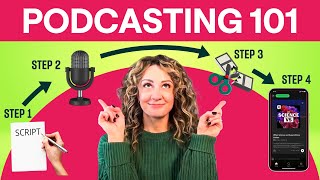
How to Podcast Start to Finish: Step-by-Step Guide
Facts about podcasting for kids
🎙️ The word "podcast" was coined in 2004 as a mash-up of "iPod" and "broadcast".
📅 Many podcasters publish on a regular schedule (weekly is one of the most common choices) so listeners know when to expect new episodes.
🖼️ Podcast artwork should be a clear square; providers like Apple recommend between 1400×1400 and 3000×3000 pixels.
📡 RSS (web feeds) automatically deliver new episodes to subscribers so they appear in listeners' apps without manual downloads.
🌐 Apple added podcast support to iTunes in 2005, which helped podcasts reach millions of listeners.
How do I plan and create a simple podcast release strategy for my child?
What materials do we need to make a kid-friendly podcast release plan?
What ages is creating a podcast release strategy suitable for?
What are the benefits of planning a podcast release schedule for kids?
