Create an obstacle course in Minecraft
Design and build a Minecraft obstacle course with jumps, ladders, parkour, traps, and checkpoints; test, time, and improve it with friends.


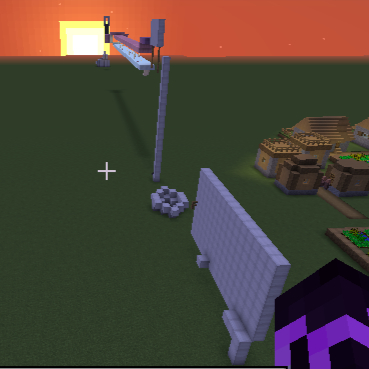
Step-by-step guide to design and build a Minecraft obstacle course
Step 1
Pick a fun theme for your obstacle course like jungle castle or space to make building more exciting.
Step 2
Open Minecraft and create or load a world in Creative mode so you can build without limits.
Step 3
Choose and mark a clear start spot and a finish spot using bright blocks or banners so players know where to begin and end.
Step 4
Plan the order of obstacles you want (jumps ladders parkour traps checkpoints) so the course has a good flow.
Step 5
Build a jump section with platforms spaced so players must leap between them to continue.
Step 6
Add one or more ladder climbs by placing ladders on vertical walls to make players scale up or down.
Step 7
Create a parkour stretch with blocks at different heights and gaps to challenge timing and balance.
Step 8
Add at least one trap using a dispenser pressure plate or piston that surprises or slows players without breaking the course.
Step 9
Place checkpoints by putting beds or respawn anchors in safe little alcoves so players can restart near where they fell.
Step 10
Run through the whole course while timing yourself with the timer to see how long a full run takes.
Step 11
Invite friends to test and race on the course to watch how others play and to collect their ideas.
Step 12
Make improvements to distances obstacle spacing traps or checkpoints based on your tests and your friends’ feedback.
Step 13
Share your finished Minecraft obstacle course on DIY.org so others can see and try your creation.
Help!?
What can I use instead of a respawn anchor for checkpoints if I can't or don't want to use one?
Place beds in safe alcoves as checkpoints or use the /spawnpoint command to set a nearby spawn instead of a respawn anchor.
My players keep failing the jump section—how do I fix that without changing the whole course?
Widen the platforms in the jump section, add lower intermediate platforms or slabs for easier landings, and add a nearby bed checkpoint so players restart close to that obstacle.
How should I change the course for younger kids or older kids?
For younger kids, increase spacing on the jump and parkour stretches, add extra beds as checkpoints, and remove dispenser/piston traps, while for older kids tighten gaps, add ladder climbs and timed pressure-plate or piston traps for more challenge.
How can we personalize or make the obstacle course more advanced after the first version?
Add theme-specific decorations and mobs, install a redstone timer and a simple leaderboard with signs or command blocks, customize start and finish banners, and then share the improved course on DIY.org.
Watch videos on how to design and build a Minecraft obstacle course
How to Make an Outdoor Obstacle Course
4 Videos
How to Make an Outdoor Obstacle Course
Parents' Guide to Minecraft
MINECON 2015 Teaching with Minecraft

We Built The Hardest MAZE in Minecraft
Facts about Minecraft level design
🟩 Minecraft has sold over 200 million copies worldwide, making it one of the best‑selling video games ever.
🧱 In Minecraft each block is a 1‑meter cube — a handy unit for planning jumps and platform spacing.
🏃 Real‑world parkour inspired many in‑game obstacle course designs that test agility and creativity.
🔧 Minecraft's Redstone mechanics let players build automatic traps, doors, and moving platforms without mods.
⏱ Timing and speedruns are popular — players love competing to finish custom courses as fast as possible.
How do I design and build a Minecraft obstacle course with jumps, ladders, parkour, traps, and checkpoints?
What materials and tools do I need to make a Minecraft obstacle course?
What ages is building a Minecraft obstacle course suitable for?
What are the benefits, safety tips, and variations for a Minecraft obstacle course?
