Create an Epic Face Filter w/ TinyIsFiney
Design an epic TinyIsFiney face filter prototype by decorating a printed selfie with markers, stickers, and clear plastic overlays, then photograph your creation.


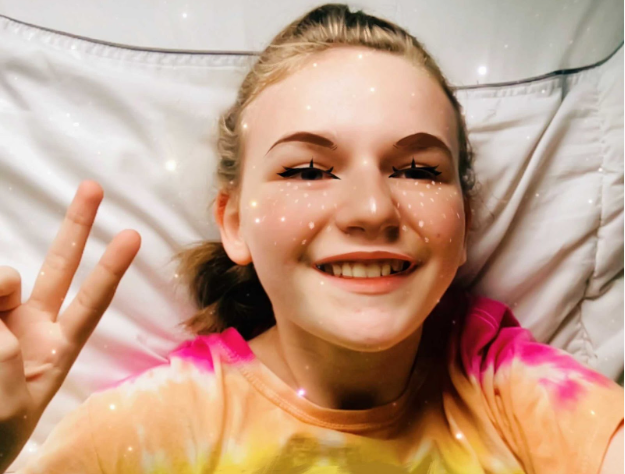

Step-by-step guide to create an epic TinyIsFiney face filter
Step 1
Print your favorite selfie on regular paper or pick a printed selfie you already have.
Step 2
Lay the printed selfie flat on a clean table so it will not move while you work.
Step 3
Pick a fun filter theme and choose two or three decoration ideas like glittery stars funky glasses or a crown.
Step 4
Use colouring materials to draw and color filter pieces directly onto the photo where you want them.
Step 5
Stick stickers onto the photo to add bold shapes and sparkly details.
Step 6
Ask an adult to help you cut a clear plastic overlay to the same size as your printed selfie.
Step 7
Tape one short edge of the plastic overlay to the top of the photo so the overlay can lift like a flap.
Step 8
Draw extra floating effects or highlights on the plastic overlay with markers to make layers for your filter.
Step 9
Add a second overlay and repeat drawing if you want more depth and dimension.
Step 10
Place your finished layered filter in bright even light and photograph it from above making sure there is no glare.
Step 11
Share your finished TinyIsFiney face filter prototype on DIY.org
Help!?
What can we use instead of a clear plastic overlay if we can't find one?
If you can't find a clear plastic overlay for the 'tape one short edge' step, use a clean clear report cover, an overhead transparency sheet, or a cut-open laminating pouch trimmed to the same size as your printed selfie.
My markers smudge on the overlay and my photo photographs with glare — how do I fix that?
To avoid marker smudging on the plastic in 'Draw extra floating effects...' let ink dry fully or use permanent fine-tip markers or paint pens, and reduce glare in the 'Place your finished layered filter' step by photographing in diffuse light (near a north-facing window or under a white sheet) and angling the camera slightly.
How can I adapt this activity for very young kids or older kids?
For younger kids, simplify the 'Use colouring materials' and 'Stick stickers' steps by pre-cutting the plastic overlay and letting them only color and place stickers with adult help for cutting, while older kids can add multiple overlays, detailed marker shading, and experiment with photographing each layer for depth.
What are some fun ways to enhance or personalize our TinyIsFiney face filter prototype?
To enhance the filter beyond 'Add a second overlay', attach small brads or paper hinges so parts like a crown can flip, layer coloured cellophane between overlays for tinted effects, or photograph each layer separately to combine or animate in a simple phone app before sharing on DIY.org.
Watch videos on how to create an epic TinyIsFiney face filter
Ryan's World Funny Face Filters Collections!
3 Videos
Ryan's World Funny Face Filters Collections!

Snapchat filters Make Our Faces Funny On Daddy's iPhone | Pretend Play
How To Add FACE FILTERS in OBS (FREE 2022)
Facts about face filter design and kids' digital art
📸 'Selfie' was Oxford Dictionaries' Word of the Year in 2013.
✨ Augmented reality (AR) blends digital images with the real world — face filters are a hugely popular AR use.
👻 Snapchat introduced interactive Lenses in 2015, which helped make face filters a global trend.
🎨 Many filter designers begin by decorating printed photos or sketching mockups before turning them into digital effects.
🧩 Clear plastic overlays act like physical layers — stacking them adds depth and playful textures to photographed filters.
How do I make an Epic Face Filter with TinyIsFiney?
What materials do I need to create a TinyIsFiney face filter prototype?
What ages is the TinyIsFiney face filter activity suitable for?
What are the benefits of making TinyIsFiney face filter prototypes?
