Create a Tinkercad Account
Create a Tinkercad account with parental permission, set up your profile, and start designing simple 3D models and basic circuits for practical learning.


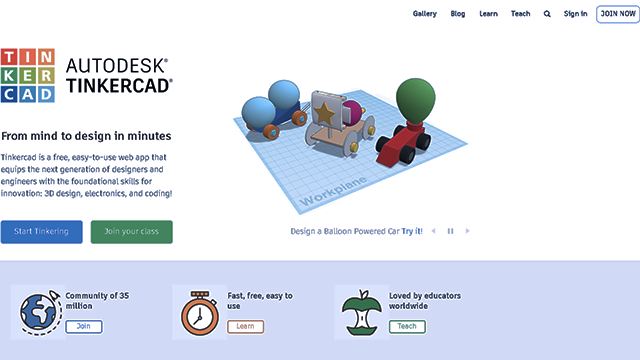

Step-by-step guide to create a Tinkercad account
Step 1
Ask a parent or guardian for permission to create a Tinkercad account.
Step 2
Have your parent help you open a web browser on the computer or tablet.
Step 3
Type tinkercad.com into the address bar and press Enter to go to the site.
Step 4
Click the "Sign Up" or "Join" button to start creating an account.
Step 5
Choose a sign-in method your parent approves (for example email or a trusted sign-in).
Step 6
With your parent, enter the parent email and create a password for the new account.
Step 7
Open the email inbox and click the verification link to confirm your Tinkercad account.
Step 8
Sign into Tinkercad and set your display name and choose an avatar for your profile.
Step 9
Click the button to create a new 3D Design project to open the 3D workplane.
Step 10
Drag a simple shape like a box onto the workplane to begin your first model.
Step 11
Add another shape such as a cylinder and move it into place to build your object.
Step 12
Select the shapes and click Group to join them into one model and then save your design with a name.
Step 13
Open the Circuits area and create a simple LED circuit by placing a battery an LED and a resistor and connecting them so you can run the simulation.
Step 14
Share your finished 3D model and circuit project on DIY.org.
Help!?
What can we use if we don't have a parent email or a computer to complete the Tinkercad signup and first steps?
Use a parent's approved trusted sign-in (step: Choose a sign-in method) or have your parent open tinkercad.com on a tablet or smartphone and use their email to create and verify the account (steps: enter the parent email; open the email inbox and click the verification link).
The verification email never arrived—what should we try so we can confirm the Tinkercad account?
Ask your parent to check their email spam or junk folder, confirm the correct address was entered in the 'enter the parent email' step, and click Tinkercad's 'resend verification' option before trying again.
How can we adapt the activity for younger children or older kids who want more challenge?
For younger kids have a parent handle the account creation and then let the child pick an avatar and drag simple shapes onto the workplane (steps: set your display name and choose an avatar; drag a simple shape), while older kids can Group multiple parts into complex models, build multi-component circuits in the Circuits area, and share or export projects (steps: Select the shapes and click Group; Open the Circuits area; Share).
What are easy ways to extend or personalize the finished 3D model and LED circuit after completing the basic instructions?
Give the design a specific name and custom avatar (steps: save your design with a name; set your display name and choose an avatar), add extra shapes and use Group for moving parts, expand the Circuits project with additional LEDs or a switch, and then export or share the project on DIY.org (steps: Add another shape; Select and click Group; Open the Circuits area; Share your finished 3D model and circuit project on DIY.org).
Watch videos on how to create a Tinkercad account
A Beginners Guide to make a Child Gmail & Tinkercad Account
4 Videos
A Beginners Guide to make a Child Gmail & Tinkercad Account
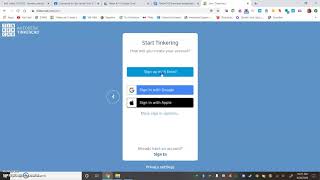
Creating a TinkerCAD Account
How to make a Tinkercad account
Getting Started With Tinkercad: How To Login In Tinkercad | 3D Designing and Modeling For Kids
Facts about 3D design and basic circuits
🖥️ Tinkercad runs entirely in a web browser — no heavy software installs needed, so you can design on many devices.
🤖 Tinkercad includes a circuits simulator where you can build and program virtual Arduino boards before trying real electronics.
🏗️ Designs made in Tinkercad can be exported as STL files that many 3D printers use to make real-world models.
🔧 Autodesk, a major design-software company, acquired Tinkercad and keeps improving it for learners and makers.
🧠 Making 3D models is great practice for spatial thinking and problem-solving — a fun way to exercise your design brain!
How do I create a Tinkercad account and start designing?
What materials do I need to create a Tinkercad account and use the site?
What ages is creating a Tinkercad account and using it suitable for?
What safety and privacy steps should I take when making a Tinkercad account?
