Create a Short Lego Stop-motion Film w/ Speedsorr
Use Speedsorr to create a short Lego stop-motion film by planning scenes, moving bricks frame-by-frame, capturing frames, adding sound, and editing the final clip.


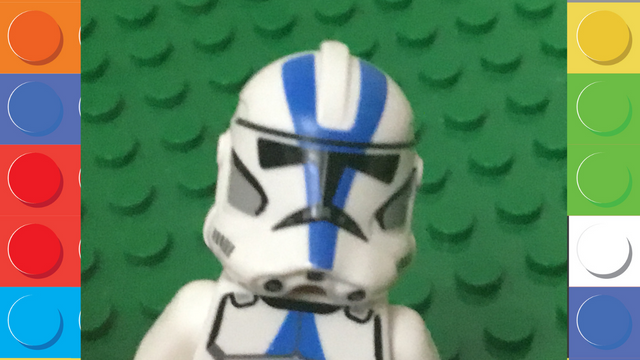

Step-by-step guide to create a short Lego stop-motion film with Speedsorr
Step 1
Gather all your materials and spread them on a clear table so you can reach everything easily.
Step 2
Open the Speedsorr app on your device so it’s ready to take pictures.
Step 3
Draw a tiny storyboard with three boxes for beginning middle and end to plan what will happen.
Step 4
Build the first scene on your baseplate using your Lego and props.
Step 5
Mount your device on the tripod or stable stand so it won’t move while you shoot.
Step 6
Look at the screen and move the device so the whole scene fits inside the frame.
Step 7
Turn on your lamp and aim it so the scene is evenly lit without big shadows.
Step 8
Create a new project in Speedsorr to start your stop-motion film.
Step 9
Set the frame rate in Speedsorr to about 10 to 12 frames per second for smooth motion.
Step 10
Animate your scene by moving characters a tiny bit and then capture a frame; repeat these tiny moves and captures until the action is finished.
Step 11
Play back the frames and delete any blurry or extra pictures you don’t need.
Step 12
Use Speedsorr to record a short voiceover for your characters if you want them to talk.
Step 13
Add music or sound effects in Speedsorr to make your film more exciting.
Step 14
Export your finished clip from Speedsorr to create a single video file.
Step 15
Share your finished Lego stop-motion film on DIY.org so everyone can see your awesome movie.
Help!?
What can I use instead of a tripod, baseplate, or lamp if I can't find them?
If you don’t have a tripod or stable stand, secure your device on a stack of books or a phone stand and use a cardboard or flat cutting board as a baseplate while substituting a desk lamp or flashlight diffused with a tissue for the lamp to evenly light the scene.
My pictures are blurry or the scene jumps when I play the film—what should I check?
Make sure the device is firmly mounted on the tripod or books, pause briefly between each tiny move while animating the scene, use the 10–12 fps setting in Speedsorr, and delete any blurry frames during playback as described in the instructions.
How can I adapt this stop-motion activity for different age groups?
For younger kids (4–6), simplify the tiny storyboard to two boxes, have an adult mount the device and handle Speedsorr while the child makes bigger Lego moves and captures fewer frames, and for older kids (8+), keep the three-box storyboard, use 10–12 fps, perform finer character movements, and add voiceovers and sound effects themselves.
What are easy ways to extend or personalize our Lego stop-motion film?
Customize your film by adding painted or printed backgrounds behind the baseplate, using props or clay for extra expressions, recording character voiceovers and sound effects in Speedsorr, adding a title card before you export the video, and then sharing the finished clip on DIY.org.
Watch videos on how to create a short Lego stop-motion film with Speedsorr
LEGO, but I CAN'T follow INSTRUCTIONS...
4 Videos
LEGO, but I CAN'T follow INSTRUCTIONS...

Kids Build with a LEGO Expert | HiHo Kids
How To Make Modern Lego Art
HOW TO MAKE LEGO R2-D2
Facts about stop-motion animation for kids
🎬 Stop-motion is shot one frame at a time — at 12 frames per second, one minute of video needs 720 individual photos!
🧱 LEGO has produced over 600 billion bricks since 1949, so you'll have plenty of pieces to build scenes and characters.
⏱️ Professional films use 24 fps for super-smooth motion, but many brickfilmmakers use 12 fps to cut the work in half.
🎧 Foley artists (homemade sound effects) are a stop-motion secret: clinks, footsteps, and whooshes make scenes feel alive.
🌐 There are active brickfilm communities and online festivals where kids can share short LEGO stop-motion movies and learn tips.
How do I make a short Lego stop-motion film using Speedsorr?
What materials do I need to create a Lego stop-motion film with Speedsorr?
What ages is making a Lego stop-motion film with Speedsorr suitable for?
What are the benefits of making a Lego stop-motion film with Speedsorr?
