Create a LEGO® scene
Build a detailed LEGO scene using bricks, figures, and props. Plan layout, arrange elements for storytelling, and photograph the finished miniature world.


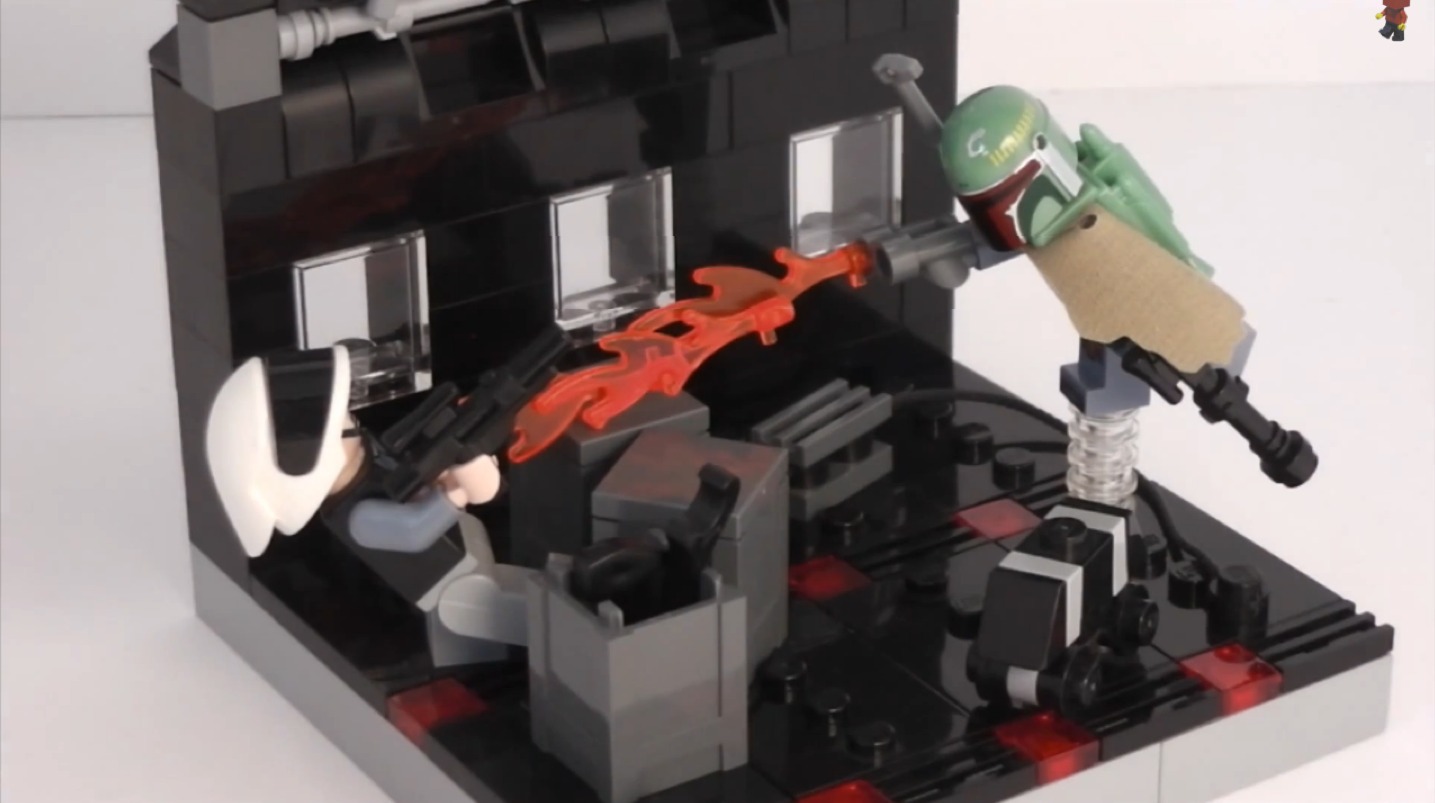

Step-by-step guide to create a LEGO® scene
Top 5 LEGO Stop-Motion Tips | Beginners Tutorial
Step 1
Clear a flat workspace so you have plenty of room to build.
Step 2
Place your LEGO baseplate in the center of your workspace.
Step 3
Spend two minutes drawing a quick sketch of one main idea for your scene on the paper.
Step 4
Sort your LEGO bricks into small piles by color or shape so you can find pieces fast.
Step 5
Build the main landmark for your scene such as a house tree vehicle or castle on the baseplate.
Step 6
Build one or two smaller elements like a market stall bench or tiny garden to add interest.
Step 7
Put minifigures into positions that show what they are doing in your story.
Step 8
Add small props and details like signs flowers or tools to make the scene feel real.
Step 9
Step back and move pieces around until the scene looks balanced and exciting from the front.
Step 10
Take at least three photos of your scene from different angles and heights.
Step 11
Review your photos and choose the one that best tells your LEGO story.
Step 12
Share your finished LEGO scene photo on DIY.org
Help!?
What can we use if we don't have a LEGO baseplate?
If you don't have a LEGO baseplate, place a firm piece of cardboard or a hardcover book cover in the center of your workspace and tape a non-slip mat or paper to it so bricks stay put.
My house or castle keeps falling over—how can we make it sturdier while building on the baseplate?
When your house or castle collapses while you Build the main landmark on the baseplate, reinforce the foundation with wider interlocked layers, add flat plates across joints, and use internal bricks or technic pins for tall walls.
How can we adapt the activity for younger or older children?
For younger children, simplify steps 3–6 by sketching one basic idea, sorting fewer large bricks, and building a single landmark with one small element, while older kids can add detailed props, complex minifigure poses, and compose multiple angled photos.
How can we make the scene more interesting before taking photos and sharing?
To enhance the scene before you Take at least three photos, add a handmade backdrop, tweak minifigure actions and small props for clearer storytelling, experiment with different heights and lighting, and then choose the strongest image to Share your finished LEGO scene photo on DIY.org.
Watch videos on how to create a LEGO® scene
How to create EPIC Fight Scenes for your Lego Stop Motion Animations (5 Tips and Tricks)
4 Videos

How to create EPIC Fight Scenes for your Lego Stop Motion Animations (5 Tips and Tricks)
ULTIMATE Stop Motion Studio TUTORIAL • LEGO Brickfilm How-To for Beginners!

10 Best LEGO Tricks for BEGINNERS!!
How to Make Things Fly Without Computer Effects! LEGO Stop Motion Tutorial for Beginners
Facts about LEGO building and miniature photography
🧱 LEGO bricks made since 1958 still fit with brand-new bricks — that’s clever engineering!
📸 Miniature photographers often use small apertures and close-up lenses to make tiny scenes look huge and realistic.
🎬 LEGO stop-motion films are called “brickfilms” and fans have been making them since the 1970s.
🧍♀️ Swapping a minifigure’s head tilt or arm position can change the whole story of a scene — tiny tweaks matter!
🌍 LEGO scenes typically follow a ‘minifigure scale’ (roughly 1:40), which helps keep buildings and props consistent.
How can I build and photograph a detailed LEGO scene step by step?
What materials do I need to create and photograph a LEGO scene at home?
What ages is building and photographing detailed LEGO scenes suitable for?
What are the benefits of creating LEGO scenes and photographing them?
