Create a job
Invent and design your own job: choose duties, draw tools and workspace, write a short job ad, then role-play applying and interviewing.


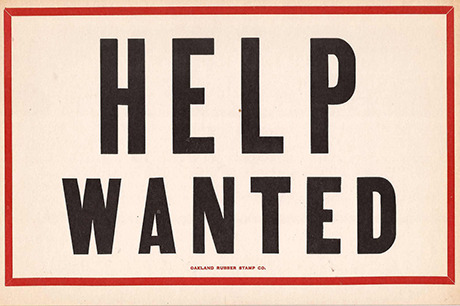

Step-by-step guide to invent and design your own job
LEARNING about JOBS !🌟 VOCABULARY JOBS for KIDS!
Step 1
Choose a job idea and write a clear job title at the top of a fresh sheet of paper.
Step 2
Decide three to five duties this job would do and list each duty under the title.
Step 3
Draw the main tools the job uses on one part of the paper and label each tool.
Step 4
Sketch the workspace where the job happens and add small details like a desk shelf or machine.
Step 5
Design a logo or a simple uniform item for the job on a separate area of your paper.
Step 6
Color the logo or uniform item using your coloring materials.
Step 7
Write a short job ad that includes the job title a few duties and one or two skills needed.
Step 8
Create a one-page application or resume that lists your name your skills and one sentence about why you are right for the job.
Step 9
Write five interview questions the interviewer will ask the applicant.
Step 10
Practice answering each question out loud as the applicant so your answers are clear and confident.
Step 11
Role-play the application and interview with a friend or grown-up taking turns being interviewer and applicant.
Step 12
Share your finished job idea drawings job ad and a short note about your role-play on DIY.org
Help!?
What can we use if we don't have coloring materials or a printer to color the logo/uniform item?
Use crayons, markers, colored pencils, or torn colored magazine paper to collage and color the logo or uniform item on the fresh sheet of paper as described in the 'Color the logo or uniform item' step.
What if my child gets stuck inventing duties or can’t think what tools to draw?
Prompt them to imagine a typical workday and ask 'what three tasks would you do first?' so they can list those duties under the title and draw simple versions of the main tools next to labels to finish the 'Decide three to five duties' and 'Draw the main tools' steps.
How can I adapt this job-creation activity for a preschooler versus a middle-schooler?
For preschoolers, limit it to one duty, a basic drawing of tools and one short practiced answer in the role-play, while middle-schoolers can list up to five duties, design a detailed logo, write a full one-page application/resume and write five interview questions with polished answers.
How can we extend or personalize the finished job idea before sharing on DIY.org?
Build a small diorama or a costume piece from household materials to represent the sketched workspace and tools, photograph the job ad, application/resume and record the role-play to include with the drawings and short note when uploading to DIY.org.
Watch videos on how to invent and design your own job
Kinds of Occupation for Kids - Learn Jobs and Profession for Children
4 Videos
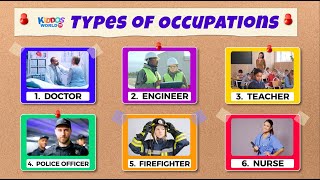
Kinds of Occupation for Kids - Learn Jobs and Profession for Children

Jobs and Occupations I - Vocabulary for Kids
Career Explorers! 🚀👩⚕️👷 Let's Learn About Jobs | Fun Educational Video for Kids
Beginner Listening - A1 01 - Be Verbs - Jobs and Family
Facts about career exploration for kids
🎯 Job ads usually include a job title, duties, qualifications, location, and clear application instructions.
🖍️ Designers and inventors often sketch tools and workspaces first—drawing helps turn ideas into real plans.
🎭 Role-playing interviews is a proven way to build confidence and practice answers like "Tell me about yourself."
📝 Short, specific job ads get more attention—clear duties and perks help people decide quickly.
🌟 Many modern jobs (like social media manager or app developer) didn’t exist 30 years ago—new ideas can become real careers.
How do you run the activity 'Invent and design your own job' with a child?
What materials do I need to invent and design a job with my child?
What ages is inventing and designing your own job suitable for?
What are the benefits of doing the job-invention and role-play activity?
