Create a Cool Camp DIY GIF
Make a simple stop-motion camp GIF using a phone or tablet, paper props, and an app; photograph frames, edit, and share with friends.




Step-by-step guide to create a cool camp DIY GIF
Step 1
Gather all the materials from the list and bring them to a clear workspace.
Step 2
Think of a short simple camp story that will fit into a few seconds like roasting a marshmallow or a tent popping open.
Step 3
Create a simple campsite background on a sheet of paper and color it.
Step 4
Make three to six paper props for your story like a tent a campfire and a marshmallow on a stick and color them.
Step 5
Carefully cut out your paper props using scissors with adult supervision if you need help.
Step 6
Tape the background flat to your table or floor so it will not move while you shoot.
Step 7
Arrange your props on the background to show the starting scene of your story.
Step 8
Prop your phone or tablet on a stack of books so the camera points straight down at the scene.
Step 9
Open your stop motion app and choose the frame by frame shooting mode.
Step 10
Frame the first scene on the screen so every prop you want to see is inside the shot.
Step 11
Press the app button to take the first photo and capture your starting frame.
Step 12
Move one prop a tiny bit to show the next small action in your story.
Step 13
Press the app button to take the next photo to capture that small movement.
Step 14
Repeat Steps 12 and 13 until you have about 12 to 30 photos or your story looks finished then play the frames in the app and adjust the speed if needed.
Step 15
Export your animation as a GIF in the app and share your finished creation on DIY.org
Help!?
What can I use if I don't have a stop-motion app or a tablet/phone?
If you don't have a stop-motion app, use your phone's camera to take the sequence of photos following Steps 11–14 and then upload the images to a free online GIF maker (for example ezgif.com) to export a GIF.
My animation looks jumpy or things move between photos—how do I fix that?
If your GIF looks jumpy or props leave the frame, secure the background with tape (Step 6), stabilize your phone on a stack of books (Step 8), and use tweezers or the corner of a ruler to make the tiny movements called for in Step 12 so each photo lines up.
How can I adapt this activity for different ages?
For younger kids, keep the story very simple with 3–6 props and about 12 photos and have an adult do the cutting (Steps 3–5 and 13), while older kids can make detailed multi-layer backgrounds and use 20–30 frames (Step 14) to create smoother motion.
What are some easy ways to extend or personalize the camp GIF?
To personalize and enhance your GIF, add a tiny LED tea light behind the paper campfire and slightly change its flame cut-out or position between frames (Steps 4, 12, and 14) so the exported GIF (Step 15) shows a realistic flicker.
Watch videos on how to create a cool camp DIY GIF
Easy Camping crafts for kids⛺️🏕 | DIY Camping Tent and Campfire activities for Preschoolers⛺️🏕
3 Videos
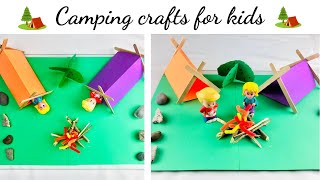
Easy Camping crafts for kids⛺️🏕 | DIY Camping Tent and Campfire activities for Preschoolers⛺️🏕
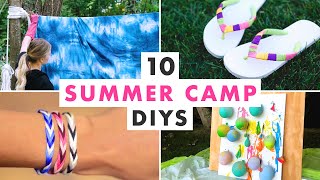
10 Classic Summer Camp Craft Projects | Art Projects for Kids
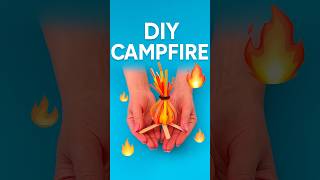
DIY Camping Fire Craft 🔥 | Popsicle Stick & Paper Campfire for Kids #diy #craft #craftyfun #kids
Facts about stop-motion animation for kids
🎞️ Stop-motion animation has been used since the late 1800s, making it one of the oldest animation techniques.
🖼️ GIFs (Graphics Interchange Format) were introduced by CompuServe in 1987 and are famous for looping images.
⏱️ A 5-second GIF at 12 frames per second needs about 60 photos — a perfect short stop-motion project.
📱 Most modern smartphones can shoot quick bursts of photos, so you can make stop-motion without special cameras.
🏆 Stop-motion has produced award-winning films like "The Wrong Trousers" (1994) and "Coraline" (2009).
How do I make a stop-motion camp GIF with my phone or tablet?
What materials and apps do I need to create a camp stop-motion GIF?
What ages is making a stop-motion camp GIF suitable for?
What are the benefits of making stop-motion camp GIFs for kids?
