Compete in first® lego® league
Build and program a LEGO robot, design a team research project, practice missions, and present your solution while preparing to compete in FIRST® LEGO® League.


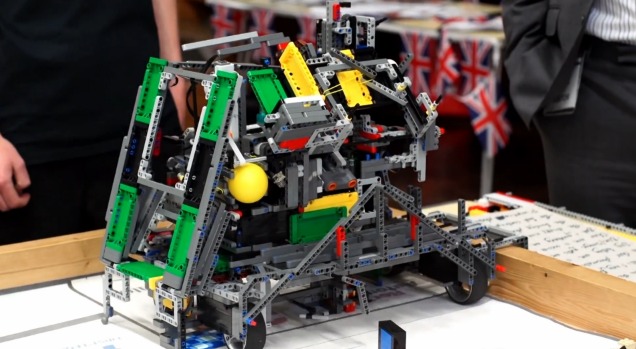

Step-by-step guide to compete in FIRST® LEGO® League
Getting Started with FIRST LEGO League Challenge
Step 1
Choose your team members for FIRST LEGO League.
Step 2
Read the official FIRST LEGO League challenge and scoring guide carefully.
Step 3
Build a basic driving robot chassis that can hold attachments.
Step 4
Program a simple drive routine to move forward 30 centimeters turn 90 degrees and stop.
Step 5
Select one mission from the challenge to focus on first.
Step 6
Sketch an attachment idea in your notebook for that mission.
Step 7
Build the mission attachment from your LEGO pieces.
Step 8
Attach the mission attachment to your robot.
Step 9
Run the robot on that mission on the challenge mat.
Step 10
Make one change to your attachment or program to improve the run.
Step 11
Choose a research question for your team project.
Step 12
Research the question and write three key facts in your notebook.
Step 13
Create a short poster or slide with your research findings.
Step 14
Practice presenting your poster and your robot solution aloud with your team.
Step 15
Share your finished creation on DIY.org
Help!?
What can we use if we don't have the official FIRST LEGO League guide, mat, or specific motors/sensors?
If you can't get the official FIRST LEGO League challenge and scoring guide, mat, or specific motors/sensors, download and print the guide and mat PDF or draw the mat on poster board and use standard LEGO Technic motors plus a smartphone timer or compass as substitutes.
My robot doesn't drive exactly 30 cm or turn 90° and the attachment keeps falling off—how do we fix that?
Calibrate by measuring your wheel circumference to convert rotations to centimeters, adjust motor power or add a gyro/rotation-count check for the 30 cm/90° routine, and secure the mission attachment with extra beams, friction pins, or a clip before running on the challenge mat.
How can we adapt the steps for younger kids or older/advanced students?
For younger kids, pre-build a sturdy driving chassis from larger LEGO pieces and use a single-block drive program while they sketch and snap on a simple attachment, and for older students add sensors, modular attachments, and a deeper research question with three cited facts for the poster.
What are simple ways to extend or personalize our robot and project after the first run?
Extend the activity by building modular mission attachments to swap between runs, adding a team logo or color-coded labels to the chassis, tracking run times and success rates to refine the program, and sharing photos and a summary on DIY.org.
Watch videos on how to compete in FIRST® LEGO® League
FIRST LEGO League Challenge SUBMERGED Robot Game Missions Video
4 Videos
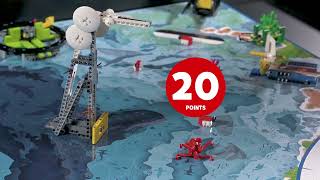
FIRST LEGO League Challenge SUBMERGED Robot Game Missions Video

About FIRST LEGO League

Welcome to the FIRST LEGO League UNEARTHED Season
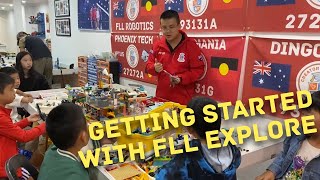
FIRST LEGO League Explore: Everything You Need to Know to Get Started!
Facts about robotics and STEM competitions for kids
🤖 Teams build and program their robots using LEGO platforms like LEGO Mindstorms and SPIKE Prime.
🧩 Each FLL season has a new themed challenge where teams complete several missions in a 2½‑minute robot match.
🏅 FIRST LEGO League launched in 1998 and has grown into a global program that inspires young engineers.
🌍 FLL events happen worldwide — students from over 100 countries take part in challenges and fairs.
💡 Besides the robot, teams research a real‑world problem and present an innovative solution to judges.
How do you prepare a team to compete in FIRST® LEGO® League?
What materials do I need for FIRST® LEGO® League?
What ages is FIRST® LEGO® League suitable for?
What are the benefits of participating in FIRST® LEGO® League?
