Circuit bend a battery-powered toy
Safely circuit-bend a battery-powered toy with adult supervision, using clip leads and switches to create new sounds, rhythms, and blinking light effects.


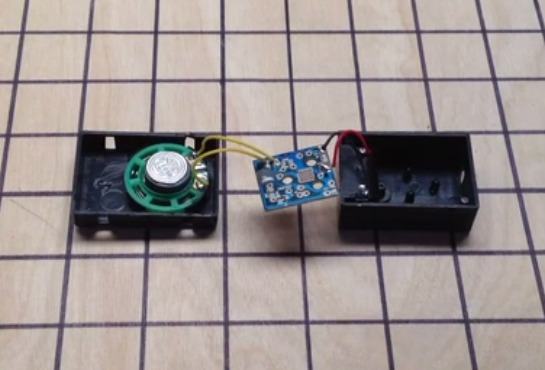

Step-by-step guide to circuit-bend a battery-powered toy
Add recorded sound to anything - Change sound from toys n gadgets
Step 1
Gather all the materials and sit at a clear workspace.
Step 2
Choose a small battery-powered toy that makes sounds or blinks and check it uses AA AAA or a 9V battery.
Step 3
Remove the batteries from the toy and set them aside.
Step 4
Put on your safety goggles.
Step 5
Ask an adult to open the toy case using the screwdriver.
Step 6
Ask the adult to point out and mark the speaker motor and any LED wires or exposed test points with small pieces of tape.
Step 7
Agree with the adult that you will never clip leads directly to the battery terminals or touch both battery ends at the same time.
Step 8
Clip one alligator lead to the speaker wire or speaker terminal that the adult marked.
Step 9
Clip another alligator lead to one of the other marked test points on the circuit board.
Step 10
Ask the adult to attach the slide switch between the two clip leads so you can turn the bent circuit on and off.
Step 11
Replace the batteries with adult help.
Step 12
Turn the toy on and toggle the slide switch or move the clip leads while listening and watching for new sounds and blinking effects.
Step 13
Tape the clip leads or the switch in place with electrical tape with adult help when you find a setup you like.
Step 14
Ask the adult to close the toy case and screw it back together.
Step 15
Share your finished circuit-bent toy on DIY.org.
Help!?
What can we use if we don't have alligator leads or a slide switch?
If you don't have alligator leads or a slide switch, an adult can substitute insulated crocodile clips and a toggle or push-button switch salvaged from an electronics kit or old toy while still following the steps to mark the speaker/motor and test points and never clipping leads to the battery terminals.
The toy makes no new sounds when we move the clips — what should we check?
If you hear no change, have the adult confirm one alligator lead is clipped to the marked speaker wire or terminal and the other to a marked test point, that the slide switch is connected between the clips, the batteries were replaced correctly, and that clips aren't touching other metal parts on the circuit board.
How can I adapt these steps for younger or older kids?
For younger children have the adult do the screwdriver work, mark the speaker/LED/test points, and attach the clips while the child watches, wears safety goggles, and simply toggles the slide switch, whereas older kids can try adding extra alligator leads, a potentiometer, or multiple test points to explore more sounds with adult supervision.
How can we enhance or personalize the finished circuit-bent toy?
You can tape the clip leads or an externally mounted slide switch in place with electrical tape, wire a small LED to the marked LED lead, decorate the case, then close it with the adult and share recordings or photos of the new sounds and blinking effects on DIY.org.
Watch videos on how to circuit-bend a battery-powered toy
Using an Arduino to make my daughter's toy play custom audio
4 Videos

Using an Arduino to make my daughter's toy play custom audio
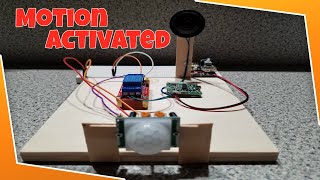
How To Create A Simple DIY Motion Activated Sound Device With A Relay Module For Beginners
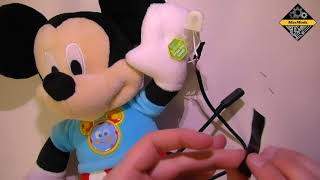
How to Adapt a Battery-Operated Toy

Learn how to adapt a toy in minutes using a battery interrupter and switch
Facts about electronics safety and circuit bending for kids
🎛️ Reed Ghazala is often called the "father of circuit bending" for popularizing creative short-circuiting of toys.
🧸 Toys like the Speak & Spell are famous targets for circuit bending because their quirky digital voices make wild new sounds.
🔋 Working with battery-powered toys is safer for beginners since they use low-voltage DC instead of household mains electricity.
🔌 Clip leads and mini switches let you make reversible changes so you can experiment without permanently modifying the toy.
🎶 Circuit-bent instruments have been used by experimental musicians and bands to create unique textures in recordings and live shows.
How do you safely circuit-bend a battery-powered toy?
What materials do I need to circuit-bend a toy?
What ages is this circuit-bending activity suitable for?
What are the benefits and safety tips for circuit-bending with kids?
