Choose Your Podcast Topic Idea
Brainstorm and choose a podcast topic idea, research key facts, outline three episodes, and record a short pilot to practice speaking and interviewing.


Step-by-step guide to Choose Your Podcast Topic Idea
Step 1
Find a quiet spot where you can think and talk without interruptions.
Step 2
Set a timer for 10 minutes to brainstorm podcast ideas.
Step 3
During the timer write down as many podcast topic ideas as you can think of.
Step 4
Read your list and circle the idea that excites you the most.
Step 5
Spend 15 minutes researching three key facts about your chosen topic using trusted books or websites and write them down.
Step 6
Write a one-sentence description that tells what your podcast is about.
Step 7
On index cards or in your notebook write three episode titles and one-line ideas for each.
Step 8
Plan your pilot episode by writing a short outline that includes a one-sentence intro two interview questions and a one-sentence closing.
Step 9
Ask a family member or friend to be your guest for a practice interview.
Step 10
Record a 2–3 minute pilot of your episode using a device while you ask your two questions and speak clearly.
Step 11
Listen to your recording all the way through without changing anything.
Step 12
Write down two things you did well and two things you want to improve.
Step 13
Make one small change from your notes to improve your next try.
Step 14
Record a new short pilot that uses the improvement you made.
Step 15
Share your finished pilot episode and your episode plan on DIY.org.
Help!?
What can we use if we don't have index cards, a notebook, or a recording device?
Use printer paper folded into cards or sticky notes instead of index cards/notebook, and record your 2–3 minute pilot with a smartphone, tablet, or the voice‑recorder app on a computer.
What should we do if we keep getting interrupted or the recording sounds bad?
Move to a different quiet spot, put your device in airplane mode, do a quick test recording to check volume and background noise before the full 2–3 minute pilot, and use headphones with a built‑in mic if needed.
How can this activity be changed for younger or older kids?
For younger kids shorten the 10-minute brainstorming to 5 minutes and have an adult help with the 15-minute research and the practice interview, while older kids can expand research time, write more episode titles in the notebook or on index cards, and add extra interview questions for a longer pilot.
How can we make the podcast project more creative or professional?
Add a short music intro, design cover art that matches your one-sentence description, invite an expert for a guest after the practice interview, and apply the two improvement notes from your first listen before sharing the pilot on DIY.org.
Watch videos on how to Choose Your Podcast Topic Idea
How Can Students Make Their Own Podcast?
4 Videos
How Can Students Make Their Own Podcast?

Best Podcasts for Kids - Jenny's top 8 picks!
Teaching Students How to Create Their Own Podcasts | Webinar
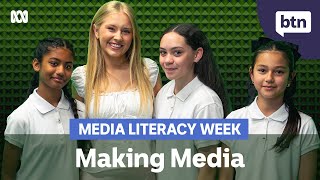
Meet the kids who are producing a podcast at their school. - Behind the News
Facts about podcasting for kids
🎙️ The word "podcast" is a mash-up of "iPod" and "broadcast," coined around 2004.
🧑🤝🧑 Adam Curry and Dave Winer are often credited with making some of the first widely recognized podcasts in 2004.
📻 There are millions of podcast shows worldwide, covering everything from science to silly stories!
🕒 Many creators start with short pilot episodes (10–15 minutes) to practice and build listeners slowly.
✂️ Simple audio editing can remove pauses and "ums," making a recording sound polished without redoing the whole take.
How do I do the 'Choose Your Podcast Topic Idea' activity with my child?
What materials do I need to run this podcast topic activity?
What ages is this 'Choose Your Podcast Topic Idea' activity suitable for?
What are the benefits of doing this podcast pilot activity with my child?
