Sed Facts For Kids
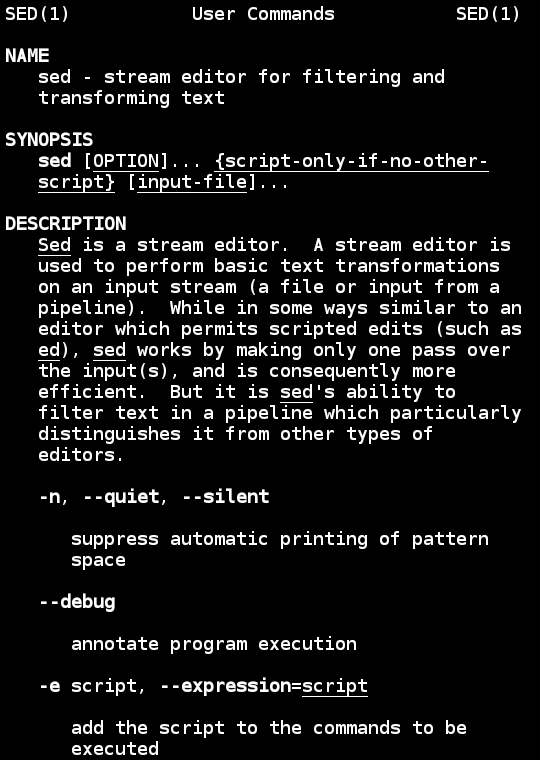
sed is a command-line utility that allows users to parse and transform text efficiently by applying a series of editing commands.
Select reading age
Sed Facts For Kids
Videos & Quizzesincluded
About this topic
sed is a cool tool used in computers for editing text 🎉! It stands for "stream editor," and it helps you change words, lines, and even whole files quickly. Imagine you have a huge book and you want to change "cat" to "dog" in the entire book. With sed, you can do that in a snap! It's mainly used in computer programming and is helpful for people who write code. 🎈You can find it on many operating systems like Linux and macOS. Just like how you use crayons to color your drawings, programmers use sed to color up their text!
Explore with ChatDinoKey Points
Sed was created back in 1973 by a genius named Lee E.
Let's dive into some fun examples!
Using sed is fun and easy!
Once you get the hang of sed, there's more to explore!
Regular expressions (or regex for short) are like magical spells for text 🎩!
Sometimes, things don’t go as planned when you use sed 🤔.
Sed has some super cool commands you can use!
There are other tools like sed!
🚀 History Of Sed
Sed was created back in 1973 by a genius named Lee E. McMahon! 🚀The first version of sed ran on a computer called UNIX. UNIX is a powerful operating system still used today. Sed became popular because it helped programmers save time. 📅If you think about it, saving time is like shortening your homework! Over the years, sed got updated with new features, just like how video games get updates! 🎮Today, texters everywhere continue to use it to make their work easier, just like how you use markers to draw faster!
Go deeper🎈 Practical Examples
Let's dive into some fun examples! 🎈Say you have a list of fruits:
```
apple
banana
orange
```
If you want to change "banana" to "grape," you would use:
`sed 's/banana/grape/' fruits.txt`.
Now your list says:
```
apple
grape
orange
```
Cool, right? Or, imagine you want to count how many times the word "fun" shows up in your report. You can use:
`grep 'fun' report.txt | wc -l`
to tell you. With sed and these tricks, you become a text-editing wizard! 🧙♂️✨
Go deeper```
apple
banana
orange
```
If you want to change "banana" to "grape," you would use:
`sed 's/banana/grape/' fruits.txt`.
Now your list says:
```
apple
grape
orange
```
Cool, right? Or, imagine you want to count how many times the word "fun" shows up in your report. You can use:
`grep 'fun' report.txt | wc -l`
to tell you. With sed and these tricks, you become a text-editing wizard! 🧙♂️✨
🎨 Basic Syntax And Usage
Using sed is fun and easy! 🎨The simplest command looks like this:
`sed 's/old/new/' filename`. Here's what it means!
- `s` stands for "substitute" like when you swap a toy with a friend.
- `old` is the word you want to change.
- `new` is the word you want to use instead.
- `filename` is the name of the file you’re changing!
For example, if you have a toy named "Jack" and you want to call him "Jill," you'd use sed like this. 🚀"Jack" becomes "Jill" in the text!
Go deeper`sed 's/old/new/' filename`. Here's what it means!
- `s` stands for "substitute" like when you swap a toy with a friend.
- `old` is the word you want to change.
- `new` is the word you want to use instead.
- `filename` is the name of the file you’re changing!
For example, if you have a toy named "Jack" and you want to call him "Jill," you'd use sed like this. 🚀"Jack" becomes "Jill" in the text!
🌈 Advanced Features And Tips
Once you get the hang of sed, there's more to explore! 🌈You can use sed to do more things, like using `-i` to edit files in place—no need to create duplicates! Remember to check your work often. A cool trick is to combine commands! For example:
`sed -e 's/old/new/g' -e 's/hello/world/g' filename` changes "old" to "new" and "hello" to "world" all in one go! 🎉
Experimenting and practicing makes you a sed expert! 🎉Practice on different files, and watch your skills grow, just like watering a plant! 🌱
Go deeper`sed -e 's/old/new/g' -e 's/hello/world/g' filename` changes "old" to "new" and "hello" to "world" all in one go! 🎉
Experimenting and practicing makes you a sed expert! 🎉Practice on different files, and watch your skills grow, just like watering a plant! 🌱
🎩 Regular Expressions In Sed
Regular expressions (or regex for short) are like magical spells for text 🎩! They help you find patterns, like searching for all words that start with "s". In sed, you can write something like `^s` to match any line that begins with an "s". 🌟You can also use `.` to match any letter. For example, `s.*g` finds all words that start with "s" and end with "g". This makes it super easy to work with big amounts of text! Regex might seem tricky, but once you practice, it's like riding a bicycle! 🚴♀️
Go deeper🤔 Troubleshooting Sed Scripts
Sometimes, things don’t go as planned when you use sed 🤔. If your command doesn't work, don't worry! First, double-check the syntax. Did you spell everything correctly? 🕵️♂️ If you see an error message, read it carefully—it's like a clue! Also, make sure your file is named correctly; it's easy to mix up files! If it still won't work, try running the command step-by-step. If you don't understand something, asking a friend or teacher can help you figure it out! 🤝
Go deeper🎉 Common Commands And Patterns
Sed has some super cool commands you can use! 🎉One popular command is `d`, which means "delete." For example, if you want to erase the word "unicorn" in your text, you would write:
`sed '/unicorn/d' filename`.
You can also use `p` for "print." Want to find lines that have "candy"? You’d write:
`sed -n '/candy/p' filename`.
There's even the `a` command to "append" new text. So if you want to add "yum!" after every line, it looks like this:
`sed 'a yum!' filename`! 🍭Just like adding sprinkles to ice cream, these commands make your text nicer!
Go deeper`sed '/unicorn/d' filename`.
You can also use `p` for "print." Want to find lines that have "candy"? You’d write:
`sed -n '/candy/p' filename`.
There's even the `a` command to "append" new text. So if you want to add "yum!" after every line, it looks like this:
`sed 'a yum!' filename`! 🍭Just like adding sprinkles to ice cream, these commands make your text nicer!
🚀 Sed Vs. Other Stream Editors
There are other tools like sed! 🚀One popular one is called awk, which is great for working with tables of data. Imagine reading a list of your friends and their favorite colors. awk helps you find specific columns! 😃Then, there's a tool called `perl` which is like a super advanced calculator for text. However, sed is usually faster for simple changes, like finding and changing words! 🎯So, if you want speed and simplicity, sed is your best friend in text editing!
Go deeper