Minecraft Texture Packs
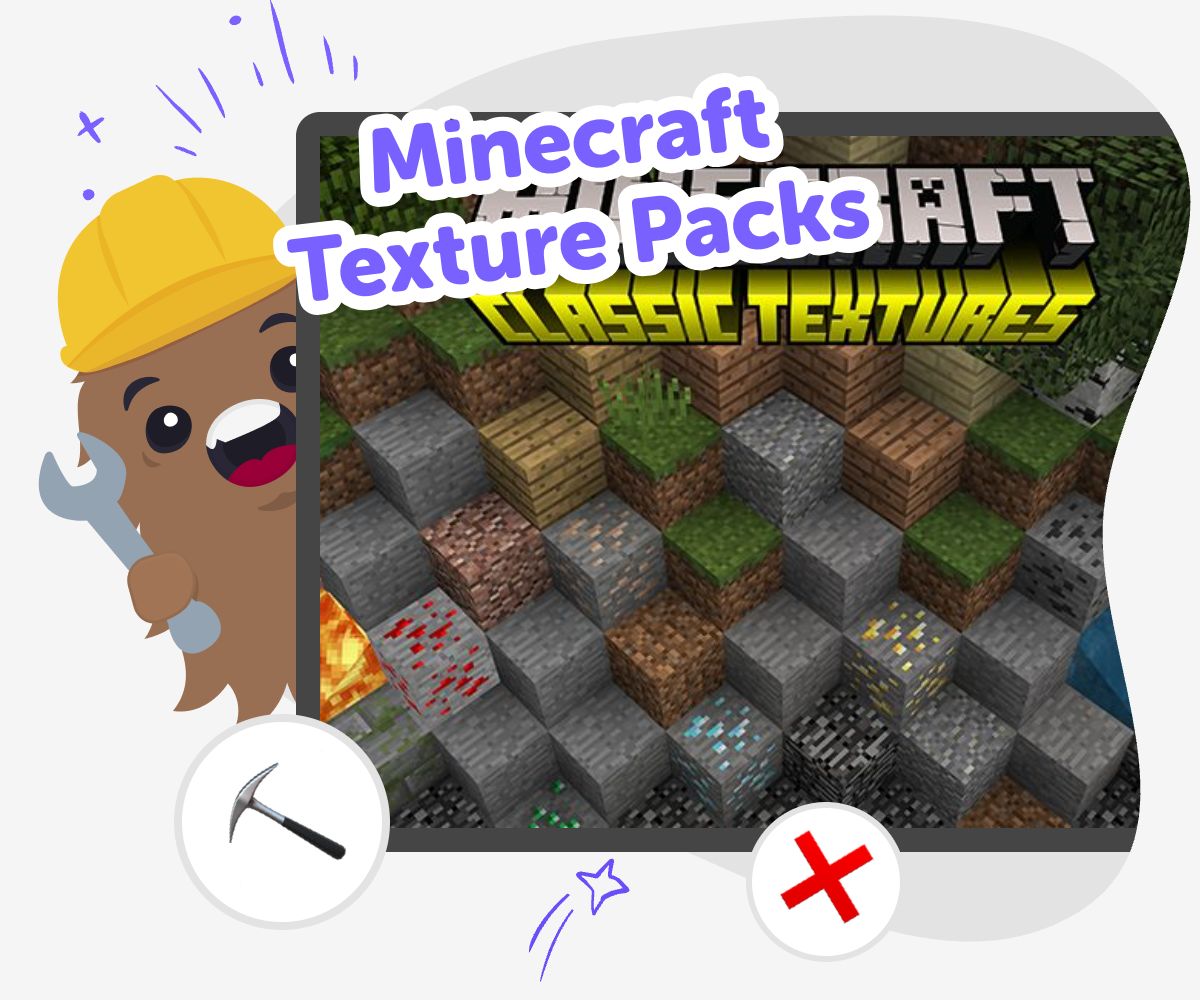
Minecraft texture packs let kids change how the game looks by swapping in new colors, patterns, and art styles. This page helps kids understand what minecraft texture packs are, why players use them, and how creative tools can help them explore visual design ideas by making and testing their own themed project.
Make Custom Game Looks
Minecraft texture packs change the way blocks, items, menus, and creatures look in the game. They can make Minecraft feel bright, spooky, cozy, funny, or totally new, which is why minecraft texture packs are a creative way for kids to think about style, detail, and visual choices while they play and build. Learning about texture packs also helps kids notice how design changes the mood of a game. A small change in color or pattern can make a world feel very different, and that makes this topic a simple way to explore creativity, observation, and personal expression.
Vibe Coding gives kids a guided place to turn those visual ideas into a hands-on project. Kids can try out theme ideas, change details step by step, test what works, and improve their project with support, so experimenting feels playful and safe. The focus stays on making and learning, not on instant results. Kids practice turning an idea into something visible, then revising it until it feels like their own creative work.
What are Minecraft texture packs?
Minecraft texture packs are sets of images that change how the game looks. They do not usually change the rules of the game, but they can make blocks, tools, mobs, and menus look different. That means a texture pack can make Minecraft feel like a rainy forest, a candy world, a deep cave, or a bright cartoon scene. For kids, this is a great way to see how art and design can change the feeling of a game without changing how the game is played. Texture packs are often a first step into game design because they are visual, easy to notice, and fun to compare. Kids can learn that small design choices, like color, texture, and shape, help tell a story and guide what players expect before they even press a button.
Why do players use them?
Players use Minecraft texture packs to make the game feel more personal, more readable, or more playful. Some packs help a game world feel cozy and simple, while others make it look dramatic, funny, or themed around a favorite idea. Kids may like texture packs because they can match a story they want to imagine, such as a castle adventure, a winter world, or a bright city. Texture packs can also help players notice details in new ways, which supports careful observation. When kids think about why a pack looks a certain way, they start to understand that design is not random. It is a choice that affects mood, clarity, and style. That makes texture packs useful for both creativity and critical thinking, especially when kids compare different looks and explain what each one makes them feel.
Can kids make their own versions?
Yes, kids can explore the ideas behind their own versions of Minecraft texture packs by starting with a theme and building from there. They may sketch colors, name the textures they want, or make a simple mockup of how the world should feel. The important part is not perfection. The important part is trying ideas, noticing what works, and changing details when something does not fit. This process teaches iteration, which means making something, testing it, and improving it. With a guided tool like Vibe Coding, kids can turn a concept into a small interactive project and keep adjusting it step by step. That helps them practice coding confidence and creative decision-making while staying focused on making something they understand and control.
How do texture packs help learning?
Minecraft texture packs can support learning because they connect art, design, language, and problem-solving. Kids practice describing a mood, choosing a theme, and explaining why one color or pattern works better than another. They also learn to notice details and make careful comparisons, which are useful skills in school and beyond. When kids build or test a themed project with Vibe Coding, they practice planning, revising, and solving small problems as they go. That helps them learn that creative technology is something they can shape, not something that just happens to them. The project becomes a safe place to experiment, make mistakes, and improve ideas. Over time, kids build confidence because they can see their own choices turning into a finished result that reflects their thinking.
Explore Texture Packs
Notice the look
Look closely at different Minecraft texture packs and name the colors, shapes, and details that change the game’s feel.
Choose a theme
Pick one idea like ocean, space, candy, or spooky and write a few textures that would match it.
Build a simple draft
Use Vibe Coding to turn your theme into a small guided project, then test how the visual choices fit together.
Make the most of testing
Check what feels clear Look for blocks, items, or icons that are easy to spot and parts that blend together too much. Small changes in color or shape can make the design easier to read. Try one change at a time Swap a single texture, color, or label so you can tell what improved the look. This makes it easier to compare versions and notice patterns. See how it feels to play Open the project from start to finish and notice whether the style matches the theme you chose. If something feels off, adjust it and test again. Keep the best version Save the version you like most, then try a new idea later to keep learning. Each round of testing helps you get better at making creative choices with confidence.
Frequently asked questions
What do Minecraft texture packs change?
Minecraft texture packs change the look of the game, such as blocks, tools, items, mobs, and menus. They usually do not change the basic rules of play, but they can make the world feel very different.
Are texture packs the same as mods?
No. Texture packs focus on visuals, while mods often change how the game works. A texture pack may make the game look new, but it usually keeps the gameplay the same.
Can kids make their own Minecraft texture pack ideas?
Yes. Kids can start by choosing a theme, then sketching colors, patterns, and styles they want to see. They can also use Vibe Coding to turn those ideas into a guided creative project and keep improving it step by step.
What makes a good texture pack theme?
A good theme is clear and easy to imagine. Ideas like ocean, space, candy, jungle, or winter help kids pick colors and patterns that match the mood they want.
Do texture packs help with creativity?
Yes. Texture packs help kids think about style, mood, and visual choices. They learn that changing small details can make a big difference in how a game feels.
How can kids test whether a design works?
Kids can compare versions, look for confusing details, and check whether the colors and shapes match the theme. Testing helps them notice what feels smooth, readable, and fun.
Is it safe for kids to explore Minecraft texture packs?
Yes, when kids use trusted, age-appropriate tools and get help from a parent, teacher, or moderator when needed. It is also smart to keep the focus on making, learning, and sharing safely.
What should kids try after learning about texture packs?
They can design a themed game look, make a simple mockup, or build a small interactive project that uses the same style ideas. Vibe Coding is a helpful place to practice those creative steps and build confidence.
More tools
Build Steve from Minecraft
Build Steve from Minecraft is a kid-friendly creative project that helps kids explore character design, game ideas, and digital making. With guided support, kids can shape their own version of Steve, test ideas, and learn by improving their work step by step.
Build Worlds Hardest Quiz Game
Build worlds hardest quiz game ideas into a playful challenge where kids can make, test, and improve a quiz that feels smart, surprising, and fun to play. With guided help, kids can turn their own questions into an interactive project that grows with every round.
Build X Trench
Build x trench is a kids-first topic about making a small trench or channel design for a game, model, or creative project and learning how shape, direction, and testing change the result. Kids can explore the idea by planning, building, and improving a project step by step with Vibe Coding, a guided creative coding studio that helps turn ideas into playable and interactive builds.
Chore Charts for Kids – Free Chore Chart Templates and Generator
Create personalized chore charts for kids to build routines, responsibility, and reward systems.
Ready to start creating?
Join hundreds of thousands of kids already building cool stuff on DIY.ORG.
Your first game is on us.
Describe a game below - no sign-up needed to try.
Powered by AstroSafe
Make real games - not just chat