Build Steve from Minecraft
Build Steve from Minecraft is a kid-friendly creative project that helps kids explore character design, game ideas, and digital making. With guided support, kids can shape their own version of Steve, test ideas, and learn by improving their work step by step.
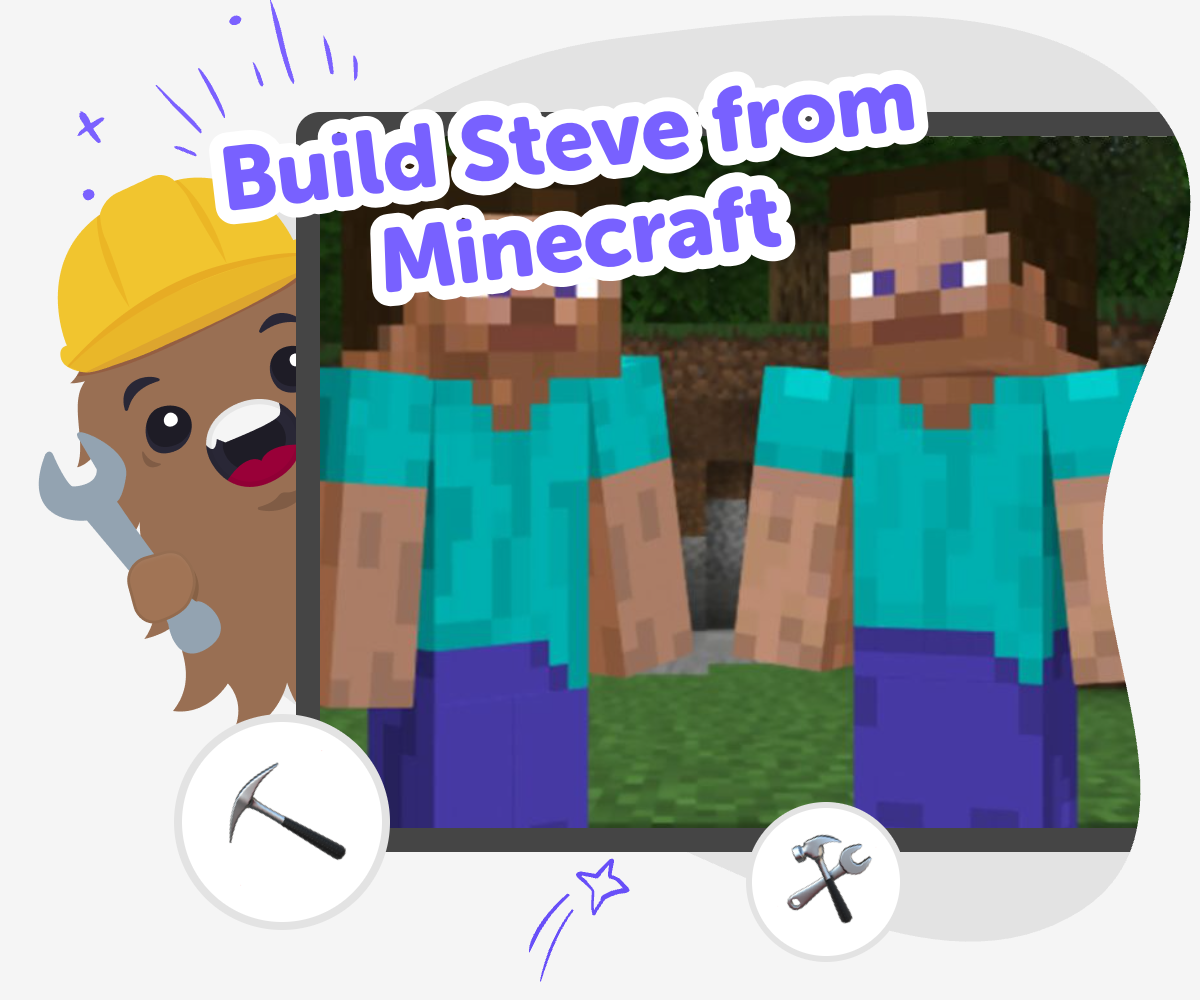
Build Steve from Minecraft
Build Steve from Minecraft is a fun way for kids to turn a familiar character into a creative project of their own. It can help kids think about shapes, features, outfits, and simple choices while practicing how to plan and make something step by step. This kind of project matters because it builds confidence. Kids get to try ideas, notice what works, and make changes as they go, which is a friendly way to learn creative problem-solving.
Vibe Coding gives kids a guided place to explore the idea safely and hands-on. They can describe what they want to make, shape the project piece by piece, and keep testing changes until it feels right. That makes the topic more approachable without doing the work for them. Kids stay in charge of the creative choices while the tool supports experimenting, learning, and improving along the way.
Why do kids like building Steve?
Steve is one of the most familiar characters in Minecraft, so he gives kids a clear starting point for making. A familiar character can make a creative project feel easier because children already know some of the shapes, colors, and tools they might want to include. That leaves more room to focus on ideas, choices, and problem-solving instead of wondering where to begin. Kids can try a classic look or invent a new version, such as explorer Steve, builder Steve, or winter Steve. Each choice helps them practice creativity in a way that feels recognizable and fun. When kids build from something they already know, they often feel more confident trying new things because the first step is less intimidating and the project feels possible from the start.
What skills do kids practice while making Steve?
A project like this can support several important skills at once. Kids practice noticing details, because they need to think about what makes the character look like Steve and what changes make it feel unique. They also practice planning, since they must decide what to make first and what can be changed later. If something does not look right, they get to test an idea, compare it with their goal, and improve it. That kind of cycle builds problem-solving and patience. Kids also learn that creative work is not only about getting the first try perfect. It is about experimenting, making choices, and revising. Those habits are useful in art, coding, games, and everyday learning because they teach children how to keep going when a project needs another attempt.
How can kids make it their own?
Kids can make a Steve project feel personal by adding details that match their own interests. They might change the outfit, choose a theme, or give the character a job, like mining, building, exploring, or celebrating a season. They can also think about mood. A cheerful Steve might have bright colors, while an adventure version might look ready to travel. Small changes can make a big difference, and that is a great lesson for young makers. It shows that creativity does not always mean starting from zero. Sometimes it means taking a familiar idea and remixing it in a new way. Vibe Coding supports that process by helping kids try one change at a time, see the result, and keep adjusting until the project feels like their own.
Why is safe, guided making helpful?
Kids learn best when they can explore with support. A guided creative tool helps keep the process calm, clear, and age-appropriate, which matters when children are making digital projects. Instead of feeling stuck or overwhelmed, they can move in small steps and understand what to do next. That makes it easier to stay focused and enjoy the process. Safe, guided making also gives kids room to experiment without pressure. They can try something, see what happens, and change it if needed. That supports confidence because mistakes become part of learning, not a reason to stop. With the right support, kids can build creative technology skills while still feeling in control of their ideas and comfortable with the process.
How to build Steve
Start with Steve
Think about the version of Steve you want to make, such as classic Steve, a winter outfit, or a pretend adventure version. Choose a simple idea so you can focus on the parts that matter most.
Pick the features
List the details that make Steve recognizable, like blocky shapes, clothes, colors, and tools. Keep your choices clear and simple so the design is easy to build and change.
Build and test
Use Vibe Coding to turn your idea into a project you can try out. Check what appears on screen, notice what looks right, and adjust the parts that need work.
Make the most of testing
Try a remix Change one detail, like a color, outfit, or tool, so your version of Steve feels more like your own idea. Check the details Look at the shape, spacing, and labels to make sure the project is easy to understand and fun to use. Improve the idea Keep the parts you like, fix the parts that feel confusing, and test again to see what changes help. Share carefully Show your finished version to a trusted person, then save your favorite design and keep building new versions when you want to explore more.
Frequently asked questions
What does it mean to build Steve from Minecraft?
It means making your own creative version of Steve, using your own choices for style, details, and purpose. Kids can keep it simple and familiar or change parts to make the character feel new.
Can kids make their own version of Steve?
Yes. Kids can make a version that matches their ideas, such as a miner, builder, explorer, or seasonal version. The fun is in choosing what makes the character feel recognizable and what makes it unique.
Is this a good first project for creative coding?
Yes. A familiar character can make the project feel less overwhelming because kids already know the starting point. That helps them focus on making decisions, testing ideas, and improving their work.
What can children learn from this kind of project?
They can learn planning, problem-solving, creativity, and how to improve a project step by step. They also practice making choices and checking whether their ideas work the way they hoped.
Do kids need to copy the character exactly?
No. They can start with the familiar look of Steve and then change details to make the project their own. Small changes in color, outfit, or theme can make the result feel personal.
How does Vibe Coding help with this project?
Vibe Coding gives kids a guided place to shape their idea, test it, and keep improving it. It supports the process without doing the creative work for them, so kids stay involved in each step.
Is this safe for younger kids?
It can be, especially when kids use a guided tool and a trusted adult is nearby if needed. The project is designed to feel clear, creative, and manageable for kids who are learning by doing.
What should kids try after their first version?
They can change one detail at a time and test again. Trying a new color, outfit, or theme is a simple way to learn how small edits can change the whole feel of a project.
More tools
Create Minecraft Mobs
Create Minecraft Mobs is a kid-friendly way to imagine new creatures, think through what they do, and bring those ideas to life through guided making. Kids can plan a mob’s look, behavior, and personality, then use Vibe Coding to build, test, and improve an interactive version step by step. It is a creative project for learning by doing, building confidence, and turning game ideas into something original.
Create Minecraft Mods
Create Minecraft Mods is a kid-friendly way to imagine new blocks, items, creatures, and game rules, then shape those ideas into something playable and fun. It helps kids learn how game ideas become real by testing, changing, and improving them step by step.
Create Minecraft Pixel Art
Create Minecraft pixel art by turning simple shapes, bright colours, and block-by-block planning into pictures that feel like they belong in a game world. Kids can explore how tiny squares build bigger scenes, characters, and icons while practicing focus, creativity, and pattern-making. With Vibe Coding, they can sketch ideas, test layouts, and improve their designs through guided, hands-on making.
Create Minecraft Skins
Create Minecraft skins by designing a character look that feels personal, playful, and ready to use in your world. Kids can explore colours, shapes, themes, and small details while learning how creative choices turn an idea into something unique.
Ready to start creating?
Join hundreds of thousands of kids already building cool stuff on DIY.ORG.
Your first game is on us.
Describe a game below - no sign-up needed to try.
Powered by AstroSafe
Make real games - not just chat