Minecraft Coding
Minecraft coding is a creative way for kids to turn ideas for worlds, games, and challenges into things they can build and change. It helps kids learn problem-solving, practice clear thinking, and grow confidence by making and testing projects step by step with guided support.
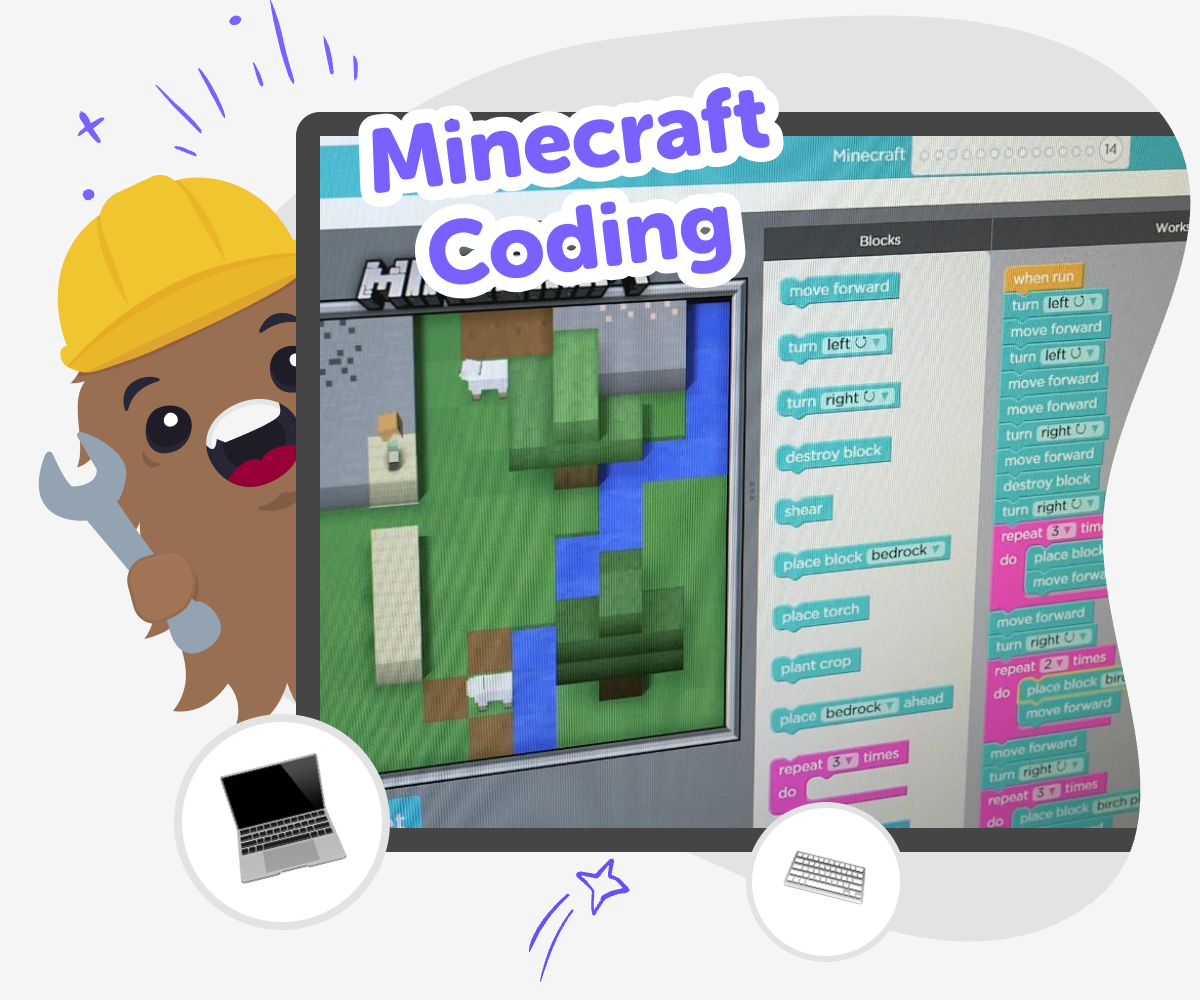
Minecraft Coding Basics
Minecraft coding is a way for kids to learn by making, not just watching. It turns game ideas into small projects they can shape, test, and improve, which helps build problem-solving, creativity, and confidence one step at a time. It matters because kids learn best when they can try something, see what happens, and make it better. Minecraft coding gives them a fun reason to practice clear thinking while building something they care about.
Vibe Coding supports this kind of learning with guided help that keeps the process hands-on and approachable. Kids can describe a game, app, story, or invention they want to make, then use the tool to build, test, and improve it as they go. That makes the topic feel playful and manageable while still putting the child in charge of the creative choices.
What does Minecraft coding mean?
Minecraft coding means using code ideas to shape something inside or inspired by Minecraft, like a game rule, a challenge, a helper, or a world with special actions. For kids, it is less about memorizing hard terms and more about learning how instructions work. A project can start very small, such as making one object appear, one rule change, or one simple action happen when a player does something. That small start matters because it helps kids see that coding is a way to make things happen on purpose. When they test their idea, they also practice noticing what worked, what did not, and what to change next. That cycle builds confidence and makes coding feel more like building than guessing.
Why is it good for kids to try?
Minecraft coding is a good fit for kids because it connects learning to play. Many children find it easier to focus when they are making something they can imagine using or sharing. Coding in a Minecraft style project can support creativity because kids get to choose the idea, the setting, and the challenge. It also supports problem-solving because projects rarely work perfectly the first time. Kids learn to spot errors, adjust their plan, and try again. That is an important skill in school and in everyday life. Just as important, this kind of making can help kids feel proud of their own ideas. When a project changes because of their choices, they can see that their thinking matters.
How does guided making help?
Guided making helps kids stay active in the process without getting lost in too many steps at once. Instead of facing a blank screen, they can start with an idea and use support to turn it into something testable. That matters for younger kids, and it also helps older kids who want to move faster while still learning well. With a guided approach like Vibe Coding, kids can describe what they want, shape the project, test it, and improve it in small pieces. This makes coding feel safer and less overwhelming because there is room to experiment. It also encourages kids to keep going when something needs fixing, which is a big part of learning how creative technology works.
How can kids stay safe and confident?
Safety in Minecraft coding starts with age-appropriate projects, clear guidance, and a focus on making rather than comparing. Kids do best when the goal is to explore ideas, not to copy complicated builds or chase perfection. A safe learning space also means children can test ideas without pressure and ask for help when something feels confusing. Confidence grows when kids are encouraged to make one change at a time and notice progress along the way. They do not need to know everything at once. In fact, trying, adjusting, and learning from mistakes is often the best part. When kids can return to a project and improve it, they learn that coding is a skill they can grow.
How to Start
Choose an idea
Pick a Minecraft-style project to build, such as a challenge, a mini-game, a helper tool, or a new adventure world.
Describe what it should do
Write a simple description of the goal, the players, and the fun part you want people to notice first.
Build and test it
Use guided coding help to shape the project, try it out, and change parts that do not feel right yet.
Make the most of testing
Try a remix Change one part of the project so you can see how it affects the game or world. Check what works Run through the project again and notice where players might get stuck or confused. Improve it step by step Adjust the idea, test it again, and keep the parts that feel fun and clear. Save your best version Keep the version you like most so you can return later and build on it some more.
Frequently asked questions
What is Minecraft coding for kids?
Minecraft coding for kids is a way to make game-style projects by using code ideas to create actions, rules, and interactive features. It helps children learn by building, testing, and improving their own ideas.
Do kids need to be good at coding before starting?
No. Kids can start with a simple idea and learn as they go. The best beginner projects use small steps, clear goals, and lots of chances to test and change things.
What kinds of projects can kids make?
Kids can make mini-games, challenges, helper tools, story worlds, or other creative inventions inspired by Minecraft. The goal is to build something interactive that feels fun and personal.
Is Minecraft coding hard for younger kids?
It can be made simple for younger kids by using small projects and guided support. When the steps are clear and the project is broken into pieces, kids can learn without feeling stuck.
How does coding help with learning?
Coding helps kids practice problem-solving, planning, and persistence. It also teaches them how to test ideas, notice what happens, and make improvements based on what they learn.
Can kids make their own game ideas?
Yes. Kids should start with their own idea whenever possible, because it makes learning more meaningful. Even a small idea like a simple challenge or tool can be a strong coding project.
Is it safe for children to try creative coding tools?
It can be safe when the tool is designed for kids, the projects are moderated, and the learning stays age-appropriate. Guided tools like Vibe Coding are meant to support making and experimenting in a child-friendly way.
How can kids keep improving a project?
They can try one change at a time, test it, and decide whether it makes the project better. Repeating that loop helps kids understand that coding is something they can keep growing over time.
More tools
Create a Minecraft Bee Skin
Create a Minecraft Bee Skin and bring a bright, friendly bee character to life with a hands-on creative tool. Kids can explore colours, patterns, and simple design choices while making something playful that feels personal in-game.
Create a Minecraft Bow
Create a Minecraft Bow is a kid-first creative topic that helps young makers understand how a simple game item can become a starting point for building, testing, and improving their own ideas. Kids can learn what a bow does, how it fits into play, and how to turn that idea into something interactive with guided support.
Create a Minecraft Cat Skin
Create a Minecraft Cat Skin is a kid-friendly way to design a cat character that feels personal, playful, and ready for the game world. Kids can imagine colors, patterns, and tiny details that make their skin stand out, then use guided creative coding to build, test, and improve the idea step by step.
Create a Minecraft Chicken Skin
Create a Minecraft Chicken Skin is a kid-friendly way to design a playful character look for Minecraft. Kids can choose colours, patterns, and tiny details, then use Vibe Coding to explore ideas step by step and make a skin that feels original and fun.
Ready to start creating?
Join hundreds of thousands of kids already building cool stuff on DIY.ORG.
Your first game is on us.
Describe a game below - no sign-up needed to try.
Powered by AstroSafe
Make real games - not just chat