Create a Minecraft Chicken Skin
Create a Minecraft Chicken Skin is a kid-friendly way to design a playful character look for Minecraft. Kids can choose colours, patterns, and tiny details, then use Vibe Coding to explore ideas step by step and make a skin that feels original and fun.
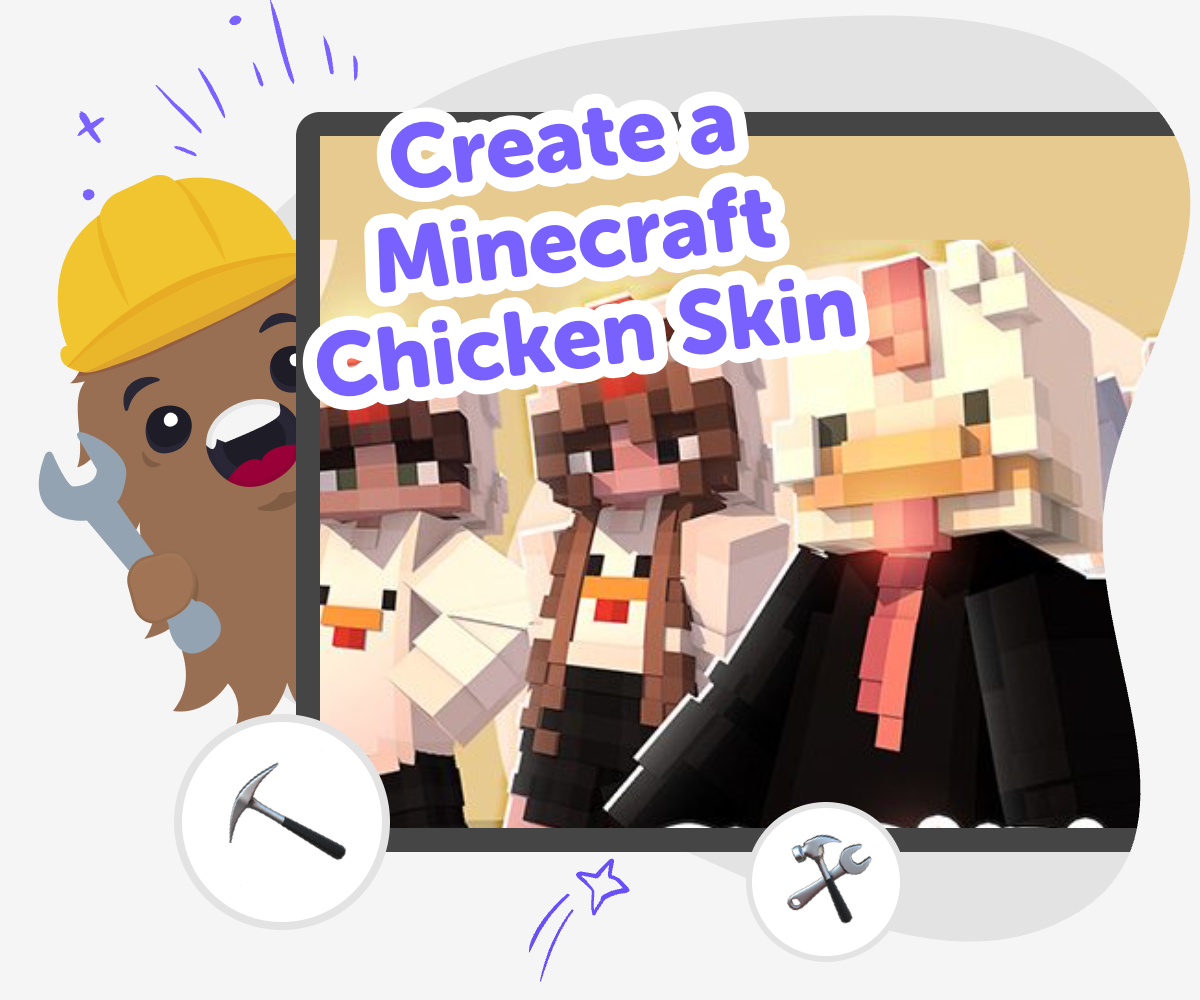
Minecraft Chicken Skin Ideas
Create a minecraft chicken skin by choosing colours, shapes, and tiny details that make a character feel funny, cute, or bold. This project matters because it helps kids practise creative choices, notice how design changes a look, and turn a simple game idea into something personal. It also shows that small decisions can make a big difference. Kids learn that making something original does not have to be hard when they take one step at a time.
Vibe Coding gives kids a guided place to explore the idea step by step. They can try a look, see how it feels, adjust the details, and keep improving it with support that makes creative coding feel friendly and manageable. The tool stays in the background as a helper while the chicken skin stays the main project. Kids keep making, testing, and revising until the design feels clear, playful, and their own.
What makes a Minecraft chicken skin special?
A Minecraft chicken skin lets kids turn a familiar game character into something with personality. Instead of using the usual look, they can make the chicken funny, colourful, cosy, brave, or even themed like a superhero, a winter bird, or a party chicken. The best part is that the character still reads as a chicken, but small design choices change the feeling completely. That makes this project a good lesson in visual storytelling. Kids begin to notice how colour, shape, and tiny details can say a lot without needing many words. It is also a friendly starter project because the shape is simple, yet there is still plenty of room to be original. Kids can try ideas, compare versions, and improve their work one step at a time.
Why do kids enjoy making their own skins?
Kids often enjoy skin-making because it gives them a way to show their personality inside a game they already know. A skin can feel silly, calm, bold, neat, or messy, and each choice tells a different story. That makes the project more than decoration. It becomes a chance to make something that feels personal and creative. Kids also learn that making things is not only about getting the first try perfect. They can change colours, adjust details, and keep improving until the design feels right. That kind of practice builds confidence and problem-solving skills. A chicken skin is especially approachable for younger makers because the character is simple, familiar, and playful, so kids can focus on creativity without feeling overwhelmed by a big project.
How does Vibe Coding support this project?
Vibe Coding helps kids work through the idea in a guided, hands-on way. They can describe the kind of chicken they imagine, then build, test, and improve it with step-by-step support. That matters because creative projects feel easier when kids can try something, see what happens, and make small changes without getting stuck. The tool supports the process behind a Minecraft chicken skin by making experimentation feel safe and manageable. Kids are still the makers. They are choosing, adjusting, and solving little design problems as they go. That builds coding confidence and creative technology skills while keeping the focus on play and learning. It is a good match for kids who want to make something original and learn how ideas become real through practice.
How can kids make the skin feel like theirs?
Kids can make a chicken skin feel personal by choosing a theme and staying consistent with it. They might use bright colours for a cheerful bird, soft colours for a gentle one, or strong patterns for a more dramatic style. They can also think about a tiny story behind the design, like whether the chicken lives in a farm world, a snowy world, or a rainbow world. Those small choices help the skin feel like a character, not just a template. The best results often come from trying a few ideas, comparing them, and keeping the parts that feel most fun and clear. That process teaches kids that creativity grows through exploration. It also helps them see that a simple game character can become something special when they make thoughtful choices.
How to make it
Pick your chicken idea
Choose one clear style for your chicken, like funny, cosy, bold, or bright. A simple theme makes the rest of the skin easier to design.
Set the main colours
Decide on a small colour mix for the body, beak, wings, and feet. Keeping the palette tidy helps the chicken look clear in Minecraft.
Add tiny character details
Draw in small features like spots, stripes, a tiny hat, or bright eyes. These little choices help the skin feel unique without making it hard to read.
Make the most of testing
Try the skin in a few views Look at the chicken from different angles and notice which parts stand out. This helps you spot details that are too busy or too faint. Improve one part at a time Change one colour, line, or pattern, then check the result again. Small edits make it easier to see what helped the design. Compare your versions Keep two or three tries if you can, then choose the one that feels clearest and most like your idea. Comparing versions helps you notice your best choices. Save and share safely Keep the version you like best, then show it to a trusted adult or friend in a safe, age-appropriate way. You can always come back later and make another remix.
Frequently asked questions
What is a Minecraft chicken skin?
A Minecraft chicken skin is a custom look for a chicken character in the game. Kids can change the colours and details so the chicken feels funny, cute, cool, or themed in a way that matches their idea.
Is making a chicken skin good for beginners?
Yes. A chicken has a simple shape, so it is a friendly place to start. Kids can practise basic design choices like colour, pattern, and small details without needing a big or complicated project.
What should I decide first?
Start with the mood of the chicken. Decide whether it should feel silly, calm, brave, or playful, then choose colours and details that match that idea.
Can kids make their own chicken versions?
Yes. Kids can make their own version by choosing colours, adding patterns, and giving the chicken a personal style. Small changes can make the final design feel very different.
How does a skin become easier to read?
A skin is easier to read when the colours are clear and the details are not too crowded. Keeping the design simple helps the chicken’s face and shape stand out in the game.
What if my first idea looks messy?
That is normal. Kids can change one part at a time, like the face, feet, or pattern, and test again. Creative projects often get better through small improvements.
Is it safe for kids to try this with help?
Yes, especially when a trusted adult or a guided kid-friendly tool is part of the process. The goal is to keep the project creative, age-appropriate, and easy to follow.
What can kids learn from this project?
Kids can build design confidence, practise problem-solving, and learn that trying, testing, and improving are part of making. It is a simple way to explore creative technology skills.
More tools
Build a Typing Game
Learn how to build a typing game with simple, kid-friendly steps that turn letters, speed, and challenges into a fun project. Kids can explore how typing games work, why they are a great way to practice keyboard skills, and how to keep improving a game through testing and creative changes.
Build a Unicorn Clicker Game
Build a unicorn clicker game with a kid-friendly creative coding studio that helps kids turn a sparkling idea into an interactive project they can test, change, and improve step by step.
Build a Unit Circle Game
Build a unit circle game with a hands-on creative coding approach that helps kids explore angles, fractions, and circle thinking by making, testing, and improving an interactive project.
Build a Vine Boom Soundboard
Build a vine boom soundboard and learn how a simple sound effect can make jokes, reactions, and videos feel more playful. This kids-first page explains the idea in a clear, creative way and helps young makers explore it with guided, hands-on coding.
Ready to start creating?
Join hundreds of thousands of kids already building cool stuff on DIY.ORG.
Your first game is on us.
Describe a game below - no sign-up needed to try.
KidsGPT has moved!
Log into ChatDino to access your chats
Powered by AstroSafe
Make real games - not just chat