Create a Minecraft Bee Skin

Create a Minecraft Bee Skin and bring a bright, friendly bee character to life with a hands-on creative tool. Kids can explore colours, patterns, and simple design choices while making something playful that feels personal in-game.
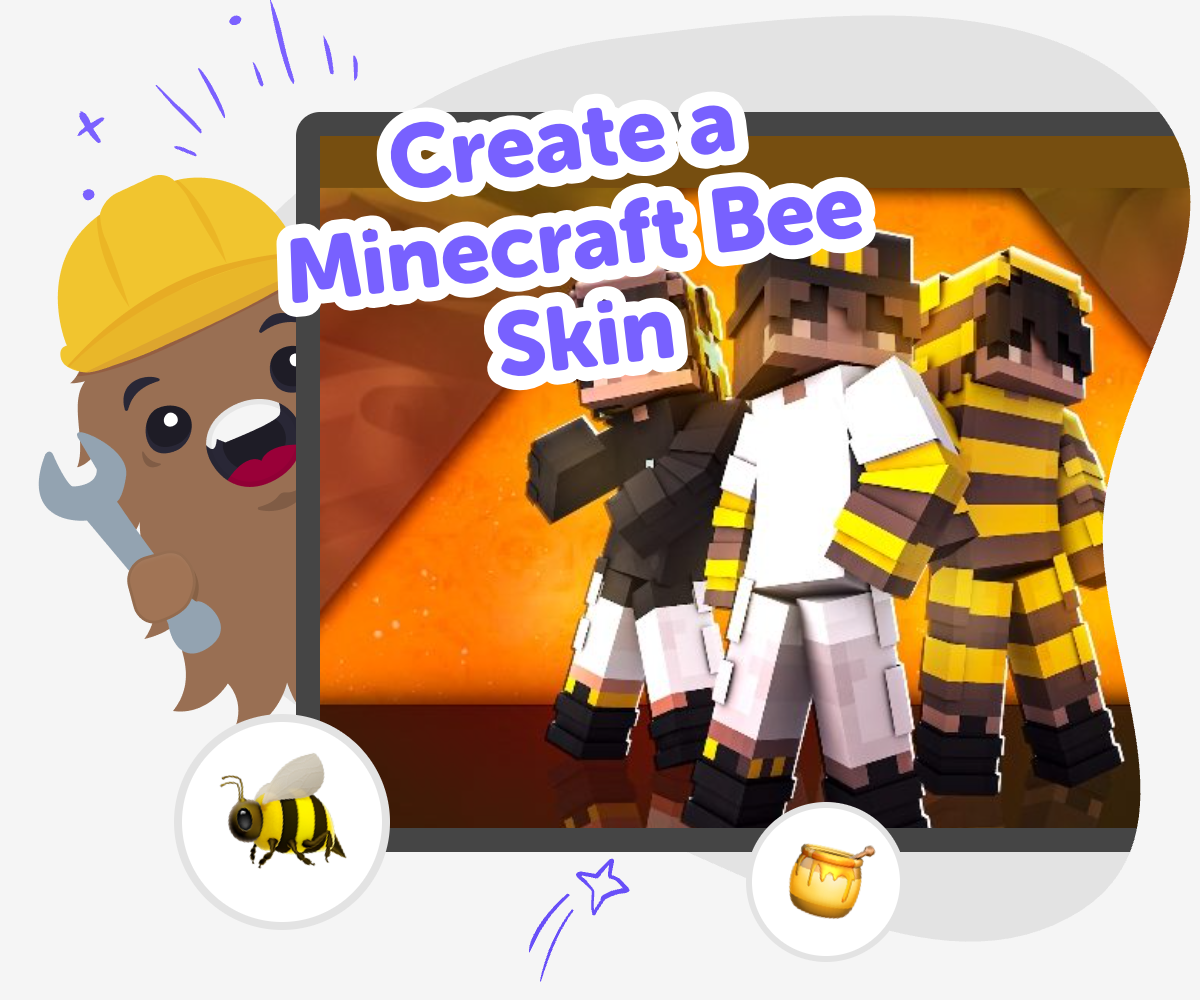
Create a Minecraft Bee Skin hero

Bee Skin Ideas

Create a Minecraft bee skin by choosing a bright look that feels clear, friendly, and easy to spot in the game. Kids can think about colours, stripes, and simple shapes while learning how small design choices change the whole character. That matters because good skin design is not just about looking cute. It also helps kids practice careful making, notice details, and build confidence as they try ideas, compare results, and improve the version they like best.

Vibe Coding gives kids a guided place to explore a Minecraft bee skin by making it step by step. They can describe the look they want, build it with help, test how it feels, and adjust the design as they go. The tool keeps the process creative and safe by supporting experimentation instead of replacing it. Kids stay in charge of the choices, which helps them learn by doing and turn a simple bee idea into something they made themselves.

How to build it

Step 1 - Pick the bee look

Choose the parts that make the skin feel like a bee, such as yellow and black colours, wings, stripes, or a friendly face. Keep the design simple enough that it is easy to recognise in game.

Step 2 - Sketch the details

Plan where the stripes, eyes, and wing shapes should go on the skin. Decide which parts should stay bright and which parts should be darker so the bee shape reads clearly.

Step 3 - Build and test

Use the guided tool to create the skin, then check how it looks on the character. If something feels too busy or hard to see, change the colours or shapes and try again.

Step 4 - Make the most of testing

Try a new colour balance Swap one shade or shape at a time so you can see what changes make the bee easier to spot and more fun to wear. Check the character from every side Look at the front, back, and arms to make sure the pattern still makes sense and nothing important gets hidden. Keep the parts clear Simpler stripes, wings, and face details can make the skin look cleaner and easier for other players to recognise. Save your favourite version Keep testing small changes until the bee skin feels playful, neat, and ready to share safely with friends or family.

What makes a Minecraft bee skin look like a bee?

A good Minecraft bee skin uses a few clear details that are easy to notice right away. Yellow and black stripes are the biggest clue, but the shape of the face, wings, and body pattern also matters. Kids do not need to copy a real bee exactly. They can turn the idea into a blocky character that fits Minecraft style. The most important part is recognisability: if someone can see the skin and quickly think “bee,” the design is working. Simple choices often work better than too many tiny details, especially on a character made from square pixels. That is why planning the main colours first can help kids keep the design tidy, friendly, and fun.

Why do kids like making skins?

Making a skin gives kids a chance to turn an idea into something personal. Instead of using the same character as everyone else, they can choose colours, shapes, and small details that match their own style. A bee skin is a good first project because it is cheerful, easy to understand, and flexible enough for many creative ideas. Some kids may want a cute bee, while others may want a bold, superhero-style bee. Both can work. This kind of project also builds confidence because kids get to make a choice, test it, and improve it. That practice of changing and retrying is a big part of creative making, both in games and in real life.

How can a skin stay clear in game?

Minecraft skins look best when the design is simple enough to read from far away. That means the main colours should be strong, and the important parts should not be too crowded. For a bee skin, a few wide stripes can work better than many tiny ones, and a clear face shape can help the character feel friendly. It also helps to check how the skin looks on different parts of the model, because arms, legs, and the head all show details in different ways. Kids learn a useful design lesson here: if something is hard to see in the game, it may need fewer shapes or stronger contrast. Clear design makes the skin easier to enjoy and easier to share.

What does Vibe Coding add to the process?

Vibe Coding helps kids build the skin as a creative project instead of treating it like a one-time answer. They can start with an idea, then adjust it step by step, which makes experimenting feel safe and manageable. If the skin does not look right at first, that is part of the process. Kids can change the colours, simplify a stripe pattern, or try a different wing shape and see what happens. This kind of guided making supports problem-solving and coding confidence because kids learn that projects get better through testing, not guessing. The tool stays focused on creating and improving, so kids can explore the topic with support while still making the choices themselves.

Frequently Asked Questions

What is a Minecraft bee skin?

Why would a kid want to make one?

Do bee skins need lots of detail?

Can kids make their own version of the idea?

Is this kind of project good for beginners?

How does Vibe Coding help with the skin?

Is it safe for kids to explore?

What can kids learn from making a bee skin?

Why 500,000 families trust DIY

User Avatar

Martin

Dad to 2 DIYers

My son loves DIY! He always finds fun projects to do, and we enjoy making things together. It’s a great way to learn, create, and have fun at the same time!

User Avatar

Pearl

DIYer from USA

DIY is such a great app with really sweet people and moderators who always make sure this app is super safe. You can learn to create things or learn drawing techniques - honestly there is so much to do.

User Avatar

Elaine W.

Middle school teacher

I love logging onto DIY every day - not just for projects but to also look at the comments my kids share about each other's work. It's a brilliant way to foster healthy support systems!

User Avatar

Jenn L.

Mom to 3 DIYers

We absolutely love the DIY platform and its endless river of creative adventures and projects! We always have the best time together participating, learning and creating!

Ready to create?

Make

To create a safe space for kid creators worldwide!

Create

Vibe Coding

Kids GPT

All Tools

Kibu

Learn

Worksheets

Courses

Skills

Resources

SafeTube

Blog

FAQ

Pricing

Account

Log-in

Sign-up

Data Deletion

Company

About

Community Guidelines

Privacy Policy

Terms of Service

2025, URSOR LIMITED. All rights reserved. DIY is in no way affiliated with Minecraft™, Mojang, Microsoft, Roblox™ or YouTube. LEGO® is a trademark of the LEGO® Group which does not sponsor, endorse or authorize this website or event. Made with love in San Francisco.
