Make Minecraft Skin
Make Minecraft Skin is a creative way for kids to design a character look that feels personal, playful, and ready to show off. Learn what a Minecraft skin is, why kids like making their own, and how guided making with Vibe Coding can help turn an idea into something fun to build, test, and improve.
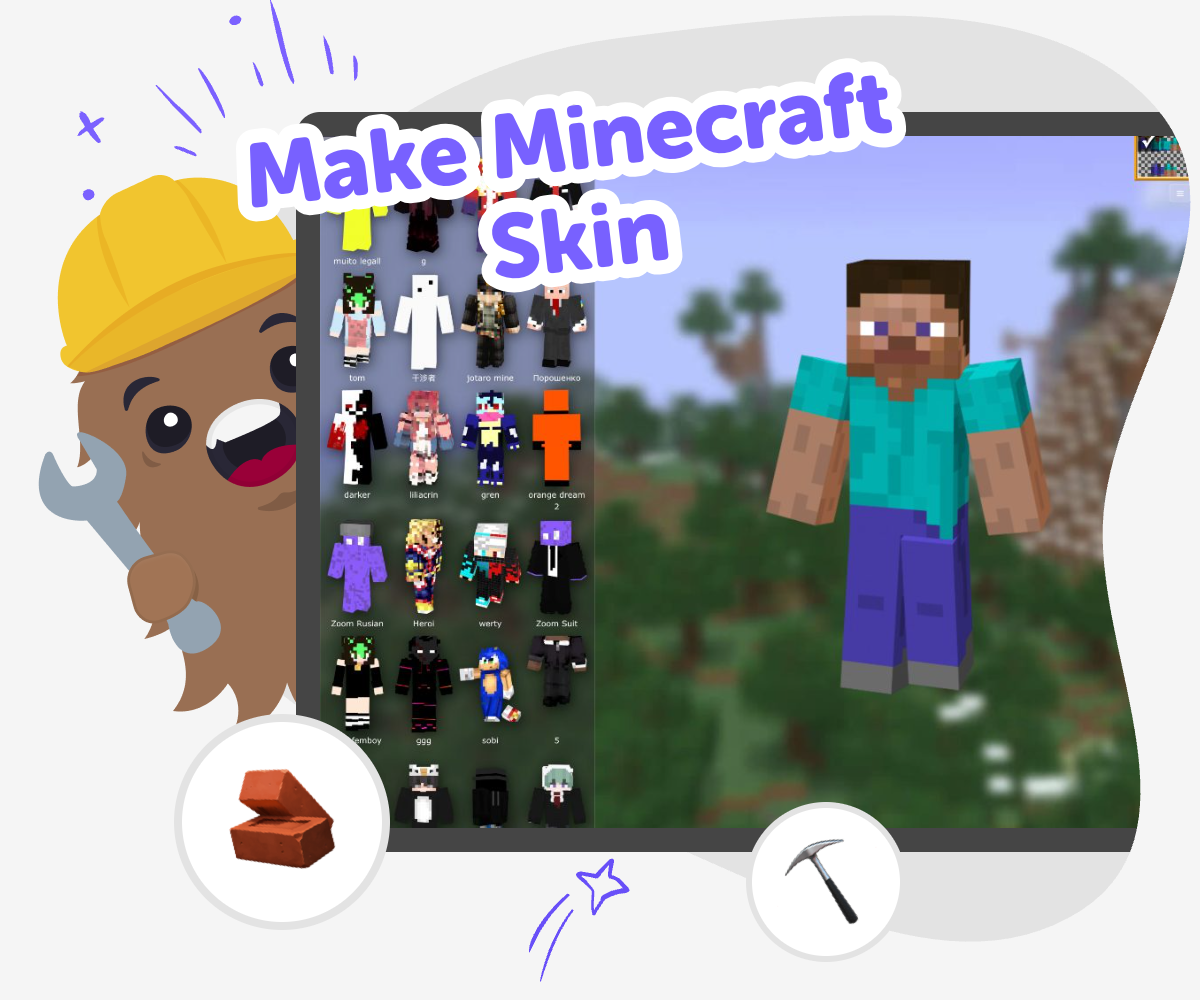
Design Your Minecraft Skin
Make minecraft skin is the process of creating the look of your character in Minecraft. It lets kids choose colours, shapes, and style so their player feels personal and easy to recognise. This matters because a skin turns a simple game avatar into a creative project. Kids can show personality, practise visual choices, and learn that ideas get stronger when they are tested and improved.
Vibe Coding helps kids explore make minecraft skin by guiding them through simple steps as they describe an idea, build a first version, and make changes. It supports safe, hands-on making by keeping the focus on trying ideas, noticing what works, and improving the design over time. That makes the topic feel active and manageable. Kids stay in charge of the creative choices while getting helpful support for experimenting, learning, and building confidence.
What is a Minecraft skin?
A Minecraft skin is the outside look of your character in the game. It changes how your player appears, but it does not change the game rules or give special powers. That makes skins a fun way to show personality through colour, clothing, style, and theme. Some kids make skins that look like themselves, while others design a costume, a fantasy hero, or something silly and surprising. Because skins are visual, they are a great beginner project for creative thinking. You can start with one idea and keep improving it as you notice what looks clear, friendly, or fun on the screen. The best part is that a skin is personal. There is no single right answer, which gives kids room to practise making choices and trusting their own style.
Why do kids like making their own skin?
Kids like making their own skin because it gives them a chance to say, This is me, or This is my idea. A custom skin can match a favourite colour, an animal, a game character, a season, or an invention from the imagination. It is a small project with a big feeling of ownership. When kids make a skin, they also practise planning and noticing details. They have to think about what will be easy to see, what fits together, and what makes the character look balanced. That kind of thinking helps with problem-solving in other creative projects too. If the first version does not feel right, kids can change it and try again. That process builds patience and confidence, because learning happens through making, not just by getting one perfect answer.
How can beginners start without feeling stuck?
The easiest way to begin is to choose one simple idea and build from there. A beginner can start with a colour scheme, a favourite outfit, or a theme like space, jungle, sports, or fantasy. Instead of trying to design everything at once, it helps to make one part first and then add more only if it still looks clear. Simple designs often work best because they are easier to recognise in the game. Beginners can also compare a few versions and notice which one feels easiest to read. That kind of testing is useful because it turns guessing into learning. If a child wants extra support, Vibe Coding can guide the making process step by step so the project feels manageable. The goal is not perfection. The goal is to make, check, and improve with confidence.
What should kids keep in mind about safety and sharing?
When kids make a skin, it is smart to keep the idea age-appropriate, respectful, and kind. Good skins can be creative without copying real people in a hurtful way or using symbols that make others uncomfortable. If a child wants to share the skin, it is best to show it to trusted people first, like a parent, teacher, or family member. That gives kids a chance to hear friendly feedback and make sure the design feels appropriate for their age. Sharing is also a chance to celebrate effort, not just the final result. Kids can talk about what they tried, what they changed, and what they would do next time. With a guided tool like Vibe Coding, the focus stays on learning, experimenting, and building something positive step by step.
Make a Minecraft Skin
Pick a skin idea
Choose one clear theme for your skin, such as a hero, animal, robot, or favourite colour scheme. Keep the idea simple so it is easier to turn into a character design.
Choose colours and shapes
Decide on the main colours and the most important details, like a hat, hoodie, stripes, or bright shoes. Small choices help the skin look clear and personal.
Build your first version
Use your idea to make a starter skin and check how it looks as a full character. If something feels busy or hard to see, change it and try again.
Make the most of testing
Look closely at the first version Check which parts stand out from far away and which parts blend together. A skin is easier to read when the biggest shapes are clear and simple. Try one small remix Change a colour, swap a pattern, or simplify a detail so you can see how the design changes. Small edits help you learn what makes the skin feel stronger. Ask for kind feedback Show the design to a trusted adult or friend and ask what they notice first. Helpful feedback can point out what feels fun, clear, or confusing. Keep improving your style Save the version you like best, then make another one with a different mood or theme. Each round of testing helps you build confidence and new ideas.
Frequently asked questions
What is a Minecraft skin?
A Minecraft skin is the look of your character in the game. It changes your appearance, not the game rules.
Can kids make their own skin?
Yes. Kids can make a skin that matches their style, a favourite theme, or an imaginary character.
Do Minecraft skins have to be complicated?
No. Simple skins can look great and are often easier for beginners to design and recognise.
What makes a skin easy to read?
Clear colours, simple shapes, and a few strong details help a skin stand out in the game.
Can a skin be based on an idea instead of a person?
Yes. Kids often make skins inspired by animals, heroes, stories, seasons, or inventions.
Is it okay to change a skin after making it?
Yes. Changing and testing a design again is part of the creative process.
How can kids share a skin safely?
Kids should share skins with trusted adults or family first and keep the design kind and age-appropriate.
How does guided making help with a skin project?
A guided tool like Vibe Coding can help kids build, test, and improve ideas step by step so the process feels easier and more playful.
More tools
Build a Fart Simulator Game
Build a fart simulator game and turn a silly idea into a real interactive project. Kids can design sounds, reactions, and playful timing while learning how games are planned, tested, and improved step by step.
Build a Fart Soundboard
Build a fart soundboard is a funny kid-friendly project that helps kids make a simple interactive sound tool, test ideas, and practice creative coding with confidence. It turns a silly joke into a hands-on way to learn how buttons, sounds, and timing can work together in a project they can change and improve.
Build a Fight Simulator Game
Learn how to build a fight simulator game with simple, kid-friendly steps that turn ideas into an interactive project. Kids can imagine characters, set up rules, test how the game plays, and improve it while building coding confidence and creative problem-solving skills.
Build a Flappy Bird Game
Build a flappy bird game by learning how simple game ideas turn into something playable, fun, and full of tiny choices. Kids can explore how movement, timing, obstacles, and scoring work together while they make a game that feels like their own.
Ready to start creating?
Join hundreds of thousands of kids already building cool stuff on DIY.ORG.
Your first game is on us.
Describe a game below - no sign-up needed to try.
Powered by AstroSafe
Make real games - not just chat