Build a Fart Soundboard
Build a fart soundboard is a funny kid-friendly project that helps kids make a simple interactive sound tool, test ideas, and practice creative coding with confidence. It turns a silly joke into a hands-on way to learn how buttons, sounds, and timing can work together in a project they can change and improve.
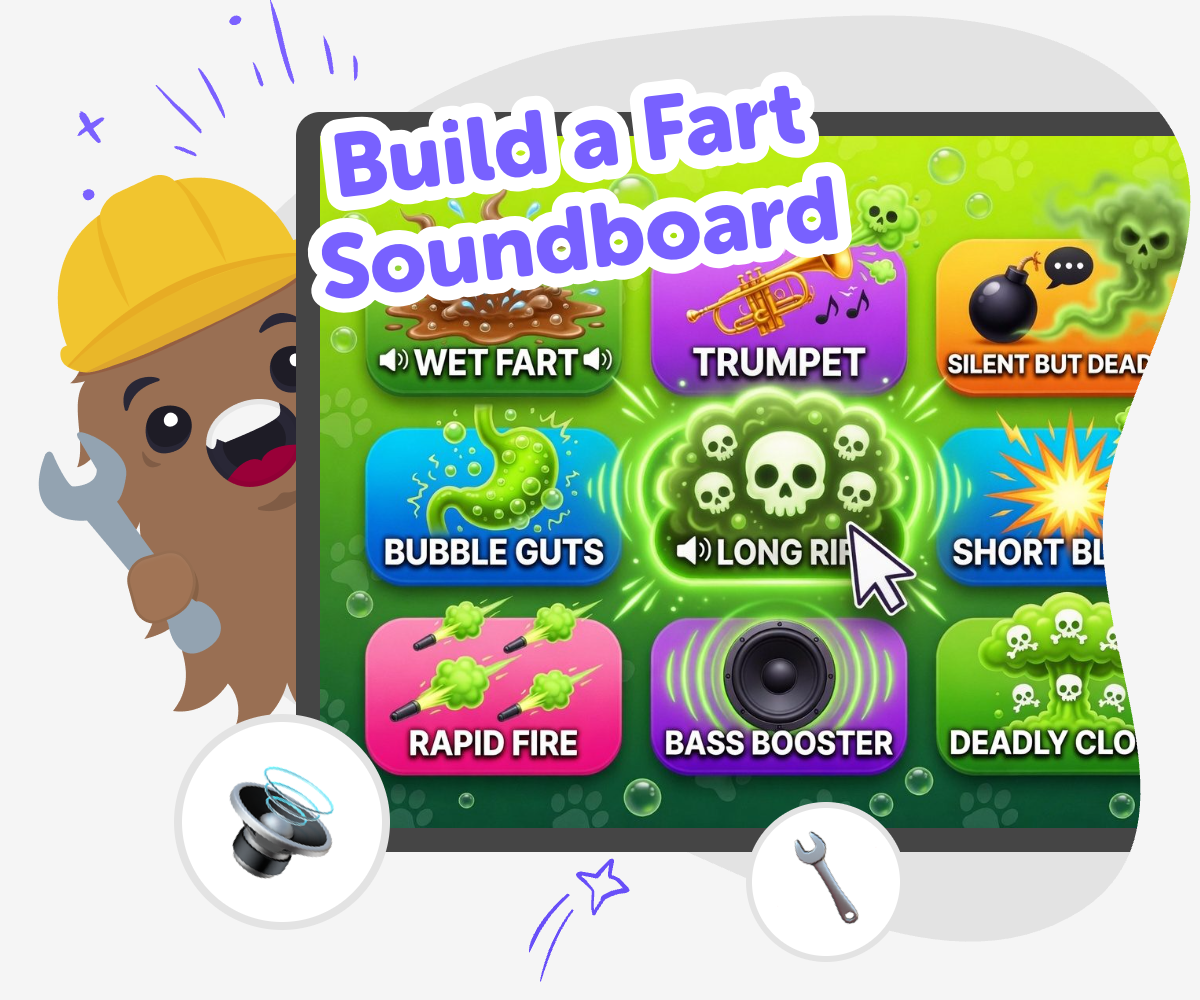
Make a Funny Sound Board
Build a fart soundboard is a playful way for kids to explore how interactive projects work. It starts with a simple idea: press a button, hear a sound, and see how timing, labels, and choices change the experience. That kind of project helps kids practice creativity, problem-solving, and careful decision-making while making something that feels funny and personal. This topic matters because it shows kids that small ideas can become real creations when they are built step by step. They learn that testing, changing, and trying again is part of making, not a mistake.
Vibe Coding supports this kind of project by giving kids a guided place to build, test, and adjust their soundboard. Kids can shape the layout, choose how it responds, and keep improving it until it feels easy to use and fun to play with. The tool keeps the process hands-on and approachable, so kids can learn creative coding skills while staying in control of their own ideas.
What is a fart soundboard?
A fart soundboard is a simple interactive project with buttons that play funny sound effects when someone taps them. Kids often like soundboards because they are easy to understand and easy to change. One button can play one sound, or different buttons can play different sounds so the joke feels more surprising. Building one is not just about being silly. It also teaches kids how interactive ideas work. They learn that a project can have choices, timing, and rules, and that those parts matter when someone is using it. That makes a soundboard a good first project for kids who want something playful but still want to learn how creative technology works.
Why do kids like making silly sound projects?
Kids like silly sound projects because they are quick to understand and fun to experiment with. A joke sound can make a project feel lively right away, which helps kids stay interested while they are learning. It also gives them room to try ideas without worrying about making something perfect. If one sound is too long, too quiet, or not funny enough, they can change it and hear the difference right away. That kind of fast feedback helps kids build confidence. They see that making something playful can still involve real thinking, careful choices, and practice. The result is a project that feels like their own, not just a school assignment or a copied idea.
How does this kind of project help kids learn?
A soundboard project helps kids learn by turning small choices into visible results. When they choose a button label, place sounds in order, or adjust how the project responds, they are practicing problem-solving. When they test what happens and make changes, they are learning iteration, which means improving something step by step. Kids also build coding confidence because they see that they can make a digital project work by trying, checking, and fixing it. These are useful skills for games, stories, inventions, and other creative technology projects too. Even though the project is funny, the learning is real. Kids get practice thinking carefully, noticing patterns, and staying calm when something needs another try.
How can families keep it safe and appropriate?
A funny sound project works best when the humor stays light, friendly, and age-appropriate. Families can help kids choose jokes that are playful instead of rude, mean, or aimed at upsetting someone. It is also helpful to keep the soundboard easy to understand so younger children can use it without confusion. If kids are sharing the project, they can think about where it will be used and who will hear it. That helps them learn that creative freedom comes with good judgment. A safe project does not have to be boring. It can still be very funny, but the jokes should fit the people playing with it. That makes the project more welcoming and easier to enjoy together.
How to make it
Pick the joke idea
Start with the kind of silly soundboard you want to make. Choose a theme, think about how many buttons you need, and decide what each sound should feel like.
Set up the buttons
Add buttons for each sound and give them clear names so the board is easy to use. Keep the layout simple so kids can find the right button fast.
Test the sounds
Press each button and listen carefully to what happens. Change the timing, order, or labels if anything feels confusing, too loud, or not funny enough.
Make the most of replay
Try a new sound mix Swap one sound, label, or button order to see how the board changes and which version feels funniest. Check the flow Press every button in order and make sure the board is easy to understand, quick to use, and simple for other kids to try. Keep it friendly Choose jokes that stay light and playful so the soundboard feels fun without being mean or upsetting. Improve again Save your favorite version, test a small change, and keep refining until the soundboard feels smooth, silly, and all yours.
Frequently asked questions
What is a fart soundboard?
It is a simple button-based project that plays funny sound effects when someone taps different sounds.
Can kids make their own soundboard?
Yes. Kids can choose the sounds, name the buttons, and keep testing the project until it feels right.
What makes a soundboard fun to play?
Clear buttons, quick reactions, and a funny mix of sounds make it easy to use and fun to repeat.
Is this kind of project good for beginners?
Yes. It starts with a small idea and lets kids build it step by step, which is great for beginners.
How does making one help with coding?
Kids practice choosing actions, testing results, and improving their project, which builds coding confidence and problem-solving skills.
Can the jokes stay kid-friendly?
Yes. The best versions use light, silly humor that is safe and comfortable for kids and families.
What can kids change if the project does not feel right?
They can change the labels, sound order, button layout, or timing and test again until it feels better.
Can Vibe Coding help with making it?
Yes. Vibe Coding gives kids guided support so they can build, test, and improve their soundboard in a hands-on way.
More tools
Build a Fox Clicker Game
Build a fox clicker game and learn how simple games work by making one step by step. Kids can design a fox theme, add clicks and upgrades, and keep testing ideas until the game feels fun to play.
Build a Funny Soundboard
Build a funny soundboard by choosing silly sounds, arranging buttons, and testing how each one changes the mood. Kids can make a playful mix of noises that feels fun to tap, easy to use, and full of personality. It is a creative way to explore timing, choices, and simple digital making.
Build a Gacha Character
Build a gacha character by choosing a style, adding details, and making a character that feels unique, playful, and ready for stories, games, or art projects.
Build a Gem Clicker Game
Learn how to build a gem clicker game with a simple, kid-friendly creative coding studio. Kids can turn a game idea into something interactive, then test, change, and improve it step by step.
Ready to start creating?
Join hundreds of thousands of kids already building cool stuff on DIY.ORG.
Your first game is on us.
Describe a game below - no sign-up needed to try.
KidsGPT has moved!
Log into ChatDino to access your chats
Powered by AstroSafe
Make real games - not just chat