Game Development for Kids | Make Games with Vibe Coder
Use Vibe Coder to teach game development for kids: safe, guided vibe coding to build playable games, learn concepts, and share kid-friendly projects.
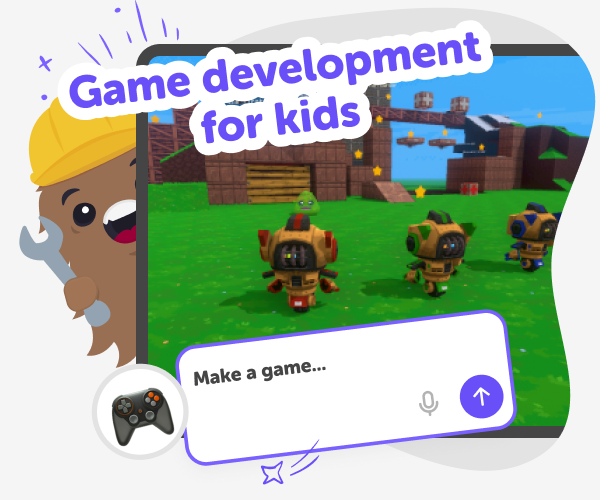
What is game development for kids?
Game development for kids means learning how to make playable games using simple tools and guided steps. Instead of only playing games, kids design characters, rules, scores, and levels while practising problem-solving and creativity. It’s a hands-on way to learn logic, storytelling, and basic programming ideas without pressure. Tools like Vibe Coder and kid-friendly editors let children try game coding for kids with templates, block-style or text-based options, and live previews. This lowers the barrier to making real projects while keeping learning playful and safe. Parents and educators can choose how much explanation appears, and kids can ask Vibe Coder to explain ideas step-by-step.
Vibe Coder gives kids a friendly, conversational coding workspace that turns ideas into playable prototypes. Choose Game Viber for making games, Ardu Coder for Arduino simulations, Java Coder or Py Coder for text projects, or Ask Anything when learning concepts. Pick a template or start from a blank canvas, then chat with Vibe Coder to iterate. The Preview window shows a clickable prototype; the Code window reveals the code you can export. Because Vibe Coder is designed for kids, it offers age-appropriate prompts, guided examples, and safe sharing options. Parents can monitor projects, and children learn by making, testing, and improving their games in a supportive environment.
Create Your First Game with Vibe Coder
Step 1 - Pick your game path
Open Vibe Coder and choose Game Viber, Java Coder, Py Coder, or block-style template depending on how you want to create.
Step 2 - Start from template or blank
Select a starter game template or pick a blank canvas. Templates give ready rules, assets, and a working preview to customise.
Step 3 - Iterate with preview and code
Type ideas into the prompt, play the Preview, then tweak mechanics. Toggle Code to see how changes affect the underlying program.
Step 4 - Make the most of Vibe Coder
Try different environments Switch between Game Viber, Java Coder, Py Coder, and Ardu Coder to explore game types and platforms. Templates change what you can build. Iterate and test Play the Preview often and change rules, controls, or difficulty. Small tweaks teach cause-and-effect and improve gameplay without restarting. Build a project ladder Start with simple games, add features, and combine ideas into bigger projects to level up skills gradually. Share safely When ready, post with DIY.org’s moderated sharing tools so friends can test and cheer.
What is game development for kids?
How does Vibe Coder teach core gaming concepts?
Is Vibe Coder safe and age-appropriate?
Can kids build real games and progress their skills?
Frequently Asked Questions
Why 500,000 families trust DIY

Martin
Dad to 2 DIYers
My son loves DIY! He always finds fun projects to do, and we enjoy making things together. It’s a great way to learn, create, and have fun at the same time!

Pearl
DIYer from USA
DIY is such a great app with really sweet people and moderators who always make sure this app is super safe. You can learn to create things or learn drawing techniques - honestly there is so much to do.

Elaine W.
Middle school teacher
I love logging onto DIY every day - not just for projects but to also look at the comments my kids share about each other's work. It's a brilliant way to foster healthy support systems!

Jenn L.
Mom to 3 DIYers
We absolutely love the DIY platform and its endless river of creative adventures and projects! We always have the best time together participating, learning and creating!
