Bluey Episodes | Watch and Explore with KidsGPT
Use KidsGPT to find Bluey episodes, get safe episode links, and watch inside DIY.org’s KidSafe video player without ads or promos.
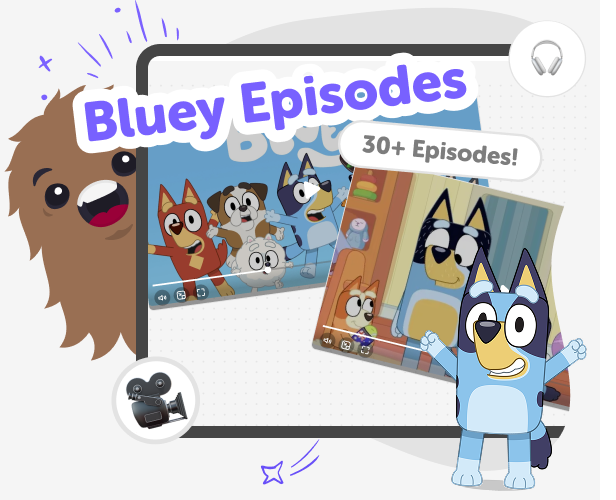
What are Bluey episodes?
Bluey episodes are short, playful stories from the popular kids TV show Bluey TV show about family, imagination, and everyday adventures. Each episode focuses on play-based learning, simple problem-solving, and warm family moments that kids easily understand. Bluey episodes show how ordinary moments become games and lessons, so children pick up social skills, cooperation, and confidence while laughing along with the characters. On DIY.org, families can use tools to find episodes by theme, pick ones that match a child’s interests, and turn watching into a creative activity that supports learning through play.
KidsGPT is a kid-safe assistant on DIY.org that helps children and families find Bluey episodes in a friendly, age-appropriate way. Type a question like “Which Bluey episodes are about family?” and KidsGPT will suggest episodes, describe them in simple language, and offer ideas for watching together. KidsGPT presents episode links clearly on the left side of the chat so kids can open them directly in DIY.org’s KidSafe video player. The player is ad-free and designed to avoid harmful promotion, keeping watching safe and focused on the story.
How can KidsGPT help kids find episodes?
KidsGPT guides children to discover Bluey episodes by responding to simple prompts like “Find Bluey episodes about grandparents” or “Which episodes teach teamwork?” It gives short, clear suggestions and groups episodes by theme, character, or lesson. When KidsGPT suggests episodes, it shows safe links on the left side of the chat that open inside DIY.org’s KidSafe video player. KidsGPT is written for kids’ reading levels and acts like a helper—offering ideas, asking clarifying questions, and encouraging families to pick episodes that match a child’s interests and mood.
Is watching Bluey episodes safe with KidsGPT?
Yes. KidsGPT is designed for children and gives age-appropriate responses without exposing them to unsafe content. When it lists Bluey episodes, KidsGPT provides links that appear on the left side of the chat; those links open episodes in DIY.org’s KidSafe video player. The player is ad-free and avoids promotional material that can be confusing or inappropriate for kids. Parents can preview episodes, decide what to watch with their child, and use DIY.org’s moderated sharing and privacy settings. Overall, watching happens inside a child-focused environment that supports safe, educational, and enjoyable screen time.
Can kids make activities from Bluey episodes?
Absolutely. Kids can use KidsGPT to turn Bluey episodes into hands-on creative activities that extend learning beyond the screen. After watching, ask KidsGPT for drawing prompts, short role-play scripts, simple quizzes, or step-by-step crafts inspired by the episode. It can suggest making posters, building small props from household materials, or planning a family play that reenacts a favourite scene. KidsGPT also offers conversation starters to practise social skills and empathy, and themed snack or activity ideas for viewing nights. These projects help kids reflect, practise storytelling, and learn by making rather than just consuming media.
Find and Watch Bluey Episodes with KidsGPT
Ask KidsGPT about Bluey
Open KidsGPT and type a question like “Which Bluey episodes are about playtime?” Wait for friendly, age-appropriate suggestions to appear.
See episode links on the left
KidsGPT shows episode results with safe links on the left side of the chat you can tap to preview inside the player.
Watch in the KidSafe player
Tap a left-side link to open an episode in DIY.org’s KidSafe video player, which is ad-free, moderated, and safe for kids.
Make the most of Bluey episodes
Explore themes Ask KidsGPT to list episodes by theme like family, play, or imagination and pick ones you want to watch together. Make episode guides Use KidsGPT to help write short notes or drawings about each episode to remember favourite moments. Create your own Bluey list Save episode links in a personal playlist so you can rewatch or plan themed nights. Share safely with friends Use DIY.org’s moderated sharing to post favourite episodes or notes so friends can see and comment.
Frequently asked questions
What age is this for?
It’s designed for kids aged 5–15, with explanations and suggestions tailored to younger readers and helpful options for older kids.
Do kids need drawing or reading skills?
No. KidsGPT uses simple language and step-by-step ideas, so children can find episodes and activities without advanced reading skills.
How do kids find a specific episode?
Type a clear question into KidsGPT like “Which Bluey episode has a camping trip?” and follow the episode links shown on the left.
Can episodes be watched without ads?
Yes. Episodes open in DIY.org’s KidSafe video player, which is ad-free and designed to avoid harmful promotion for kids.
Is parental supervision needed?
Parental involvement is encouraged for younger children to choose episodes and use DIY.org tools together for shared learning.
Do kids need an account to watch?
You can preview episodes without signing in, though an account unlocks saved playlists and moderated sharing features.
Can KidsGPT make episode activity ideas?
Yes. Ask KidsGPT for follow-up activities like drawing prompts, games, or discussion questions after watching an episode.
Can I share favourite episodes with friends?
Yes. Use DIY.org’s moderated, kid-safe sharing tools so friends can see recommended episodes and leave positive reactions.
More tools
Create a Minecraft Dragon Skin
Create a Minecraft dragon skin by designing a character look that feels bold, playful, and all your own. Kids can explore colors, shapes, and style choices while learning how creative ideas become something they can use in a game.
Create a Minecraft Fox Skin
Create a Minecraft fox skin and explore how small design choices can turn a simple idea into a character that feels playful, clever, and unique. This page helps kids understand the idea, get inspired, and try it with guided creative making.
Create a Minecraft House
Create a Minecraft House is a fun way for kids to plan, build, and improve their own blocky home idea. The page helps young makers think about shape, materials, rooms, and style, then use Vibe Coding to turn that idea into an interactive project they can test, change, and make their own.
Create a Minecraft Parkour Game
Create a Minecraft Parkour Game is a fun way for kids to design a jump-and-run challenge that feels exciting, fair, and creative. Kids can plan obstacles, set the difficulty, and build a game that players want to try again and again.
Ready to start creating?
Join hundreds of thousands of kids already building cool stuff on DIY.ORG.