Create a Minecraft House
Create a Minecraft House is a fun way for kids to plan, build, and improve their own blocky home idea. The page helps young makers think about shape, materials, rooms, and style, then use Vibe Coding to turn that idea into an interactive project they can test, change, and make their own.
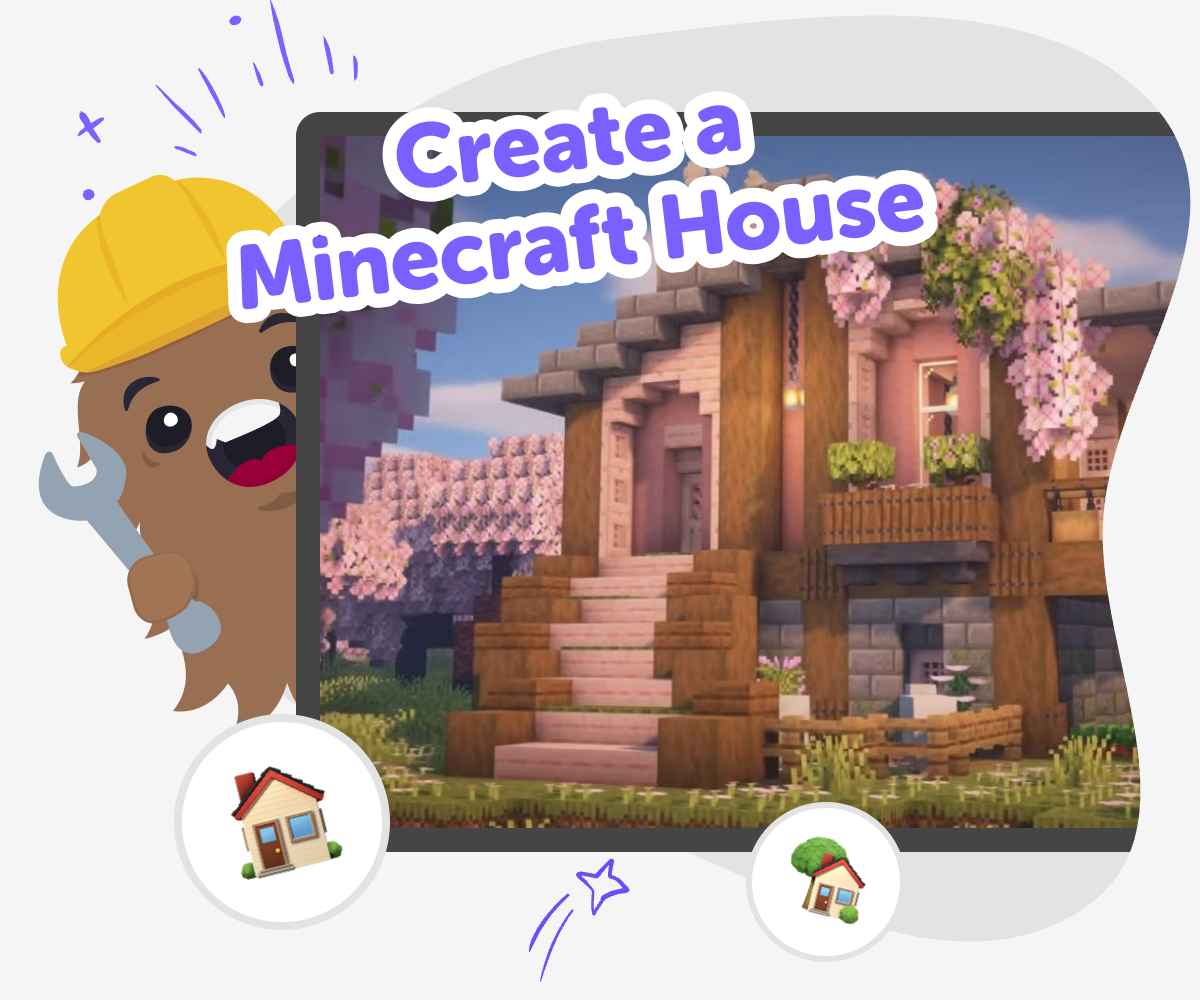
Build Your Blocky House
Create a Minecraft House is a creative building idea that helps kids imagine shape, rooms, doors, windows, and details for a home that feels fun and personal. It matters because building a house in Minecraft is not just about placing blocks; it is about planning, solving problems, and making something that fits your idea. A good house can also help kids practice patience and confidence. Each choice, from the roof to the doorway, shows how an idea grows when you test it, change it, and keep improving it.
Vibe Coding gives kids a guided place to explore a Minecraft house idea step by step. Kids can describe the kind of home they want, try out changes, and learn from each version while staying focused on making and experimenting. The tool keeps the process creative and safe by helping kids build with clear guidance instead of guesswork. That makes it easier to test ideas, notice what works, and keep shaping the house in a way that feels personal and fun.
Why do kids like to create a Minecraft house?
Kids like to create a Minecraft house because it gives them a clear goal with lots of room for imagination. A house is simple enough to start, but it can become almost anything: a tiny starter cabin, a hidden base, a tall tower, or a bright family home with secret rooms. That mix of structure and freedom helps kids feel successful while still making personal choices. Building also teaches planning, because a house needs walls, a roof, doors, light, and a space that makes sense to move through. When kids create their own house, they are not only decorating blocks. They are practicing design thinking, solving small problems, and learning how to turn an idea into something they can improve over time.
What makes a Minecraft house feel creative?
A Minecraft house feels creative when it shows a kid’s choices instead of copying the same shape every time. Creativity can come from the roof line, the window style, the materials, the colour pattern, or the way rooms connect. Some kids enjoy making a safe starter house, while others like surprising details such as a rooftop garden, a secret basement, or a tiny reading room. The best part is that there is no single correct answer. A creative house is one that matches the maker’s idea and works for the way they want to play. This is why building is such a good creative activity for kids: it combines imagination with decision-making, and every change helps them understand how design works.
How can kids stay safe while building online?
Safety matters when kids build online, because they are learning best when the space feels calm, guided, and age-appropriate. A good creative tool should help kids focus on making rather than wandering into confusing or unsafe parts of the internet. It should also support sharing in a careful way, with moderation and clear boundaries. For a Minecraft house project, that means kids can stay focused on the design itself: planning rooms, testing ideas, and improving their build step by step. Parents and educators can feel better when the activity encourages creativity, practice, and thoughtful feedback instead of pressure or competition. Safe building spaces help kids take chances, make mistakes, and keep going with confidence.
How does building a house help kids learn?
Building a house helps kids learn because it turns thinking into action. Kids have to imagine the result, break it into smaller parts, and make choices about what to do first. That can strengthen problem-solving, spatial thinking, and patience. If a room feels too small, they learn to adjust it. If the roof does not look right, they learn to test another idea. Those small changes matter, because they teach iteration: try, notice, improve, repeat. This kind of learning is powerful for kids of different ages, because younger kids can practice simple design choices while older kids can go further with planning and detail. A Minecraft house is more than a game build; it is a practical creative project that helps kids build confidence as makers.
How to build it
Choose your house idea
Pick a style for your Minecraft house, like cozy, modern, treehouse, or castle-inspired, and think about who lives there.
Plan the layout
Decide where the rooms, entrance, windows, and roof will go so the house has a clear shape before you build.
Build and test
Make the first version, then check what works well and what needs changing so the design feels stronger.
Make the most of remixes
Try a new style Change one part of your house, like the roof, windows, or colour theme, so the idea feels fresh while still staying recognisable. Check what feels easy Look at the layout and ask whether the rooms make sense, the doors are easy to find, and the house feels fun to move through. Share your best version Keep the version you like most and show it to a parent, teacher, or friend so they can see how your idea grew. Keep experimenting Save a new copy, try another design choice, and improve little parts each time so building becomes a skill you can grow.
Frequently asked questions
What is a Minecraft house?
A Minecraft house is a player-made home built from blocks in the game. It can be simple or detailed, small or large, and it often gives kids a place to start, store items, and express their style.
Why should kids build their own house instead of copying one?
Building their own house helps kids make choices, solve problems, and show their ideas. Copying can be useful for practice, but making an original house helps kids feel more confident and creative.
What is a good first Minecraft house for beginners?
A good first house is small, sturdy, and easy to understand. Many kids begin with one room, a roof, a door, and a few windows before adding extra details later.
How can a house idea become more creative?
Kids can make a house more creative by changing the shape, using different materials, adding hidden spaces, or choosing a theme like forest, modern, or castle-inspired. Small changes can make a build feel unique.
Can kids plan a Minecraft house before building it?
Yes. Planning helps kids think about the layout before they place blocks. They can sketch the rooms, decide where the door goes, and imagine how the house will be used.
Is building a Minecraft house good for learning?
Yes. It supports planning, problem-solving, spatial thinking, and patience. Kids practice turning an idea into a real build and then improving it when something does not feel right.
How does Vibe Coding help with a Minecraft house idea?
Vibe Coding gives kids a guided place to shape their idea step by step. They can describe the kind of house they want, try changes, test what works, and keep improving the project as they build confidence.
Can kids keep changing their house after the first version?
Yes, and that is part of the learning. Trying a first version, noticing what could be better, and making a new version helps kids understand that creative projects grow through practice.
More tools
Build a Probability Game
Build a probability game to explore chance, fairness, and patterns through hands-on play. Kids can make choices, test outcomes, and see how small changes affect what happens next while building confidence with simple math ideas.
Build a Prodigy Game
Build a Prodigy Game is a kids-first way to explore game making with creativity, problem-solving, and confidence. Kids can imagine the kind of game they want, shape the rules, test what happens, and keep improving it until it feels fun and clear. With guided support from Vibe Coding, kids can turn an idea into an interactive project while learning that great games are built through practice and experimentation.
Build a Pumpkin Clicker Game
Build a pumpkin clicker game with Vibe Coding and turn a simple Halloween idea into a playful project kids can make, test, and improve. This kid-friendly page explains the concept, shows how clicker games work, and gives young makers a safe way to explore coding confidence through hands-on creation.
Build a Queen Game
Build a queen game by turning an idea into a playful, interactive project kids can shape step by step. On this page, kids can explore how a queen character, rules, choices, and game goals come together in a creative way that builds confidence, problem-solving, and imagination.
Ready to start creating?
Join hundreds of thousands of kids already building cool stuff on DIY.ORG.
Your first game is on us.
Describe a game below - no sign-up needed to try.
Powered by AstroSafe
Make real games - not just chat